


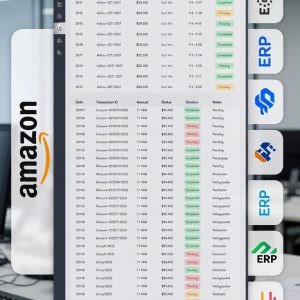
How to Automate Amazon Settlement Report to ERP in 3 Easy Steps
$0.00
| Workflow Name: |
Amazon Settlement report to ERP |
|---|---|
| Purpose: |
Order-to-Cash Automation |
| Benefit: |
Faster cash collection; fewer errors |
| Who Uses It: |
Supply Chain; Finance Ops |
| System Type: |
ERP; SCM; CRM; HCM; PLM; GTM; Analytics |
| On-Premise Supported: |
Yes |
| IPSec Guide Link: |
https://ezintegrations.ai/ipsec-vpn-setup-for-ezintegrations/ |
| Supported Protocols: |
REST, GraphQL, FTP, SFTP, Webhook, WebSocket |
| Industry: |
Retail; eCommerce; Distribution |
| Outcome: |
90 % faster, 99 % accuracy |
Table of Contents
Description
| Problem Before: |
Manual rekeying of orders; delay in invoicing |
|---|---|
| Solution Overview: |
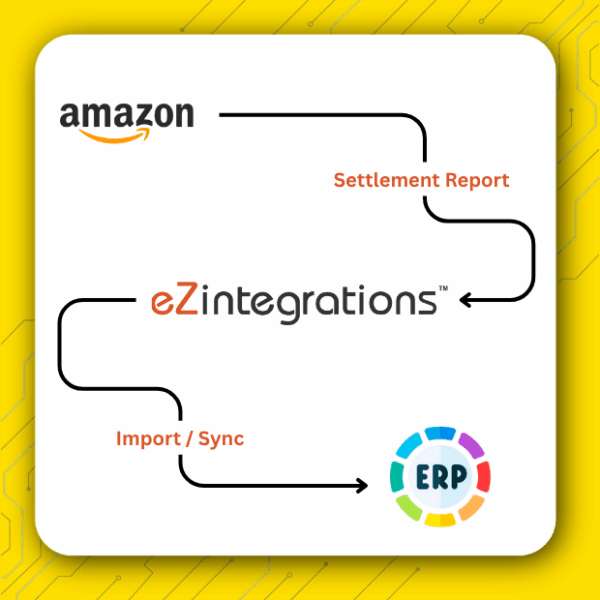
Low-code orchestration across Amazon and Oracle |
| Key Features: |
Scheduling, retries, mapping, validations |
| Business Impact: |
Cut processing time from 2 days to 2 hours |
| Productivity Gain: |
+35% more orders handled per FTE |
| Cost Savings: |
Save $40K/yr on manual effort |
| Security & Compliance: |
Audit-ready logs |
Automate Amazon Settlement Report to ERP
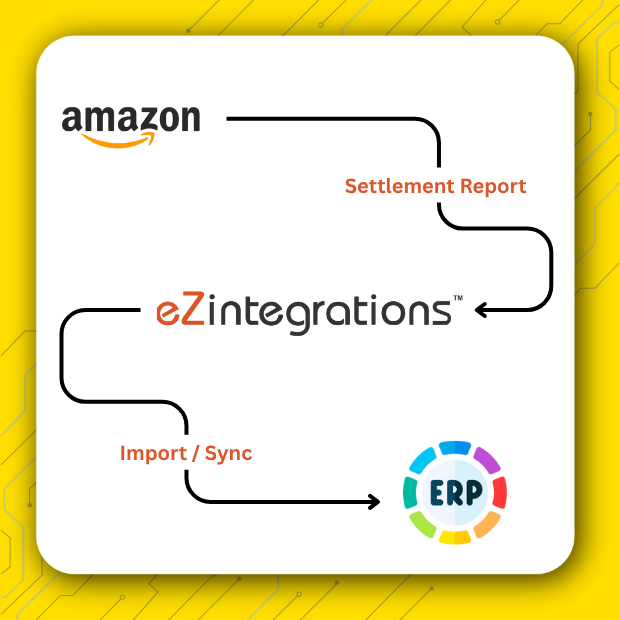
This integration automatically pulls the detailed Amazon Settlement Report into your ERP system using eZintegrations – AI Workflows & AI Agents Automation Hub. The report is crucial because it contains every penny of your sales — including Amazon fees, refunds, and adjustments — giving you a true picture of your cash flow.
By automating this process through eZintegrations, your Finance team no longer needs to manually download and review complex settlement files. Instead, they can close the books faster, identify discrepancies earlier, and gain reliable visibility into Amazon profitability without spending hours on manual reconciliation work.
Note: This automation template requires an active eZintegrations account to configure and run the integration workflow.
Built for Finance Teams Managing Amazon Settlement Reconciliation
The Amazon Settlement Report to ERP automation, powered by eZintegrations, is designed to support leaders across Finance and Supply Chain operations who rely on accurate marketplace financial data.
Finance teams gain immediate access to reconciled settlement data, eliminating manual journal entries and significantly accelerating the monthly close cycle. Operations leaders benefit from clearer visibility into settlement adjustments that affect profitability and financial reporting.
By removing data silos between operational and financial systems, eZintegrations ensures both teams work from a single, consistent source of marketplace financial data, enabling faster and more informed decisions.
Learn more about enabling this integration through the eZintegrations automation platform.
Watch Demo
| Video Title: |
Integrate Amazon Seller Central Settlement Report to any System using eZintegrations |
|---|---|
| Duration: |
07:42 |
| Video Description: |
Discover how to increase the effectiveness of your online store by integrating Amazon Seller Central Settlement Reports into any system using eZintegrations |
Outcome & Benefits
| Time Savings: |
Cut processing time 90% |
|---|---|
| Cost Reduction: |
Save $40K/yr |
| Accuracy: |
99.9% valid records |
| Productivity: |
+35% throughput/FTE |
Industry & Function
| Function: |
Sales; Marketing; Procurement; Warehouse; HR; Finance; Support |
|---|---|
| System Type: |
ERP; SCM; CRM; HCM; PLM; GTM; Analytics |
| Industry: |
Retail; eCommerce; Distribution |
Functional Details
| Use Case Type: |
Settlement Reconciliation; Payout Automation; Invoice Validation |
|---|---|
| Source Object: |
Amazon Settlement Reports |
| Target Object: |
ERP Journal Entries; Payment Records |
| Scheduling: |
Real-time / Hourly / Daily |
| Primary Users: |
Ops Analyst; Finance Admin |
| KPI Improved: |
Reconciliation time; DSO reduction; Cash flow visibility |
| AI/ML Step: |
N/A |
| Scalability Tier: |
Lite/Standard/Enterprise |
Technical Details
| Source Type: |
API/DB/File/Webhook/WebSocket/FTP/SFTP |
|---|---|
| Source Name: |
Amazon Seller Central |
| API Endpoint URL: |
https://sellingpartnerapi-na.amazon.com/finances/v0/financialEvents |
| HTTP Method: |
GET |
| Auth Type: |
AWS Signature v4 (SP-API Authentication) |
| Rate Limit: |
1,000 rpm |
| Pagination: |
cursor/offset |
| Schema/Objects: |
SettlementReport, Transaction, Refund, Adjustment, Fee, Disbursement |
| Transformation Ops: |
map, merge, filter, dedupe, validate |
| Error Handling: |
retry 3x with exponential backoff |
| Orchestration Trigger: |
Event-based via webhook |
| Batch Size: |
500 records |
| Parallelism: |
Yes (4 workers) |
| Target Type: |
API/DB/File |
| Target Name: |
ERP (e.g., Oracle, SAP, NetSuite) |
| Target Method: |
POST /bulk import |
| Ack Handling: |
Process jobId + poll status |
| Throughput: |
10k rec/min |
| Latency: |
< 2 min per batch |
| Logging/Monitoring: |
Structured logs + alerts |
Connectivity & Deployment
| On-Premise Supported: |
Yes |
|---|---|
| IPSec Guide Link: |
Secure IPSec VPN Setup for eZintegrations |
| Supported Protocols: |
REST, GraphQL, FTP, SFTP, Webhook, WebSocket |
| Cloud Support: |
AWS, Azure, GCP, Oracle Cloud |
| Security & Compliance: |
Audit-ready logs |
FAQ
1. What specific Amazon data is imported into the ERP?
The integration imports the complete Amazon Seller Settlement Report, including sales revenue, all Amazon fees (FBA, referral, transaction), refunds, adjustments, and tax data. This provides the full financial picture for accurate reconciliation.
2. How does this automation improve month-end closing?
It reduces the time spent on manual data entry and spreadsheet-based reconciliation by 90%. By delivering 99.9% valid records, pre-classified and mapped directly to the ERP, Finance teams can close the books in hours instead of days.
3. Is the integration secure enough for sensitive financial data?
Yes. The eZintegrations platform uses AWS Signature v4 authentication for Amazon SP-API access, encrypted data transfer for all financial records, and structured audit logs for every transaction event. Role-based access controls restrict who can view or modify settlement data. The platform supports SOC 2-aligned architecture and enterprise-grade security practices.
4. Can this process handle data from multiple Amazon marketplaces?
Yes. The integration pulls settlement data from multiple Amazon marketplaces (such as the US, Canada, and EU) and consolidates or allocates it correctly within a single ERP instance, simplifying international reconciliation.
5. What happens if the integration fails or a report is delayed?
The system includes monitoring, automatic retries, and detailed error logging. If a report is delayed or fails to process, the operations team is immediately alerted, minimizing downtime and ensuring no settlement data is missed.
6. Does the integration automatically create Journal Entries?
Yes. Once settlement data is imported and transformed, the system automatically generates Journal Entries in the ERP, coding fees and transactions to the correct general ledger accounts based on pre-defined mapping rules.
7. Which ERP systems does this template support?
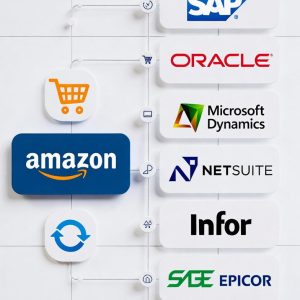
The template is pre-configured for Oracle ERP Cloud, SAP S/4HANA, and NetSuite. Microsoft Dynamics integration is available with minor configuration adjustments. Amazon settlement data fields are mapped to ERP GL account codes and journal structures through configuration rather than custom coding.
8. How do I import this template into eZintegrations and how long does setup take?
Download the template file and import it into your eZintegrations account through Workflow Templates → Import. After connecting Amazon Seller Central SP-API credentials and the ERP system, configure GL account mappings and scheduling frequency such as real-time, hourly, or daily. Most teams complete setup and go live within 2–4 hours.
Case Study
| Customer Name: |
US-based Amazon marketplace seller |
|---|---|
| Problem: |
Manual reconciliation of Amazon settlement reports led to order delays, posting errors, and missed invoicing deadlines. |
| Solution: |
Implemented real-time data synchronization between Amazon Seller Central and ERP using eZintegrations |
| ROI: |
4 FTEs redeployed; 3-month payback |
| Industry: |
Retail; eCommerce; Distribution |
| Outcome: |
90 % faster, 99 % accuracy |