How to Extract Receipt Data and Send It to Any Target
$0.00
| Workflow Name: |
Extract Receipt and Send It to Any Target |
|---|---|
| AI Model Type: |
Vision / LLM |
| Model Provider: |
Goldfinch AI / OpenAI |
| Task Type: |
Receipt Data Extraction |
| Input Type: |
Image / PDF |
| Output Format: |
JSON / CSV |
| Who Uses It: |
Finance Teams; Expense Ops |
Table of Contents
Description
| Problem Before: |
Manual receipt entry |
|---|---|
| AI Solution: |
OCR + line-item parsing |
| Validation (HITL): |
Exception-based review |
| Accuracy Metric: |
Field-level accuracy |
| Time Savings: |
85% faster expense processing |
| Cost Impact: |
Lower accounting effort |
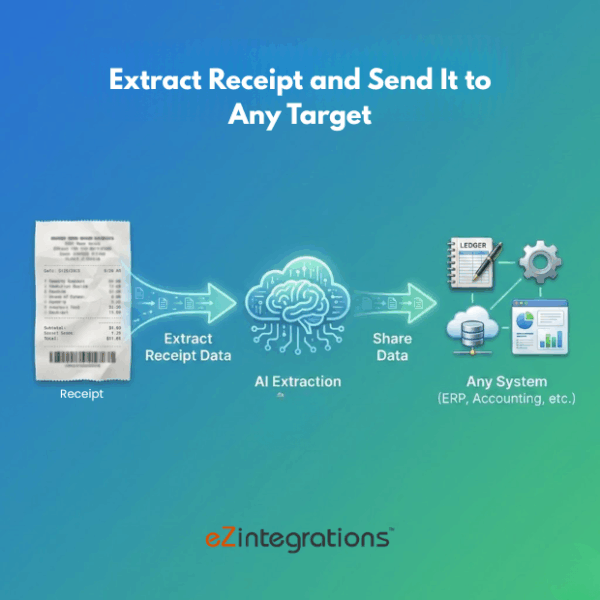
Extract Receipt and Send to Any Target
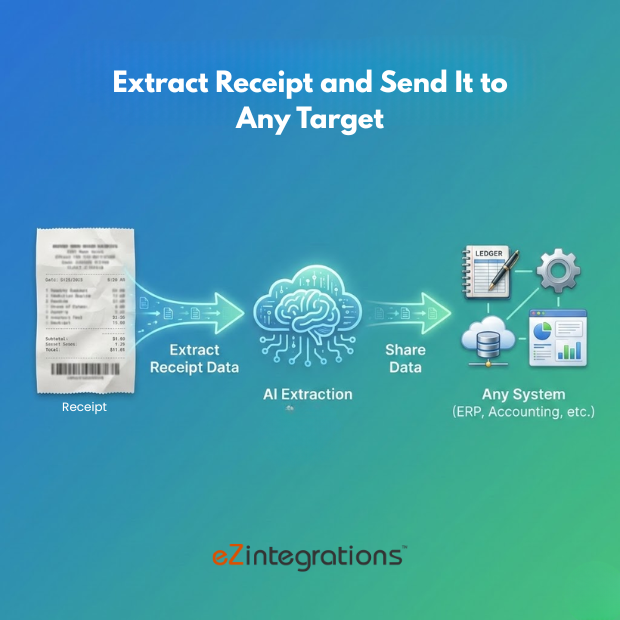
This workflow enables Receipt Data Extraction from images and PDFs using vision and LLM models.
Automated Expense Data Processing
The system captures key receipt details such as vendor, date, amount, and line items, structures the data into JSON or CSV, and sends it to any target system. It helps finance teams and expense operations reduce manual entry, improve accuracy, and streamline expense management workflows.
Watch Demo
| Video Title: |
Automate E-Way Bill Generation from ERP or Accounting Software |
|---|---|
| Duration: |
3:03 |
Outcome & Benefits
| Accuracy: |
98% |
|---|---|
| Touchless Rate: |
75% |
| Time Saved: |
From 4m to 45s/receipt |
| Cost Saved: |
$0.40 per receipt |
Functional Details
| Business Tasks: |
Expense capture |
|---|---|
| KPI Improved: |
Expense cycle time |
| Scheduling: |
Batch / Real-time |
| Downstream Use: |
Datalake / ERP Expenses |
Technical Details
| Model Name/Version: |
GPT-4o-mini Vision |
|---|---|
| Hosting Type: |
Secure Cloud API |
| Prompt Strategy: |
Receipt schema prompts |
| Guardrails: |
Fraud detection rules |
| Throughput: |
100 receipts/min |
| Latency: |
~1.5s/receipt |
| Data Governance: |
Financial data isolation |
FAQ
1. What is the Extract Receipt and Send It to Any Target workflow?
It is an AI-powered workflow that uses vision and LLM models to extract structured data from receipts and send it to any target system.
2. How does the workflow work?
The workflow ingests receipt images or PDFs, applies vision and LLM models to extract relevant fields such as vendor, date, amount, and line items, and exports the data in JSON or CSV format to the configured target.
3. What information can be extracted from receipts?
It can extract details such as merchant name, transaction date, total amount, tax, line items, payment method, and other receipt metadata.
4. What AI models are used in this workflow?
The workflow uses vision and LLM models provided by Goldfinch AI and OpenAI to accurately recognize and structure receipt data.
5. What is the output of the workflow?
The extracted receipt data is output in JSON or CSV format and can be sent to expense management systems, ERP, Datalakes, or accounting platforms.
6. Who uses this workflow?
Finance Teams and Expense Operations Teams use this workflow to automate receipt processing, reduce manual entry, and improve accuracy.
7. What are the benefits of automating receipt extraction?
Automation improves processing speed, reduces errors, ensures consistent data capture, and enables seamless integration with downstream finance and accounting systems.
Resources
Case Study
| Industry: |
Finance / Accounting |
|---|---|
| Problem: |
Slow expense reporting |
| Solution: |
AI receipt extraction |
| Outcome: |
Faster reimbursements |
| ROI: |
2-month payback |