Epic-to-PCC Integration using 3 Step Process
$0.00
| Workflow Name: | Epic-to-PointClickcare Patient Transfer Sync: ADT, Discharge Summaries, Medications, Diagnoses |
|---|---|
| Purpose: | Automatically transfer patient ADT, discharge summaries, medications, and diagnoses from Epic to PCC for smooth hospital-to-SNF transitions. |
| Benefit: | Ensures accurate, timely patient data at SNF, reducing manual entry and improving care continuity. |
| Who Uses It: | Clinical Staff; Care Coordinators; IT Integration Teams |
| System Type: | Hospital-to-SNF EHR Integration Workflow |
| On-Premise Supported: | Yes (via secure VPN or interface engine) |
| Supported Protocols: | FHIR; HL7; OAuth 2.0; HTTPS |
| Industry: | Healthcare |
| Outcome: | Accurate; real-time patient data available at SNF |
Table of Contents
Description
| Problem Before: | Manual patient handoffs caused delays; missing information; and inconsistent records at SNF. |
|---|---|
| Solution Overview: | Automated FHIR/HL7-based extraction from Epic and secure delivery into PCC system with real-time validation. |
| Key Features: | HL7/FHIR mapping; ADT & discharge event processing; medications & diagnoses sync; error logging; automated retries; secure transport |
| Business Impact: | Improves care coordination; reduces readmissions; and ensures data accuracy across hospital and SNF systems. |
| Productivity Gain: | Care coordinators save time by avoiding manual data entry and follow-ups. |
| Cost Savings: | Reduces administrative burden and potential errors; lowering operational costs. |
| Security & Compliance: | HIPAA-compliant; encrypted transport; role-based access |
Epic-to-PCC Patient Transfer Sync
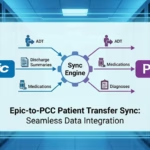
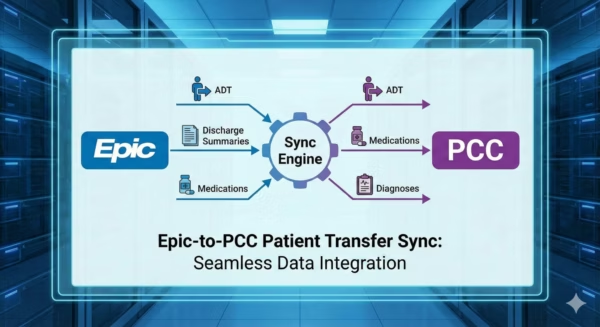
Epic-to-PCC Integration enables automated transfer of patient ADT events, discharge summaries, medications, and diagnoses from Epic EHR to PCC. The workflow fetches and processes patient records in real time, sending accurate and structured data to PCC for smooth transitions from hospital to skilled nursing facilities (SNF).
Real-Time Patient Transfer Sync for Seamless Care Continuity
The system securely retrieves patient information from Epic, validates it, and transforms it before syncing to PCC. This ensures clinical staff and care coordinators receive complete, up-to-date patient data with minimal manual effort, reducing errors, improving care continuity, and enabling timely handoffs between hospital and SNF.
Watch Demo
| Video Title: | Integrating EHR Patient Data with Any Database Using the FHIR Model |
|---|---|
| Duration: | 10:49 |
Outcome & Benefits
| Time Savings: | Eliminates manual patient handoffs; reduces delays |
|---|---|
| Cost Reduction: | Reduces administrative workload and errors |
| Accuracy: | High accuracy via real-time FHIR/HL7 validation |
| Productivity: | Faster patient transitions with fewer manual interventions |
Industry & Function
| Function: | Patient Data Integration; Care Coordination |
|---|---|
| System Type: | Hospital-to-SNF EHR Integration Workflow |
| Industry: | Healthcare |
Functional Details
| Use Case Type: | Hospital-to-SNF Patient Data Synchronization |
|---|---|
| Source Object: | Epic patient demographics; ADT events; discharge summaries; medications; diagnoses |
| Target Object: | PCC patient chart; medication list; and encounter records |
| Scheduling: | Real-time event-driven |
| Primary Users: | Clinical Teams; Care Coordinators; IT Integration |
| KPI Improved: | Data completeness; patient handoff speed; accuracy |
| AI/ML Step: | Optional anomaly detection for missing meds or diagnoses |
| Scalability Tier: | Hospital/Enterprise-grade |
Technical Details
| Source Type: | EHR System (Epic) |
|---|---|
| Source Name: | Epic EHR |
| API Endpoint URL: | Epic FHIR/HL7 interfaces (ADT; Discharge Summary; Medication; Diagnosis resources) |
| HTTP Method: | GET / POST |
| Auth Type: | OAuth 2.0 / Secure Interface |
| Rate Limit: | Depends on Epic interface configuration |
| Pagination: | Event-driven or FHIR paging for large datasets |
| Schema/Objects: | Patient ADT events; discharge summaries; medications; diagnoses |
| Transformation Ops: | HL7/FHIR parsing; field mapping; timestamp tagging; validation |
| Error Handling: | Retry logic; dead-letter queue; error notifications |
| Orchestration Trigger: | Event-driven upon patient discharge or ADT change |
| Batch Size: | Single patient record or discharge event |
| Parallelism: | Supports multiple concurrent patient transfers |
| Target Type: | EHR / SNF System |
| Target Name: | PCC EHR |
| Target Method: | FHIR / HL7 API Push |
| Ack Handling: | ACK/NACK logs stored for audit and monitoring |
| Throughput: | Hundreds of patient transfers per day |
| Latency: | <5–10 seconds per event |
| Logging/Monitoring: | Integration logs; ACK/NACK; error tracking |
Connectivity & Deployment
| On-Premise Supported: | Yes (via secure VPN or interface engine) |
|---|---|
| Supported Protocols: | FHIR; HL7; OAuth 2.0; HTTPS |
| Security & Compliance: | HIPAA-compliant; encrypted transport; role-based access |
FAQ
1. What is the Epic-to-PCC Patient Transfer Sync workflow?
It is an automated workflow that transfers patient ADT events, discharge summaries, medications, and diagnoses from Epic EHR to the PCC system to support seamless transitions of care from hospitals to skilled nursing facilities (SNFs).
2. How does the workflow transfer patient data from Epic to PCC?
The workflow extracts updated patient details from Epic EHR, validates the information, and pushes the necessary ADT, clinical summaries, and medication records to PCC in real-time or scheduled intervals.
3. What types of patient information are synced to PCC?
It syncs patient ADT events, discharge summaries, medication lists, diagnoses, vitals, and other clinical details required for SNF intake and care planning.
4. How frequently does the workflow run?
The workflow can run in near real-time or on a configurable schedule depending on facility requirements and integration settings.
5. What happens if there are no new patient transfers or updates?
If there is no new data, the workflow completes successfully, logs the run, and ensures no unnecessary errors or alerts are generated.
6. Who uses this workflow?
Clinical Teams, SNF Intake Coordinators, Care Transition Teams, and Integration Engineers rely on this workflow to maintain accurate patient records during hospital-to-SNF transfers.
7. What are the benefits of the Epic-to-PCC Patient Transfer Sync?
It reduces manual data entry, ensures timely and accurate clinical information at the SNF, minimizes transition delays, and improves overall continuity of patient care.
Case Study
| Customer Name: | Hospital Clinical & IT Integration Teams |
|---|---|
| Problem: | Manual patient transfers caused missing or inconsistent information |
| Solution: | Automated Epic-to-PCC transfer of ADT, discharge summaries, medications, and diagnoses |
| ROI: | Faster patient onboarding at SNF; reduced errors; improved care continuity |
| Industry: | Healthcare |
| Outcome: | Accurate; real-time patient data available at SNF |
Related products
-
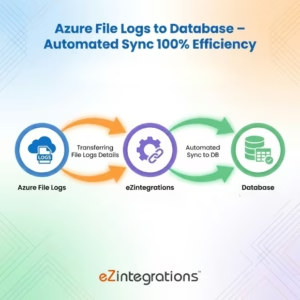
Azure File Logs to Database – Automated Sync with 100% Efficiency
 $0.00
Download
$0.00
Download
-
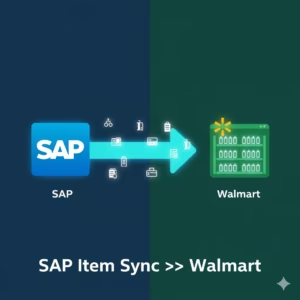
Automate SAP Item sync to Walmart in 3 Easy Steps
$0.00
Download
-
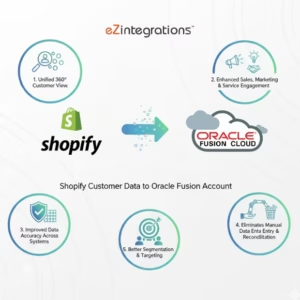
Automate Shopify customer data to Oracle Fusion- 3 Steps
$0.00
Download
-
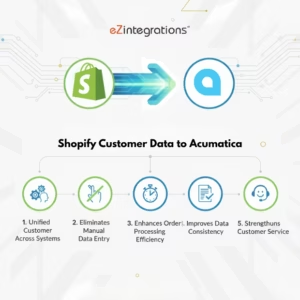
Transform Your Shopify Customer Data to Acumatica Integration – No Coding Needed
$0.00
Download