How to Create ERP Vendor Records Automatically After Supplier Approval
$90.00
| Workflow Name: |
Vendor Master Sync: Portal to ERP |
|---|---|
| Purpose: |
Automatically sync approved vendor master records from Jaggaer or Coupa supplier onboarding portal to SAP or Oracle ERP – including bank details; addresses; tax IDs; and contact data – the moment a new supplier is approved; so POs can be raised immediately |
| Benefit: |
Eliminates the manual vendor record re-entry that blocks PO creation; removes supplier onboarding data lag; and prevents supply chain disruptions caused by missing ERP vendor records |
| Who Uses It: |
Procurement Admin; Vendor Master Data Steward; Procurement Operations Manager |
| System Type: |
Portal-to-ERP Data Sync, Event-Triggered iPaaS Workflow |
| On-Premise Supported: |
Yes – eZintegrations connects to on-premises SAP; Oracle EBS; and other ERP systems via IPSec Tunnel. eZintegrations is a browser-based; cloud-hosted platform and does not require any on-premises software installation. |
| Industry: |
Healthcare |
| Outcome: |
Vendor record creation time reduced from 45 minutes to under 8 minutes (including 3-minute polling interval). Bank account error rate reduced from 6.3% to zero. No blocked PO incidents from missing vendor data in the 6 months post-deployment. Vendor Master Data Steward time reallocated from re-entry to deduplication governance and vendor risk scoring. |
| Tags: |
vendor master sync; portal to ERP vendor sync; Jaggaer ERP integration; Coupa SAP vendor sync; supplier onboarding automation; vendor master data automation; SAP vendor master creation; Oracle vendor record sync; procurement automation; vendor data integration; ERP vendor onboarding; supply chain automation |
| AI Credits Required: |
No – all six workflow steps are standard iPaaS operations (portal API event trigger; data mapping; ERP REST API write; audit log write; SMTP confirmation send). Covered fully under the Unlimited plan. No Goldfinch AI tools are invoked. |
Table of Contents
Outcome & Benefits
| Time Savings: |
Vendor record creation time from 30 to 90 minutes (manual re-entry) to under 5 minutes; Vendor Master Data Steward monthly hours on portal-to-ERP data entry reduced from 25 to 225 hours to under 2 hours of exception review |
|---|---|
| Cost Reduction: |
$30,000 to $80,000 annual savings from labor reduction; blocked PO escalation avoidance; and eliminated tax/bank data remediation costs at 100+ new vendors per month |
| Accuracy: |
99%+ vendor master data accuracy vs. 92 to 96% with manual entry; 4 to 8% critical field error rate (APQC benchmark) reduced to under 0.5%; duplicate tax ID detection before ERP write |
| Productivity: |
100% of approved vendors available in ERP within 5 minutes of portal approval; Procurement team can raise POs immediately without waiting for data entry queue; blocked PO incidents eliminated |
Performance Metrics
| Metric | Before (Manual/Batch) | After (Real-Time Sync) | Improvement |
|---|---|---|---|
| Vendor Record Creation Time | 30 to 90 min per vendor | Under 5 minutes | 95%+ faster |
| Critical Field Error Rate | 4 to 8% (APQC benchmark) | Under 0.5% | 90%+ reduction |
| Time to PO-Eligible in ERP | Same day to 3 days (queue) | Under 5 minutes | 99%+ faster |
| Monthly FTE Hours on Portal-ERP Entry | 25 to 225 hours/month | Under 2 hours (exceptions) | 90%+ reduction |
| Problem Before: |
When a new supplier completes onboarding in Jaggaer or Coupa and receives portal approval; that approval does not automatically create a vendor record in SAP or Oracle. A Procurement Admin or Vendor Master Data Steward manually copies vendor details – bank account; remittance address; tax ID; payment terms; contact information – into the ERP. The process takes 30 to 90 minutes per vendor and generates a 4 to 8% error rate on critical fields such as bank account numbers and tax IDs (APQC vendor master data quality benchmark). Until the ERP vendor record exists; no PO can be raised against that supplier – blocking procurement teams and causing supply chain disruptions when urgently needed suppliers are held up in a data entry queue. |
|---|---|
| Solution Overview: |
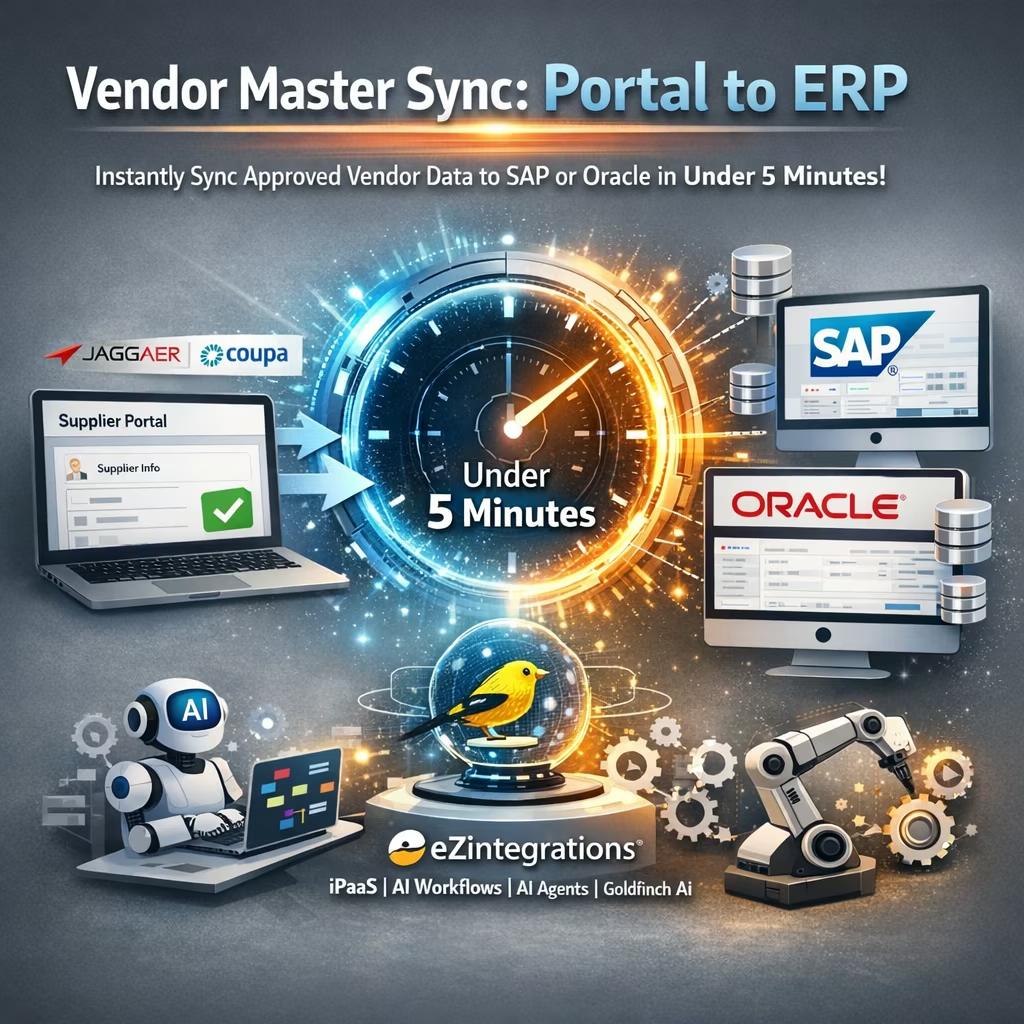
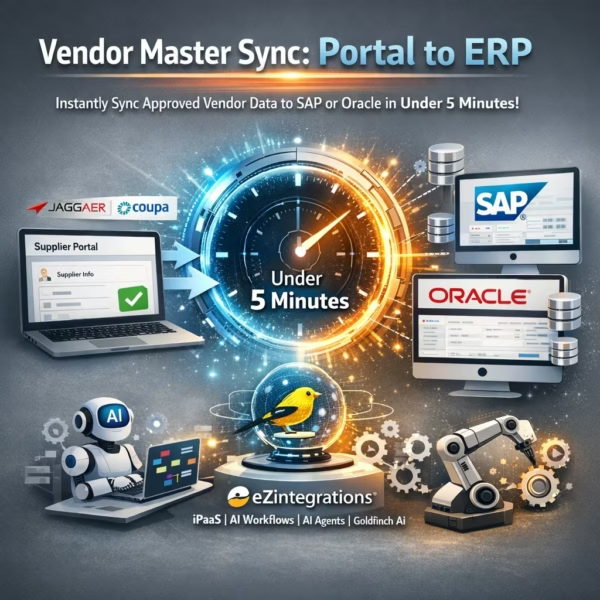
The Vendor Master Sync workflow from eZintegrations monitors the supplier portal (Jaggaer or Coupa) for approved supplier records via webhook or REST API polling. When an approval event fires; the workflow maps all vendor fields to the ERP vendor master schema; creates the vendor record in SAP or Oracle via REST API; writes an audit log entry to the configured database; and sends a confirmation to the Procurement team – in under 5 minutes from portal approval. |
| Key Features: |
Real-time vendor approval event capture from Jaggaer or Coupa via webhook or configurable REST polling Full vendor master field mapping: legal name; DBA; tax ID/EIN; remittance address; bank account number and routing code; payment terms; currency; contact name; email; and phone REST API vendor record creation in SAP Vendor Master (LFA1/LFB1/LFM1 tables) or Oracle Supplier record (Oracle Fusion Suppliers API) Audit log entry written per sync event to configured database (PostgreSQL; MSSQL; or audit DB of choice) with timestamp; portal reference; ERP vendor ID; and sync status Exception queue with field-level validation errors and Vendor Master Data Steward alert for bank details validation failures; duplicate tax ID detection; or ERP API failures Confirmation sent to Procurement team via SMTP with new ERP vendor number and key master data confirmed |
| Business Impact: |
Eliminates the data entry lag that blocks PO creation for new suppliers; removes the 4 to 8% error rate on critical vendor fields that causes payment failures and tax compliance issues; and makes every approved supplier immediately available in ERP for procurement. |
| Productivity Gain: |
Procurement Admins and Vendor Master Data Stewards processing 50 to 150 new vendor onboardings per month reclaim 25 to 225 FTE hours monthly previously spent on manual portal-to-ERP re-entry; freeing capacity for vendor risk assessment; deduplication maintenance; and master data governance. |
| Cost Savings: |
Organizations onboarding 100+ new vendors per month typically realize $30,000 to $80,000 in annual savings from labor reduction plus the avoided cost of blocked PO escalations; late payment penalties caused by incorrect bank data; and tax reporting remediation from incorrect TIN entries. |
Description
Vendor master sync to ERP from eZintegrations automatically creates SAP or Oracle vendor records from approved supplier portal entries in Jaggaer or Coupa — in under 5 minutes, with no manual re-entry. eZintegrations is an enterprise automation platform covering iPaaS, AI Workflows, AI Agents, and Goldfinch AI agentic automation.
How Does Vendor Master Sync to ERP Work to Automatically Create Vendor Records from a Supplier Portal Approval?
When a supplier completes onboarding in Jaggaer or Coupa and the approval workflow completes, the eZintegrations vendor master sync to ERP workflow triggers immediately. All vendor master fields are mapped — legal name, tax ID, bank account, remittance address, payment terms, contact data — and the vendor record is created in SAP or Oracle via REST API. An audit log entry is written to your database, and a confirmation with the new ERP vendor number is sent to the Procurement team.
APQC benchmarks vendor master data error rates at 4 to 8% on manually entered critical fields such as bank account numbers and tax IDs. A single incorrect bank account delays payment and triggers vendor disputes. A wrong TIN creates tax reporting risk. Vendor master sync to ERP eliminates both risks by removing manual re-entry entirely.
Deploy vendor master sync to ERP in under 1 business day. No professional services engagement required.
Watch Demo
| Video Title: |
Vendor Master Sync to ERP Demo: Jaggaer Approval to SAP Vendor Record in Under 5 Minutes |
|---|---|
| Duration: |
3 to 5 minutes |
Industry & Function
| Function: |
Procurement Operations; Vendor Master Data Management; Finance Operations; Supply Chain |
|---|---|
| System Type: |
Portal-to-ERP Data Sync, Event-Triggered iPaaS Workflow |
| Industry: |
Healthcare |
Functional Details
| Use Case Type: |
Portal-to-ERP Data Sync; Event-Triggered Workflow; Master Data Management Automation |
|---|---|
| Source Object: |
Approved vendor/supplier record from supplier portal – includes legal entity name; DBA name; tax ID (EIN/VAT); remittance address; bank account number and routing/SWIFT code; payment terms; currency; preferred payment method; contact name; contact email; contact phone; commodity/category code; and certification status |
| Target Object: |
ERP vendor master record – SAP Vendor Master tables (LFA1 General Data; LFB1 Company Code Data; LFM1 Purchasing Organization Data) or Oracle Fusion Cloud Supplier record (Supplier header; Supplier Site; Bank Account) |
| Scheduling: |
Real-time event-driven via webhook on portal supplier approval (Jaggaer event webhook or Coupa supplier status change event); fallback REST polling at 15-minute intervals for portal configurations not supporting outbound webhooks |
| Primary Users: |
Procurement Admin; Vendor Master Data Steward; Procurement Operations Manager |
| KPI Improved: |
Vendor record creation time; blocked PO incidents from missing vendor data; vendor master data accuracy rate; time to PO-eligible in ERP; Procurement Admin FTE hours per vendor onboarding |
| AI/ML Step: |
N/A – standard iPaaS workflow with no AI steps; covered under Unlimited plan |
| Scalability Tier: |
Enterprise – supports 500+ vendor onboarding events per month; parallel processing for high-volume onboarding periods (M&A supplier consolidation; annual vendor re-certification) |
Technical Details
| Source Type: |
Cloud Supplier Portal / Supplier Relationship Management (SRM) |
|---|---|
| Source Name: |
Jaggaer ONE (https://www.jaggaer.com/solutions/supplier-management/) or Coupa Supplier Portal (https://compass.coupa.com/en-us/products/product-documentation/coupa-supplier-portal-documentation/) |
| API Endpoint URL: |
Jaggaer: /api/suppliers/{supplierId} (REST) | Coupa: /api/suppliers/{id} (REST; authenticated via OAuth 2.0) |
| HTTP Method: |
GET (REST polling for approved supplier records); webhook POST (outbound event from Jaggaer/Coupa on supplier approval status change) |
| Auth Type: |
OAuth 2.0 (Jaggaer REST API); OAuth 2.0 with API Key (Coupa REST API) |
| Rate Limit: |
Jaggaer: configurable per tenant agreement; Coupa: 1,000 requests per minute per API key |
| Pagination: |
Cursor-based or offset pagination for polling mode (last-synced supplier ID as cursor); not applicable for webhook mode |
| Schema/Objects: |
Supplier record fields: supplier ID; legal entity name; DBA name; tax country; tax ID (EIN/TIN/VAT); legal address (street; city; state; postal code; country); remittance address (if different); bank account number; bank routing code; SWIFT/BIC code; payment terms (Net 10/30/60); currency code; preferred payment method; primary contact name; primary contact email; primary contact phone; commodity codes; supplier category; D-U-N-S number (if present); diversity/certification status |
| Transformation Ops: |
Legal entity name normalization (remove special characters; trim whitespace; convert to ERP-compatible format); tax ID format validation and normalization (US EIN XX-XXXXXXX format; VAT country prefix validation); bank account number and routing code validation (IBAN checksum validation for international banks; ABA routing number format check for US ACH); payment terms mapping (portal Net 30 to ERP payment condition ZN30); currency code validation (ISO 4217); address normalization to ERP country/region code format; duplicate vendor check by tax ID + legal name before ERP write; commodity code mapping to ERP purchasing group and material group |
| Error Handling: |
Tax ID format validation failure routes to exception queue with supplier ID and raw TIN value for Vendor Master Data Steward review. Bank account validation failure (invalid IBAN checksum or unrecognized routing number) routes to exception with supplier ID and raw bank data – no bank record written to ERP until validated. Duplicate vendor detected (same tax ID already in ERP) routes to exception with existing ERP vendor number for manual review. ERP API write failures retry up to 3 times with exponential backoff; persistent failures alert Vendor Master Data Steward via email within 10 minutes. No supplier approval event is silently dropped. |
| Orchestration Trigger: |
Webhook on portal supplier approval event (primary); REST polling at 15-minute intervals (fallback for portal configurations without outbound webhooks) |
| Batch Size: |
1 supplier record per webhook event; up to 50 supplier records per REST polling batch at 15-minute intervals |
| Parallelism: |
Up to 50 concurrent workflow threads per tenant; supports simultaneous processing for bulk onboarding periods |
| Target Type: |
Cloud ERP or On-Premises ERP (connected via IPSec Tunnel) |
| Target Name: |
SAP S/4HANA Vendor Master (https://help.sap.com/docs/SAP_S4HANA_ON-PREMISE) or Oracle Fusion Cloud Procurement Suppliers (https://docs.oracle.com/en/cloud/saas/procurement/) |
| Target Method: |
SAP: OData REST API POST – /API_BUSINESS_PARTNER/A_BusinessPartner (Business Partner framework for vendor creation; replacing FK01/XK01 for S/4HANA); Oracle Fusion: REST API POST – /fscmRestApi/resources/latest/suppliers (header) + /fscmRestApi/resources/latest/supplierSites (site) + /fscmRestApi/resources/latest/supplierBankAccounts (bank) |
| Ack Handling: |
SAP returns Business Partner number (which becomes the Vendor number) on successful creation; Oracle Fusion returns Supplier ID. Both reference numbers are logged to the workflow audit trail; written to the audit log database; and included in the confirmation email sent to Procurement. The portal supplier record is updated with the ERP vendor number as a reference field (where the portal API supports write-back). |
| Throughput: |
500+ supplier onboarding events per month at standard configuration; scales to 2,000+ per month at enterprise tier for high-volume M&A or re-certification periods |
| Latency: |
Under 5 minutes end-to-end from portal approval event to ERP vendor record created; audit log written; and confirmation sent for webhook mode; under 20 minutes for polling fallback mode |
| Logging/Monitoring: |
Full execution log per supplier event (timestamp; portal supplier ID; ERP vendor number; tax ID validation status; bank account validation status; field mapping results; ERP write status; audit log reference); real-time monitoring dashboard in eZintegrations console; configurable aging alerts if ERP vendor record is not created within 30 minutes of portal approval event |
Connectivity & Deployment
| Supported Protocols: |
REST API; Webhooks; OData v2/v4; HTTPS; OAuth 2.0; API Key; JDBC (audit log database write); SMTP (confirmation email); IPSec Tunnel (on-premises ERP connectivity) |
|---|---|
| Security & Compliance: |
HIPAA-eligible configuration available (required for healthcare supplier data including NPI numbers); GDPR-compliant data handling with configurable vendor PII masking and right-to-erasure support; SOC Type II certified. TLS 1.3 encryption in transit; AES-256 at rest. Bank account numbers and tax IDs masked in workflow logs (displayed as last-4 digits only). RBAC enforced on vendor mapping configuration; exception queue access; and audit log read access. Full immutable audit trail per vendor sync event. |
| Tenancy Model: |
Both single-tenant and multi-tenant deployments are available. Single-tenant provides dedicated infrastructure with full data isolation – recommended for healthcare and government organizations with strict supplier PII requirements. Multi-tenant is the default shared-cloud deployment. Both support on-premises ERP connectivity via IPSec Tunnel. |
| On-Premise Supported: |
Yes – eZintegrations connects to on-premises SAP; Oracle EBS; and other ERP systems via IPSec Tunnel. eZintegrations is a browser-based; cloud-hosted platform and does not require any on-premises software installation. |
FAQ
1. What is the Vendor Master Sync: Portal to ERP workflow?
Vendor master sync to ERP by eZintegrations automatically creates ERP vendor records in SAP or Oracle the moment a supplier completes onboarding approval in Jaggaer or Coupa — including bank account, tax ID, remittance address, payment terms, and contact data — in under 5 minutes, with no manual re-entry. The workflow eliminates the data entry lag that blocks PO creation for new suppliers and prevents the critical field errors (bank account and tax ID) that cause payment failures and compliance risk.
2. What data does this workflow process?
This workflow processes approved supplier records from the portal containing legal entity name, DBA name, tax ID (EIN/TIN/VAT), remittance address, bank account number and routing/SWIFT code, payment terms, currency code, preferred payment method, primary contact details, commodity codes, and diversity/certification status. All fields are validated — including IBAN checksum validation and ABA routing number format checks — and a duplicate vendor check by tax ID runs before any ERP write.
3. How does vendor master sync to ERP improve the supplier onboarding process?
Vendor master sync to ERP eliminates the 30 to 90-minute manual re-entry process per vendor that creates data lag, blocks PO creation, and generates a 4 to 8% error rate on critical fields such as bank account numbers and tax IDs (APQC vendor master data quality benchmark). Approved suppliers are available in ERP within 5 minutes, so your Procurement team can raise POs immediately. Bank account and TIN validation before ERP write eliminates the payment failures and tax reporting errors that stem from incorrectly transcribed critical data.
4. Who typically uses this workflow?
Procurement Admins and Vendor Master Data Stewards in manufacturing, healthcare, government, and distribution organizations configure and monitor this workflow. Procurement Operations Managers use the audit log and exception queue for vendor data governance and compliance reporting. The exception queue is the primary daily touchpoint — your team reviews only records that failed tax ID validation, bank account verification, or ERP write, not the full onboarding volume.
5. Can eZintegrations connect to on-premises systems like SAP on-prem or Oracle EBS?
Yes. eZintegrations connects to on-premises SAP, Oracle EBS, and other ERP systems via IPSec Tunnel — no on-premises software installation is required. eZintegrations is a browser-based, cloud-hosted platform, so your on-premises ERP participates in the vendor master sync to ERP workflow securely through the encrypted tunnel without any agent deployed on your servers.
6. What systems does this vendor master sync workflow connect?
This workflow connects Jaggaer ONE or Coupa Supplier Portal (source) to SAP S/4HANA Vendor Master or Oracle Fusion Cloud Procurement Suppliers (target ERP) via REST API and OData. An audit log is written to a configured database (PostgreSQL, MSSQL, or equivalent) after each sync event. Confirmation emails are sent via SMTP to the Procurement team. On-premises ERP deployments connect via IPSec Tunnel.
7. What are the key benefits of vendor master sync to ERP?
Key benefits include under 5 minutes from portal approval to ERP vendor record creation (vs. 30 to 90 minutes manually), 99%+ vendor master data accuracy with tax ID and bank account validation (vs. 4 to 8% critical field error rate manually per APQC benchmark), 100% elimination of blocked PO incidents from missing vendor data, and $30,000 to $80,000 in annual savings at 100+ new vendors per month from labor reduction, blocked PO avoidance, and eliminated tax/bank data remediation costs. Deploys in under 1 business day.
8. How does this workflow handle exceptions or errors?
When a supplier record fails tax ID format validation, bank account checksum verification, duplicate vendor detection, or ERP API write, eZintegrations routes the record with field-level error detail to a monitored exception queue. The Vendor Master Data Steward receives an alert email within 10 minutes with the portal supplier ID and specific error description. ERP API write failures retry automatically up to 3 times with exponential backoff. Bank data is never written to ERP until it passes validation — no unvalidated bank account reaches the vendor master.
Resources
Case Study
| Customer Name: |
Large regional healthcare network (name withheld – reference available on request) |
|---|---|
| Problem: |
The Procurement team onboarded 80 to 120 new vendors per month through their Jaggaer supplier portal. After portal approval; a Vendor Master Data Steward manually created each vendor record in SAP S/4HANA – including bank account; tax ID (NPI for healthcare suppliers); remittance address; and payment terms. Average time per vendor: 45 minutes. Bank account entry errors occurred on 6.3% of new vendor records; discovered only when the first payment was rejected by the bank – triggering an average 8-day payment delay per incident and vendor dispute escalations. Procurement was frequently blocked from raising POs for newly approved suppliers due to 2 to 4-day data entry queue delays. |
| Solution: |
Deployed eZintegrations vendor master sync to ERP in 3 business days; connecting Jaggaer as the source via REST polling (Jaggaer webhook not enabled in the network’s configuration) and SAP S/4HANA as the target via Business Partner API. IBAN and ACH routing number validation configured before bank data write. Duplicate NPI/TIN check active against SAP vendor master. Audit log written to the network’s existing MSSQL compliance database. Exception queue configured to alert the Vendor Master Data Steward via email within 10 minutes of any validation failure. |
| ROI: |
Annual labor savings: $112,000 (100 vendors/month x 45 min x $24.90 blended admin cost x 12 months). Bank payment failure incidents eliminated (6.3% → 0% bank error rate). PO blocking incidents eliminated from day 1. Estimated $40,000 saved annually in bank payment dispute escalation and remediation costs. |
| Industry: |
Healthcare |
| Outcome: |
Vendor record creation time reduced from 45 minutes to under 8 minutes (including 3-minute polling interval). Bank account error rate reduced from 6.3% to zero. No blocked PO incidents from missing vendor data in the 6 months post-deployment. Vendor Master Data Steward time reallocated from re-entry to deduplication governance and vendor risk scoring. |