How to Automatically Sync Orders from Shopify to SAP S/4HANA
$0.00
| Workflow Name: |
Order Sync: Shopify → SAP S/4 |
|---|---|
| Purpose: |
Automatically sync Shopify orders into SAP S/4 |
| Benefit: |
Faster order processing; reduced errors |
| Who Uses It: |
E-commerce ops; Finance; IT |
| System Type: |
ERP Integration Workflow |
| On-Premise Supported: |
Yes |
| Industry: |
E-commerce / Retail |
| Outcome: |
Real-time orders in SAP S/4 |
Table of Contents
Description
| Problem Before: |
Manual order entry caused delays and errors |
|---|---|
| Solution Overview: |
Fetch orders via Shopify API and sync directly to SAP S/4 |
| Key Features: |
API pull; mapping; validation; logging |
| Business Impact: |
Improves processing speed and accuracy |
| Productivity Gain: |
Eliminates manual order entry |
| Cost Savings: |
Reduces labor and mistakes |
| Security & Compliance: |
Encrypted API calls; secure creds |
Order Sync – Shopify to SAP S/4
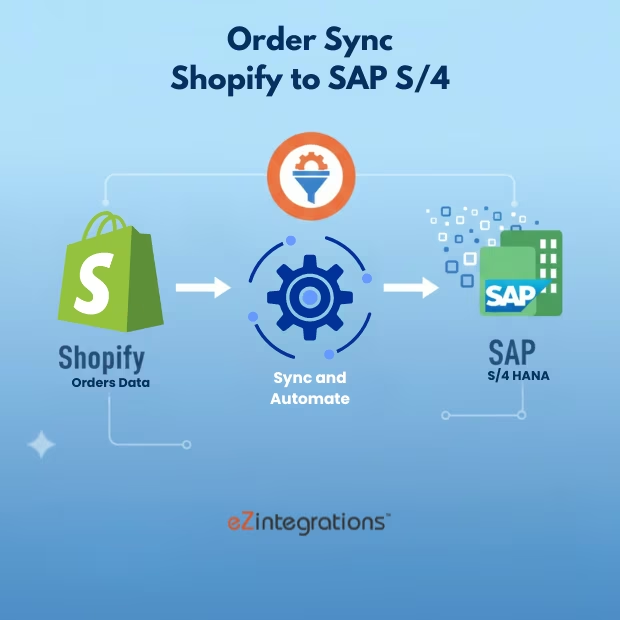
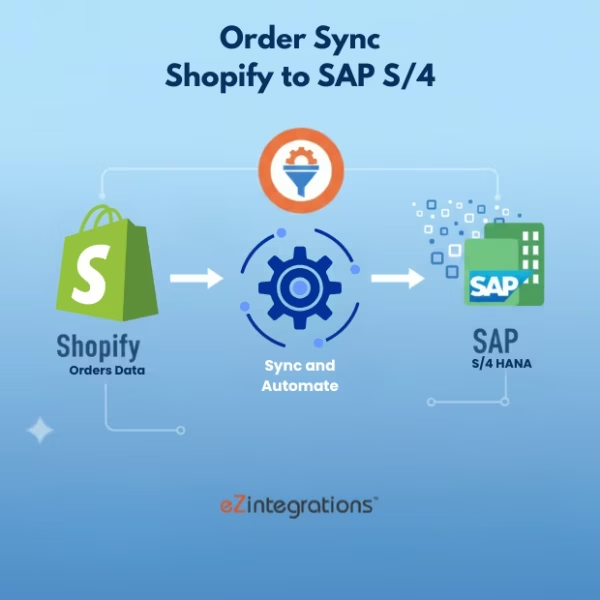
This workflow enables order sync automation by automatically transferring Shopify orders into SAP S/4. The workflow ensures accurate and timely updates of order details, including customer information, products, and pricing, without manual intervention.
Automated Order Processing for Faster and Error-Free Operations
The system securely retrieves order data from Shopify, validates it, and updates SAP S/4 in real time. This workflow helps e-commerce operations, finance, and IT teams reduce errors, accelerate order processing, and maintain consistent order information across platforms.
Watch Demo
| Video Title: |
Master SAP Integration in Seconds with AI |
|---|---|
| Duration: |
32 Sec |
Outcome & Benefits
| Time Savings: |
Removes manual entry |
|---|---|
| Cost Reduction: |
Reduces admin effort |
| Accuracy: |
High via validated sync |
| Productivity: |
Faster order processing |
Industry & Function
| Function: |
Order synchronization |
|---|---|
| System Type: |
ERP Integration Workflow |
| Industry: |
E-commerce / Retail |
Functional Details
| Use Case Type: |
Order Integration |
|---|---|
| Source Object: |
Shopify Orders |
| Target Object: |
SAP S/4 Orders |
| Scheduling: |
Real-time or batch |
| Primary Users: |
E-commerce ops; IT |
| KPI Improved: |
Order processing speed; accuracy |
| AI/ML Step: |
Not required |
| Scalability Tier: |
Enterprise |
Technical Details
| Source Type: |
Shopify Orders API |
|---|---|
| Source Name: |
Shopify Orders |
| API Endpoint URL: |
Shopify Orders API endpoint |
| HTTP Method: |
GET |
| Auth Type: |
OAuth 2.0 / Shopify API Keys |
| Rate Limit: |
Based on Shopify API limits |
| Pagination: |
Supported via API tokens |
| Schema/Objects: |
Order data; SKUs; customer info |
| Transformation Ops: |
Mapping; validation; formatting for SAP S/4 |
| Error Handling: |
Retry failed calls; log API errors |
| Orchestration Trigger: |
Scheduled or real-time |
| Batch Size: |
Configurable batch of orders |
| Parallelism: |
Multiple batches concurrently |
| Target Type: |
ERP |
| Target Name: |
SAP S/4 |
| Target Method: |
SAP API/Web Services |
| Ack Handling: |
API response logged |
| Throughput: |
Thousands of orders/day |
| Latency: |
Few seconds per batch |
| Logging/Monitoring: |
Sync logs; error logs; metrics |
Connectivity & Deployment
| On-Premise Supported: |
Yes |
|---|---|
| Supported Protocols: |
HTTPS; REST |
| Cloud Support: |
Hybrid |
| Security & Compliance: |
Encrypted API calls; secure creds |
FAQ
1. What is the Order Sync workflow from Shopify to SAP S/4?
It is an automated workflow that synchronizes Shopify orders into SAP S/4, ensuring ERP systems have accurate and up-to-date order records for processing and reporting.
2. How does the workflow sync orders from Shopify?
The workflow retrieves order details such as order ID, customer info, items, quantities, pricing, and fulfillment status from Shopify and updates SAP S/4 automatically.
3. What order information is typically synced?
It includes order ID, customer details, shipping and billing information, item SKUs, quantities, pricing, taxes, discounts, and order status.
4. How frequently does the workflow run?
The workflow can run in real-time, near real-time, or on scheduled intervals depending on business requirements.
5. What happens if an order fails to sync?
The workflow logs the error, retries automatically, and notifies IT or finance teams if manual intervention is required.
6. Who uses this workflow?
E-commerce operations teams, finance teams, and IT integration teams use this workflow to ensure consistent and accurate order records in SAP S/4.
7. What are the benefits of automating order sync?
Automation speeds up order processing, reduces errors, improves reporting accuracy, and ensures seamless data flow between Shopify and SAP S/4.
8. What system type does this workflow support?
This is an ERP integration workflow connecting Shopify orders with SAP S/4 for end-to-end order management.
Resources
Case Study
| Customer Name: |
Shopify Users |
|---|---|
| Problem: |
Manual order entry caused delays and errors |
| Solution: |
Automated Shopify → SAP S/4 Order Sync |
| ROI: |
Faster processing; reduced errors |
| Industry: |
E-commerce / Retail |
| Outcome: |
Real-time orders in SAP S/4 |
Related products
-
Pharma Document Understanding- Data Extraction Automation
 $0.00
Download
$0.00
Download
-
Shopify Orders to Acumatica ERP for 3X Faster Processing
 $0.00
Download
$0.00
Download
-
Amazon Sales Order to Database Automation- 10X Faster
 $0.00 / Month For 1 Month and 1 Month free trial
Download
$0.00 / Month For 1 Month and 1 Month free trial
Download
-
10X Speed: Automate EHR Patient Data to Database
 $0.00
Download
$0.00
Download