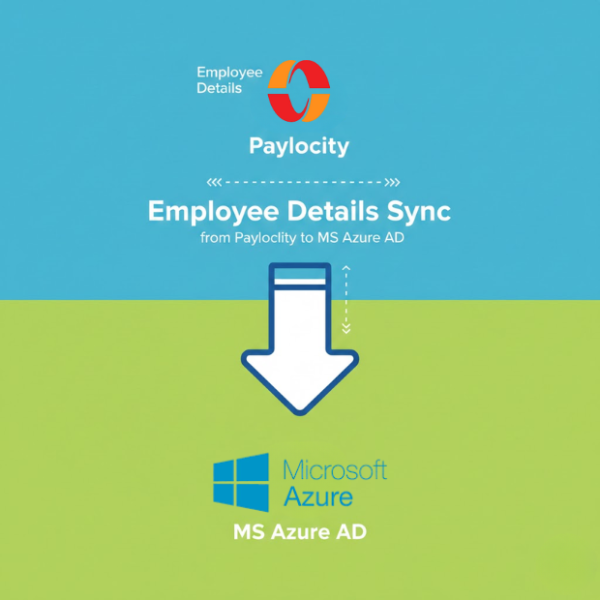
How to Automatically Sync Employee Data from Paylocity to Azure Active Directory
$0.00
| Workflow Name: |
Automated Employee Sync: Paylocity → Azure AD |
|---|---|
| Purpose: |
Sync employee data to Azure AD |
| Benefit: |
Accurate user provisioning |
| Who Uses It: |
HR; IT; Security |
| System Type: |
Identity Integration Workflow |
| On-Premise Supported: |
Yes |
| Industry: |
IT & HR |
| Outcome: |
Users synced to Azure AD |
Table of Contents
Description
| Problem Before: |
Manual user creation |
|---|---|
| Solution Overview: |
Automated Paylocity to Azure AD sync |
| Key Features: |
User provisioning; updates; deprovisioning |
| Business Impact: |
Faster onboarding |
| Productivity Gain: |
No manual account setup |
| Cost Savings: |
Reduced IT effort |
| Security & Compliance: |
role-based access |
Employee Sync – Paylocity to Azure AD
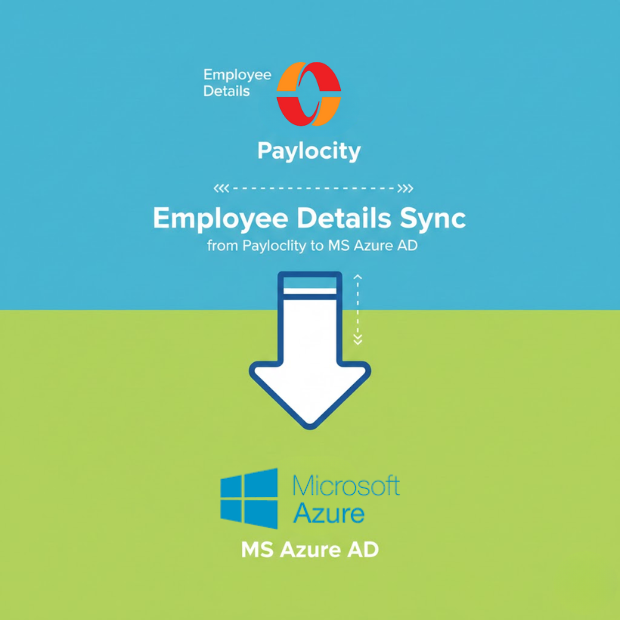
This workflow enables employee sync by automatically transferring employee data from Paylocity to Azure AD. It ensures accurate and timely user provisioning without manual intervention.
Automated Employee Data Updates for Reliable Identity Management
The system retrieves employee records from Paylocity, validates them, and updates Azure AD in real time. This workflow helps HR, IT, and security teams reduce errors, accelerate user onboarding, and maintain consistent identity management across cloud and on-premise systems.
Watch Demo
| Video Title: |
Shopify to Oracle Fusion Cloud Customers |
|---|---|
| Duration: |
02:36 |
Outcome & Benefits
| Time Savings: |
Instant provisioning |
|---|---|
| Cost Reduction: |
Lower IT effort |
| Accuracy: |
High |
| Productivity: |
Faster onboarding |
Industry & Function
| Function: |
Employee provisioning |
|---|---|
| System Type: |
Identity Integration Workflow |
| Industry: |
IT & HR |
Functional Details
| Use Case Type: |
Identity Management |
|---|---|
| Source Object: |
Employees |
| Target Object: |
Azure AD Users |
| Scheduling: |
Batch or real-time |
| Primary Users: |
IT; HR |
| KPI Improved: |
Onboarding time |
| AI/ML Step: |
Not required |
| Scalability Tier: |
Enterprise |
Technical Details
| Source Type: |
HR System |
|---|---|
| Source Name: |
Paylocity Employees |
| API Endpoint URL: |
Azure AD Graph API |
| HTTP Method: |
POST |
| Auth Type: |
OAuth 2.0 |
| Rate Limit: |
Azure AD limits |
| Pagination: |
API-based |
| Schema/Objects: |
Employee; roles; status |
| Transformation Ops: |
Field mapping |
| Error Handling: |
Log and retry |
| Orchestration Trigger: |
Scheduled sync |
| Batch Size: |
Configurable |
| Parallelism: |
Multi-user |
| Target Type: |
Identity Platform |
| Target Name: |
Microsoft Azure AD |
| Target Method: |
Graph API |
| Ack Handling: |
API response logged |
| Throughput: |
Thousands/day |
| Latency: |
Near real-time |
| Logging/Monitoring: |
User sync logs |
Connectivity & Deployment
| On-Premise Supported: |
Yes |
|---|---|
| Supported Protocols: |
REST; HTTPS |
| Cloud Support: |
Yes |
| Security & Compliance: |
role-based access |
FAQ
1. What is the Employee Sync workflow from Paylocity to Azure AD?
It is an automated workflow that synchronizes employee data from Paylocity to Azure Active Directory for accurate and efficient user provisioning.
2. How does the workflow sync employee data?
The workflow retrieves employee records from Paylocity, applies necessary transformations, and updates Azure AD automatically to ensure up-to-date identity information.
3. What types of employee information are synced?
It syncs employee details such as names, job titles, departments, contact information, roles, and access permissions.
4. How frequently can the workflow run?
The workflow can run in real-time, on a scheduled basis, or on-demand depending on HR and IT requirements.
5. What happens if an employee record fails to sync?
The workflow logs errors, retries automatically, and notifies HR or IT teams for manual intervention if required.
6. Who uses this workflow?
HR teams, IT administrators, and security teams use this workflow to maintain accurate and timely employee identity records.
7. What are the benefits of automating employee data sync?
Automation ensures accurate user provisioning, reduces manual errors, maintains data consistency, and improves security and compliance.
8. Does this workflow support on-premise environments?
Yes, this workflow supports both cloud and on-premise systems for flexible integration with Azure AD.
8. What system type does this workflow belong to?
This is an identity integration workflow designed to synchronize employee data from Paylocity to Azure AD automatically.
Case Study
| Customer Name: |
Enterprise IT Team |
|---|---|
| Problem: |
Manual user management |
| Solution: |
Automated employee sync |
| ROI: |
Faster onboarding |
| Industry: |
IT & HR |
| Outcome: |
Users synced to Azure AD |