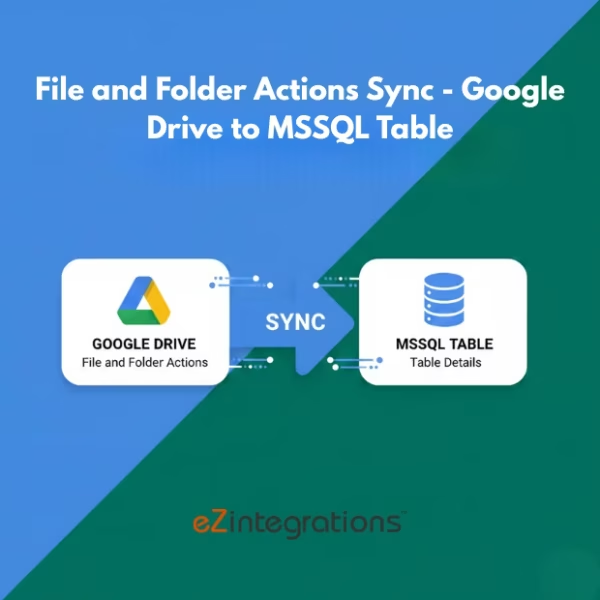
How to Track Google Drive File and Folder Activity in SQL Server
$0.00
| Workflow Name: |
File and Folder Actions → Google Drive to MSSQL |
|---|---|
| Purpose: |
Automatically sync Google Drive files and folders into MSSQL tables |
| Benefit: |
Faster file processing and accurate database updates |
| Who Uses It: |
IT; Data Ops; Business Teams |
| System Type: |
Data Integration Workflow |
| On-Premise Supported: |
Yes |
| Industry: |
IT / Enterprise |
| Outcome: |
Real-time files in MSSQL |
Table of Contents
Description
| Problem Before: |
Manual file uploads caused delays and errors |
|---|---|
| Solution Overview: |
Fetch files from Google Drive and insert/update MSSQL tables via API |
| Key Features: |
API pull; validation; mapping; logging |
| Business Impact: |
Reduces errors and improves speed |
| Productivity Gain: |
Removes manual file entry |
| Cost Savings: |
Reduces labor hours |
| Security & Compliance: |
Encrypted transfers; secure creds |
File and Folder Actions – Google Drive to MSSQL
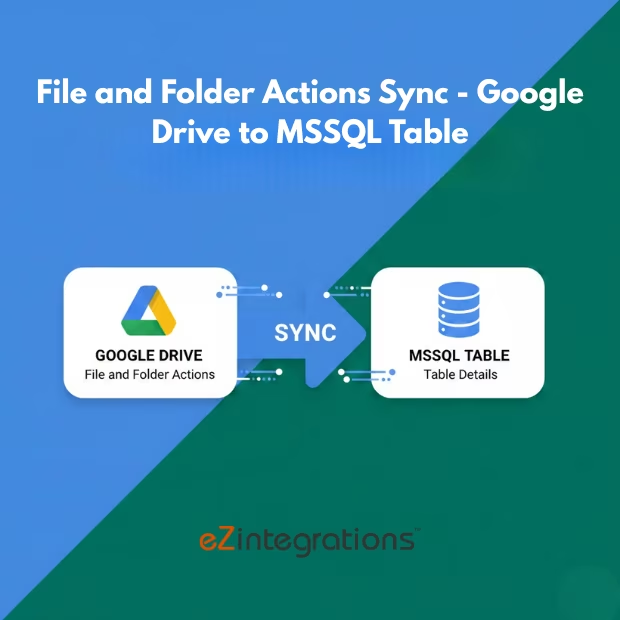
This workflow enables activity tracking by automatically capturing file and folder actions from Google Drive and syncing them into SQL server. It provides visibility into user interactions and system operations without manual monitoring.
Automated Action Logging for Accurate Data Management
The system records create, update, delete, and access events, validates activity data, and stores it in MSSQL for reporting and auditing purposes. This workflow helps IT, data operations, and business teams reduce errors, accelerate file processing, and maintain accurate and auditable records.
Watch Demo
| Video Title: |
Integrating Salesforce to MYSQL Database |
|---|---|
| Duration: |
03:41 |
Outcome & Benefits
| Time Savings: |
Eliminates manual file handling |
|---|---|
| Cost Reduction: |
Lowers manual effort |
| Accuracy: |
High via validated sync |
| Productivity: |
Faster data availability |
Industry & Function
| Function: |
File transfer and sync |
|---|---|
| System Type: |
Data Integration Workflow |
| Industry: |
IT / Enterprise |
Functional Details
| Use Case Type: |
File Integration |
|---|---|
| Source Object: |
Google Drive Files/Folders |
| Target Object: |
MSSQL Tables |
| Scheduling: |
Real-time or batch |
| Primary Users: |
IT; Data Ops |
| KPI Improved: |
File processing speed; accuracy |
| AI/ML Step: |
Not required |
| Scalability Tier: |
Enterprise |
Technical Details
| Source Type: |
Google Drive API |
|---|---|
| Source Name: |
Google Drive Files/Folders |
| API Endpoint URL: |
Google Drive API |
| HTTP Method: |
GET |
| Auth Type: |
OAuth 2.0 / Google API Credentials |
| Rate Limit: |
Based on Google API limits |
| Pagination: |
Supported via API |
| Schema/Objects: |
Files; folders; metadata |
| Transformation Ops: |
Validation; mapping to MSSQL tables |
| Error Handling: |
Retry failed transfers; log errors |
| Orchestration Trigger: |
Scheduled or real-time pull |
| Batch Size: |
Multiple files/folders per batch |
| Parallelism: |
Concurrent transfers supported |
| Target Type: |
Database |
| Target Name: |
MSSQL Table |
| Target Method: |
DB insert/update |
| Ack Handling: |
Transfer logs recorded |
| Throughput: |
Thousands of files/day |
| Latency: |
Few seconds per batch |
| Logging/Monitoring: |
Sync logs; errors; metrics |
Connectivity & Deployment
| On-Premise Supported: |
Yes |
|---|---|
| Supported Protocols: |
HTTPS; REST |
| Cloud Support: |
Hybrid |
| Security & Compliance: |
Encrypted transfers; secure creds |
FAQ
1. What is the File and Folder Actions workflow from Google Drive to MSSQL?
It is an automated workflow that synchronizes file and folder activities from Google Drive into MSSQL tables, enabling centralized tracking and processing.
2. How does the workflow sync file and folder actions?
The workflow retrieves activity logs and metadata such as file creation, modification, deletion, renaming, and permission changes from Google Drive and inserts them into MSSQL automatically.
3. What types of actions are captured?
It captures file and folder creation, modification, deletion, renaming, access events, and permission changes.
4. How frequently can the workflow run?
The workflow can run in real-time, near real-time, or on a scheduled basis depending on operational and business requirements.
5. What happens if action data fails to sync?
The workflow logs errors, retries automatically, and notifies IT or data operations teams for manual intervention if needed.
6. Who uses this workflow?
IT teams, data operations staff, and business teams use this workflow to maintain accurate and up-to-date file and folder activity records.
7. What are the benefits of automating file and folder action sync?
Automation ensures faster processing, reduces errors, improves visibility into file activity, and supports compliance and auditing.
8. Does this workflow support on-premise environments?
Yes, this workflow supports both cloud and on-premise deployments for flexible integration.
9. What system type does this workflow belong to?
This is a data integration workflow connecting Google Drive with MSSQL for centralized file and folder management.
Resources
Case Study
| Customer Name: |
Enterprise Customers |
|---|---|
| Problem: |
Manual file handling caused delays |
| Solution: |
Automated Google Drive ? MSSQL sync, Automated Google Drive → MSSQL Sync |
| ROI: |
Faster file availability; reduced errors |
| Industry: |
IT / Enterprise |
| Outcome: |
Real-time files in MSSQL |