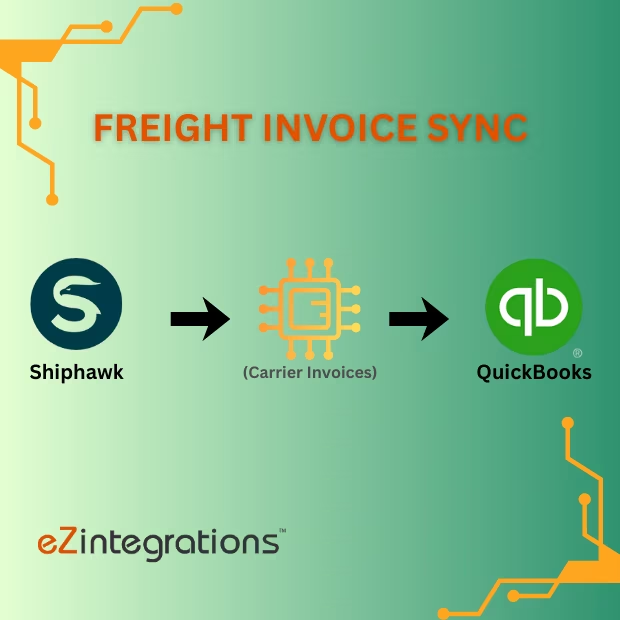
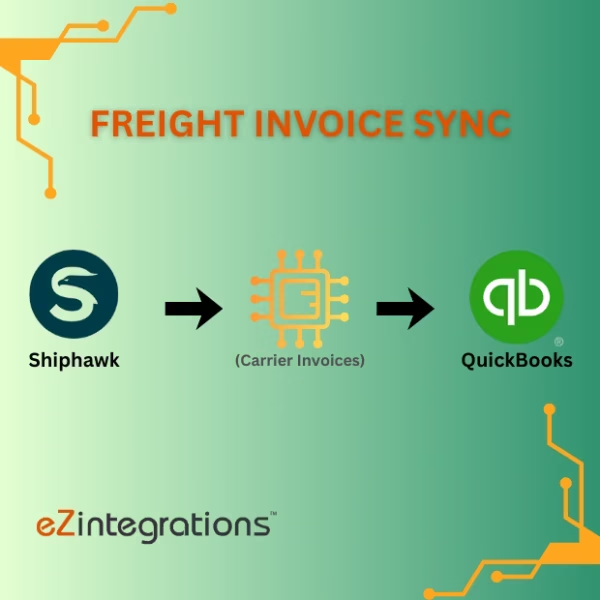
How To Automate Freight Invoice Sync from Shiphawk to QuickBooks
$0.00
| Workflow Name: |
Freight Invoice Sync: Shiphawk → QuickBooks |
|---|---|
| Purpose: |
Automatically sync carrier invoices to QuickBooks |
| Benefit: |
Faster invoice processing and accurate accounting |
| Who Uses It: |
Finance; Logistics; IT |
| System Type: |
ERP/Accounting Integration Workflow |
| On-Premise Supported: |
Yes |
| Industry: |
E-commerce / Logistics / Finance |
| Outcome: |
Real-time carrier invoices in QuickBooks |
Table of Contents
Description
| Problem Before: |
Manual invoice entry caused delays and errors |
|---|---|
| Solution Overview: |
Fetch invoices from Shiphawk and post to QuickBooks via API |
| Key Features: |
API fetch; validation; auto-posting; logs |
| Business Impact: |
Reduces accounting errors and accelerates reconciliation |
| Productivity Gain: |
Removes manual invoice entry |
| Cost Savings: |
Reduces labor and finance overhead |
| Security & Compliance: |
Encrypted API calls; secure creds |
Freight Invoice Sync – Shiphawk to QuickBooks
This workflow enables Freight Invoice Sync by automatically transferring carrier invoices from Shiphawk into QuickBooks. It ensures accounting records are accurate and up-to-date without manual entry.
Automated Invoice Processing for Faster and Accurate Accounting
The system retrieves freight invoices from Shiphawk, validates the data, and posts them into QuickBooks in real time. This workflow helps finance, logistics, and IT teams reduce errors, accelerate invoice processing, and maintain precise financial records.
Watch Demo
| Video Title: |
Automate E-Way Bill Generation from ERP or Accounting Software |
|---|---|
| Duration: |
03:03 |
Outcome & Benefits
| Time Savings: |
Eliminates manual invoice entry |
|---|---|
| Cost Reduction: |
Lowers labor effort |
| Accuracy: |
High via validated sync |
| Productivity: |
Faster accounting updates |
Industry & Function
| Function: |
Invoice synchronization |
|---|---|
| System Type: |
ERP/Accounting Integration Workflow |
| Industry: |
E-commerce / Logistics / Finance |
Functional Details
| Use Case Type: |
Invoice Integration |
|---|---|
| Source Object: |
Shiphawk Invoices |
| Target Object: |
QuickBooks Invoices |
| Scheduling: |
Real-time or batch |
| Primary Users: |
Finance; Logistics |
| KPI Improved: |
Invoice processing speed; accuracy |
| AI/ML Step: |
Not required |
| Scalability Tier: |
Enterprise |
Technical Details
| Source Type: |
Shiphawk API |
|---|---|
| Source Name: |
Carrier Invoices |
| API Endpoint URL: |
Shiphawk Invoice API |
| HTTP Method: |
GET |
| Auth Type: |
OAuth 2.0 / API Keys |
| Rate Limit: |
Based on Shiphawk API limits |
| Pagination: |
Supported via API |
| Schema/Objects: |
Invoice IDs; amounts; dates |
| Transformation Ops: |
Mapping; validation for QuickBooks |
| Error Handling: |
Retry failed calls; log errors |
| Orchestration Trigger: |
Scheduled or real-time |
| Batch Size: |
Configurable |
| Parallelism: |
Multiple batches |
| Target Type: |
Accounting |
| Target Name: |
QuickBooks |
| Target Method: |
QuickBooks API |
| Ack Handling: |
API response logged |
| Throughput: |
Thousands/day |
| Latency: |
Few seconds per batch |
| Logging/Monitoring: |
Sync logs; error logs |
Connectivity & Deployment
| On-Premise Supported: |
Yes |
|---|---|
| Supported Protocols: |
HTTPS; REST |
| Security & Compliance: |
Encrypted API calls; secure creds |
FAQ
1. What is the Freight Invoice Sync workflow from Shiphawk to QuickBooks?
It is an ERP/Accounting integration workflow that automatically syncs carrier freight invoices from Shiphawk into QuickBooks for accurate and timely accounting.
2. What invoice data is synced?
The workflow syncs carrier invoice details including invoice number, date, amounts, shipment references, and payment terms from Shiphawk to QuickBooks.
3. How does the freight invoice sync process work?
The workflow extracts invoices from Shiphawk, validates and maps them to QuickBooks formats, and automatically inserts them into the accounting system.
4. Who uses this workflow?
Finance teams, logistics teams, and IT staff use this workflow to maintain accurate freight invoice records and streamline payment processing.
5. What are the benefits of automating freight invoice sync?
Automation reduces manual data entry, accelerates invoice processing, ensures accurate accounting, and minimizes payment errors.
6. Does this workflow support on-premise systems?
Yes, the workflow supports on-premise environments where QuickBooks or Shiphawk require secure integration.
7. What system type does this workflow belong to?
This workflow is an ERP/Accounting integration designed to synchronize freight invoices from Shiphawk to QuickBooks.
8. Which industries benefit from this integration?
E-commerce, logistics, and finance industries benefit from faster invoice processing, accurate accounting, and improved financial visibility.
Case Study
| Customer Name: |
Shiphawk Users |
|---|---|
| Problem: |
Manual invoice entry caused delays and errors |
| Solution: |
Automated Shiphawk → QuickBooks Invoice Sync |
| ROI: |
Faster updates and reduced errors |
| Industry: |
E-commerce / Logistics / Finance |
| Outcome: |
Real-time carrier invoices in QuickBooks |
Related products
-
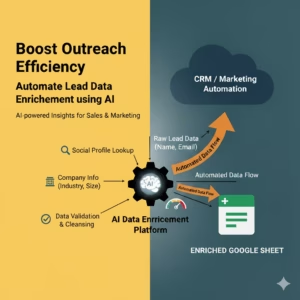
Boost Outreach – Automate Lead Data Enrichment using AI
 $0.00
Download
$0.00
Download
-
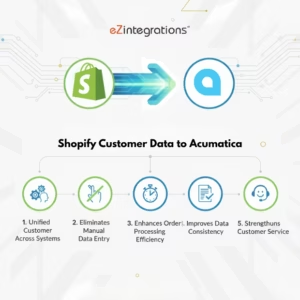
Transform Your Shopify Customer Data to Acumatica Integration – No Coding Needed
 $0.00
Download
$0.00
Download
-
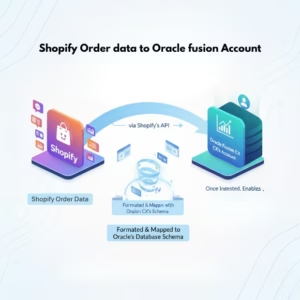
Boost Processing by 90% -Shopify Orders to Oracle Fusion
 $0.00
Download
$0.00
Download
-
10x Faster: Biometric to OTL Timecard Integration
 $0.00
Download
$0.00
Download