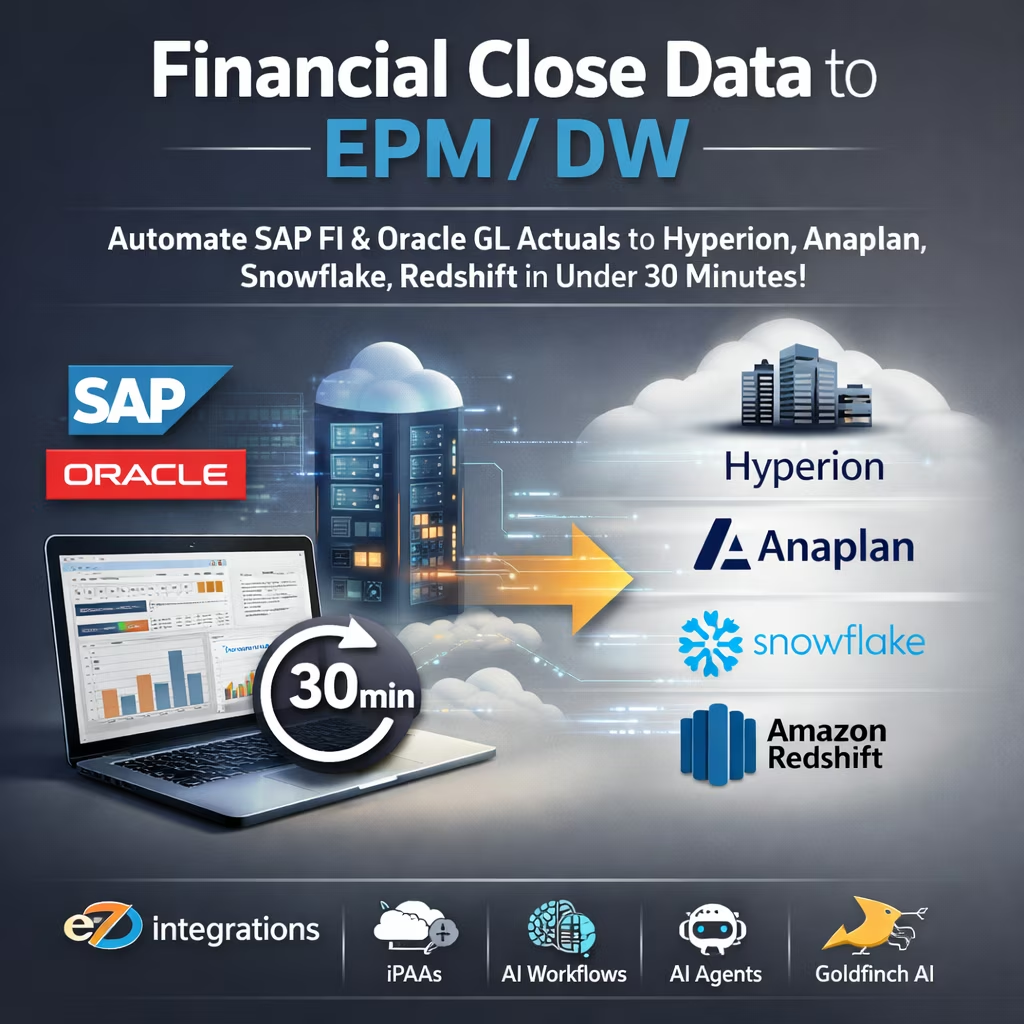
How can I automatically load trial balance, P&L, and balance sheet data into EPM systems?
$90.00
| Workflow Name: |
Financial Close Data to EPM/DW |
|---|---|
| Purpose: |
Automate the extraction of trial balance; P&L; and balance sheet GL actuals from SAP FI or Oracle GL at month-end close; transform to EPM consolidation schema; load to Hyperion or Anaplan for financial consolidation; and write raw GL data to Snowflake or Redshift data warehouse – replacing manual ERP exports and FTP uploads |
| Benefit: |
Eliminates the manual ERP-to-EPM data extraction cycle that delays month-end close by 1 to 3 days; ensures EPM and data warehouse receive accurate GL actuals within minutes of the close trigger; and removes the spreadsheet-based intermediate step that introduces GL data errors |
| Who Uses It: |
Financial Controller; FP&A Analyst; Finance Systems Manager |
| System Type: |
Scheduled and Event-Triggered Multi-Target Data Pipeline, ERP-to-EPM-to-DW Integration |
| On-Premise Supported: |
Yes – eZintegrations connects to on-premises SAP FI; Oracle EBS GL; Hyperion Financial Management; and other financial systems via IPSec Tunnel. eZintegrations is a browser-based; cloud-hosted platform and does not require any on-premises software installation. |
| Industry: |
Manufacturing |
| Outcome: |
GL actuals are now in Hyperion and Snowflake within 41 minutes of SAP period close. FP&A Analysts begin variance analysis on day +1 morning rather than day +3 or +4. The CFO day +2 close commitment to the board was met in the first post-deployment close and has been maintained every month. Finance Systems Manager maintains the account mapping table directly in eZintegrations console – no Excel intermediary; no IT involvement for mapping changes. |
| Tags: |
financial close data pipeline; ERP to EPM integration; SAP FI Hyperion integration; Oracle GL Anaplan sync; financial close automation; GL actuals to data warehouse; Snowflake financial data pipeline; Redshift GL data load; month-end close automation; FP&A data pipeline; EPM data integration; ERP consolidation automation |
| AI Credits Required: |
No – all six workflow steps are standard iPaaS operations (scheduled ERP extract via REST API or JDBC; data transformation; EPM API load; data warehouse write via JDBC or REST API). Covered fully under the Unlimited plan. No Goldfinch AI tools are invoked |
Table of Contents
| Problem Before: |
Every month-end close; the Financial Controller or FP&A Analyst manually exports trial balance and GL actuals data from SAP FI or Oracle GL as flat files or XLSX exports; applies manual transformations to match the EPM schema (account mapping; cost center to profit center; currency conversion); and uploads to Hyperion Financial Management or Anaplan via manual import or SFTP. The same data is separately loaded into Snowflake or Redshift for management reporting. At enterprise volumes with 10,000 to 50,000+ GL account-entity-period combinations; this process consumes 8 to 16 FTE hours per close cycle. Errors in manual transformations – account mapping mismatches; period code errors; currency rounding – average 2 to 5% of journal lines and require reconciliation before the close can be signed off; delaying board reporting and regulatory filings by 1 to 3 days. |
|---|---|
| Solution Overview: |
The Financial Close Data to EPM/DW pipeline from eZintegrations runs as a scheduled job at the configured close trigger (month-end ERP period close; or on-demand trigger by the Financial Controller); extracts GL actuals via SAP FI REST API or Oracle GL REST/JDBC; transforms account balances to EPM consolidation schema with configurable account mapping rules; loads the data to Hyperion or Anaplan via their respective APIs; and simultaneously writes the raw GL data to Snowflake or Redshift via JDBC or REST – all within 30 minutes of the trigger. |
| Key Features: |
Scheduled job trigger at configurable close cadence (month-end; quarter-end; ad hoc) with on-demand trigger option for the Financial Controller Full GL actuals extraction: trial balance (all accounts; all cost centers; all entities); P&L actuals; balance sheet actuals; and intercompany transactions – per period and year-to-date Configurable account mapping table: ERP GL account numbers mapped to EPM chart of accounts codes; with cost center to profit center mapping and currency conversion applied Multi-target load: single extraction pushes to both EPM (Hyperion or Anaplan) and data warehouse (Snowflake or Redshift) in the same pipeline execution Reconciliation validation step: extracted total debits equal total credits check and period balance tie-out before EPM load – pipeline halts and alerts Financial Controller if out-of-balance condition detected Exception queue with row-level error detail for unmapped accounts; missing cost center mappings; or API load failures |
| Business Impact: |
Compresses the manual ERP-to-EPM data preparation step from 8 to 16 FTE hours to under 30 minutes; ensuring the finance team can begin consolidation and variance analysis immediately after the ERP period close rather than waiting for the data to be prepared. |
| Productivity Gain: |
Finance teams running monthly or quarterly close cycles reclaim 8 to 16 FTE hours per close previously spent on ERP export; transformation; and manual EPM load – redirecting Financial Controller and FP&A Analyst capacity to analysis; variance commentary; and board pack preparation. |
| Cost Savings: |
Enterprise organizations running 12 monthly and 4 quarterly close cycles typically realize $80,000 to $180,000 in annual savings from labor reduction; plus the avoided cost of close deadline extensions; board reporting delays; and regulatory filing penalties caused by late data availability. |
Description
The financial close data pipeline from eZintegrations automates the extraction of SAP FI or Oracle GL actuals at month-end and loads the data directly into Hyperion, Anaplan, Snowflake, or Redshift — in under 30 minutes, without manual exports, schema transformations, or SFTP uploads. eZintegrations is an enterprise automation platform covering iPaaS, AI Workflows, AI Agents, and Goldfinch AI agentic automation.
How Does a Financial Close Data Pipeline Work to Automatically Extract GL Actuals from ERP and Load Them Into EPM and a Data Warehouse?
When the ERP month-end period is closed or the Financial Controller triggers the job on demand, the eZintegrations financial close data pipeline begins. GL actuals are extracted via SAP FI OData API or Oracle GL REST API — trial balance, P&L, balance sheet, and intercompany. Account mapping rules transform ERP account numbers to EPM chart of accounts codes. A reconciliation check validates debits equal credits before any downstream load. The data is then pushed to Hyperion or Anaplan via their APIs and simultaneously written to Snowflake or Redshift via JDBC.
The manual equivalent of this process consumes 8 to 16 FTE hours per close cycle. At 12 monthly closes per year, that is up to 192 FTE hours annually spent on a process that can run automatically. Financial close data pipeline automation makes those hours available for the analysis and reporting work that actually requires human judgment.
Deploy this financial close data pipeline in under 1 business day. No ETL tool, no SFTP scripts, no manual intervention required.
Watch Demo
| Video Title: |
Financial Close Data Pipeline Demo: SAP FI GL Actuals to Hyperion and Snowflake in Under 30 Minutes |
|---|---|
| Duration: |
3 to 5 minutes |
Outcome & Benefits
| Time Savings: |
ERP-to-EPM data preparation time reduced from 8 to 16 FTE hours per close cycle to under 30 minutes; finance team begins consolidation immediately after ERP period close |
|---|---|
| Cost Reduction: |
$80,000 to $180,000 annual savings from labor reduction across 12 monthly and 4 quarterly close cycles; avoided close delay penalties and board reporting deadline costs |
| Accuracy: |
99%+ GL data accuracy in EPM and data warehouse; 2 to 5% manual transformation error rate eliminated; reconciliation validation (debit/credit tie-out) before load prevents out-of-balance EPM submissions |
| Productivity: |
Financial Controller and FP&A Analyst capacity redirected from data preparation to variance analysis and board pack commentary; close cycle shortened by 1 to 3 days |
Performance Metrics
| Metric | Before (Manual/Batch) | After (Real-Time Sync) | Improvement |
|---|---|---|---|
| ERP-to-EPM Data Load Time per Close | 8 to 16 FTE hours | Under 30 minutes | 97%+ faster |
| GL Data Transformation Error Rate | 2 to 5% of journal lines | Under 0.2% (validated) | 95%+ reduction |
| Days from ERP Close to EPM Data Available | 1 to 3 days | Under 1 hour | 95%+ faster |
| Annual FTE Hours on Close Data Prep | 96 to 192 hours/year | Under 6 hours/year | 97%+ reduction |
Industry & Function
| Function: |
Finance Operations; Financial Planning and Analysis; Financial Consolidation; Corporate Reporting; Data Engineering |
|---|---|
| System Type: |
Scheduled and Event-Triggered Multi-Target Data Pipeline, ERP-to-EPM-to-DW Integration |
| Industry: |
Manufacturing |
Functional Details
| Use Case Type: |
Scheduled Multi-Target Data Pipeline; ERP-to-EPM-to-DW Integration; Financial Data Automation |
|---|---|
| Source Object: |
ERP GL actuals – SAP FI GL account balances and line items (account; cost center; profit center; company code; fiscal period; fiscal year; debit amount; credit amount; transaction currency; local currency) or Oracle GL journal line balances (ledger; account; cost center; period; currency; actual balance; budget balance) Target Object 1 (EPM): Hyperion Financial Management data load (HFM member intersections: Entity; Account; ICP; Custom dimensions; Period; Year; Value; DataSrc) or Anaplan model data import (module cell data: List members mapped from ERP dimensions; Line items mapped from GL accounts) Target Object 2 (Data Warehouse): Snowflake or Redshift staging table – raw GL balance rows: entity; account; cost center; period; fiscal year; debit; credit; net balance; currency; load timestamp; pipeline run ID |
| Scheduling: |
Scheduled job at configurable cadence: month-end (day +1 after ERP period close date); quarter-end; year-end; on-demand trigger via Financial Controller manual trigger in eZintegrations console; configurable retry if ERP period status is not yet “Closed” at scheduled run time (re-check every 15 minutes up to 4 hours) |
| Primary Users: |
Financial Controller; FP&A Analyst; Finance Systems Manager |
| KPI Improved: |
Days to close (DTC); ERP-to-EPM data availability lag; GL data transformation error rate; FTE hours per close cycle on data preparation; EPM consolidation cycle start time; data warehouse refresh lag for management reporting |
| AI/ML Step: |
N/A – standard iPaaS workflow with no AI steps; covered under Unlimited plan |
| Scalability Tier: |
Enterprise – supports 50,000+ GL account-entity-period combinations per extraction at standard configuration; scales to 500,000+ rows per pipeline run at enterprise tier with parallel extraction threads |
Technical Details
| Source Type: |
Cloud ERP or On-Premises ERP (connected via IPSec Tunnel) Source Name (ERP 1): SAP S/4HANA Finance (https://help.sap.com/docs/SAP_S4HANA_ON-PREMISE) – GL account balance extraction via OData REST API; SAP FI GL balance API (/API_GLACCOUNTLINEITEM_SRV for line items; /API_ODATA_SAP_GL_ACCOUNT_BALANCE_SRV for period balances) Source Name (ERP 2): Oracle Fusion Cloud Financials (https://docs.oracle.com/en/cloud/saas/financials/) – GL balance extraction via REST API (/fscmRestApi/resources/latest/ledgerBalances) or JDBC connection to Oracle GL reporting views for on-premises Oracle EBS |
|---|---|
| API Endpoint URL: |
SAP FI: /sap/opu/odata/sap/API_ODATA_SAP_GL_ACCOUNT_BALANCE_SRV/A_GLAccountBalance?$filter=FiscalYear eq ‘2024’ and FiscalPeriod eq ‘012’ | Oracle: /fscmRestApi/resources/latest/ledgerBalances?q=accountingPeriod=Dec-24 |
| HTTP Method: |
GET (SAP OData GL balance query); GET (Oracle REST ledger balance query); JDBC SELECT for on-premises ERP via IPSec Tunnel |
| Auth Type: |
OAuth 2.0 (SAP S/4HANA REST API); OAuth 2.0 (Oracle Fusion REST API); JDBC with username/password and SSL (on-premises connections via IPSec Tunnel) |
| Rate Limit: |
SAP: 1,000 requests per minute per API token; Oracle: configurable per tenant agreement; JDBC: governed by ERP database connection pool |
| Pagination: |
SAP OData: $skip and $top pagination for large result sets; Oracle REST: cursor-based limit and offset pagination; JDBC: query-level pagination with configurable batch fetch size (default 10,000 rows) |
| Schema/Objects: |
SAP FI GL balance fields: CompanyCode; GLAccount; CostCenter; ProfitCenter; FunctionalArea; BusinessArea; FiscalYear; FiscalPeriod; AmountInCompanyCodeCurrency; CompanyCodeCurrency; AmountInTransactionCurrency; TransactionCurrency; DebitCreditCode. Oracle GL fields: LedgerId; AccountCombination; Period; Currency; ActualBalance; BeginningBalance; PeriodActivity; EndingBalance. Both sources include intercompany elimination flags and consolidation attributes where configured. |
| Transformation Ops: |
ERP GL account number to EPM chart of accounts code mapping (configurable mapping table maintained by Finance Systems Manager); cost center to profit center and EPM Entity dimension mapping; company code to EPM Entity code mapping; fiscal period/year format conversion (SAP period 012 → EPM “Dec-24” format); currency conversion (ERP transaction currency to EPM reporting currency at period exchange rates loaded separately); intercompany transaction flagging for EPM ICP dimension; debit/credit amount to net balance calculation; trial balance validation: sum of all debit amounts must equal sum of all credit amounts within each company code before downstream load; unmapped account detection and routing to exception queue |
| Error Handling: |
Unmapped GL account routes to exception queue with ERP account number and period for Finance Systems Manager review – pipeline does not load partial data to EPM; balance validation failure (debits do not equal credits within tolerance of 0.01 currency unit) halts pipeline and alerts Financial Controller via email with out-of-balance detail including company code and period; EPM API load failures retry up to 3 times with exponential backoff; data warehouse write failures retry up to 3 times; persistent failures alert Finance Systems Manager within 15 minutes with pipeline run ID and error detail |
| Orchestration Trigger: |
Scheduled cron at configurable close date/time (e.g. day +1 after month-end at 6:00 AM); on-demand trigger via eZintegrations console for ad hoc runs; pre-trigger ERP period status check (re-check every 15 minutes up to 4 hours if period not yet closed) |
| Batch Size: |
Up to 50,000 GL balance rows per API call batch; JDBC fetch size configurable at 10,000 rows per fetch; full extraction split into parallel threads by company code for large multi-entity structures |
| Parallelism: |
Up to 20 parallel extraction threads per pipeline run (one per company code or ledger); simultaneous EPM load and data warehouse write after extraction completes Target Type 1 (EPM): Cloud EPM or On-Premises EPM (connected via IPSec Tunnel) Target Name 1: Oracle Hyperion Financial Management (https://docs.oracle.com/en/applications/enterprise-performance-management/index.html) – data load via HFM REST API or FDMEE data load rule; or Anaplan (https://help.anaplan.com/anaplan-api-documentation) – data import via Anaplan Connect API (model/module data load) Target Type 2 (Data Warehouse): Cloud Data Warehouse Target Name 2: Snowflake (https://docs.snowflake.com/) – GL staging table write via JDBC Snowflake connector or Snowflake REST API; or Amazon Redshift (https://docs.aws.amazon.com/redshift/) – GL staging table write via JDBC or Redshift Data API |
| Target Method: |
Hyperion HFM: REST API POST to data load endpoint or FDMEE data load rule execution; Anaplan: REST API POST to /api/2/models/{modelId}/imports/{importId}/tasks; Snowflake: JDBC INSERT or COPY INTO staging table; Redshift: JDBC INSERT or COPY command via Redshift Data API |
| Ack Handling: |
Hyperion returns load status (Accepted/Rejected with row-level error detail) after HFM data load completion; Anaplan returns task ID and completion status; Snowflake and Redshift return row count inserted on successful write. All acknowledgments logged to pipeline audit trail. Financial Controller receives a pipeline completion summary email with row counts; entity coverage; period balanced status; and EPM load status per entity. |
| Throughput: |
50,000+ GL balance rows per pipeline run at standard configuration; scales to 500,000+ rows at enterprise tier with parallel extraction threads; typical month-end pipeline for a 20-entity enterprise: under 25 minutes end-to-end |
| Latency: |
Under 30 minutes from close trigger to EPM data load complete and data warehouse write complete for a 20-entity; 50,000-row GL extraction; under 15 minutes for single-entity or small-entity-count pipelines |
| Logging/Monitoring: |
Full pipeline execution log per run (run ID; trigger timestamp; ERP extraction row count by company code; balance validation result; EPM load status by entity; data warehouse row count; total elapsed time; error summary); real-time monitoring dashboard in eZintegrations console; configurable SLA alerts if pipeline does not complete within configured window (e.g. 2 hours after trigger); audit table written to data warehouse with full pipeline run metadata for compliance and reconciliation reporting |
Connectivity & Deployment
| Supported Protocols: |
REST API; OData v2/v4; JDBC; HTTPS; OAuth 2.0; COPY command (Snowflake/Redshift bulk load); IPSec Tunnel (on-premises ERP; EPM; and database connectivity) |
|---|---|
| Security & Compliance: |
HIPAA-eligible configuration available; GDPR-compliant data handling; SOC Type II certified. TLS 1.3 encryption in transit; AES-256 at rest. GL financial data encrypted in transit and at rest throughout pipeline. RBAC enforced on pipeline trigger access; account mapping configuration; exception queue; and audit log read. Segregation of duties controls: pipeline trigger access separate from account mapping configuration access. Full immutable pipeline audit trail with row counts; balance validation results; and load acknowledgments per run. |
| Tenancy Model: |
Both single-tenant and multi-tenant deployments are available. Single-tenant provides dedicated infrastructure recommended for financial services and publicly traded companies with strict GL data isolation and audit requirements. Multi-tenant is the default shared-cloud deployment. Both support on-premises connectivity via IPSec Tunnel. |
| On-Premise Supported: |
Yes – eZintegrations connects to on-premises SAP FI; Oracle EBS GL; Hyperion Financial Management; and other financial systems via IPSec Tunnel. eZintegrations is a browser-based; cloud-hosted platform and does not require any on-premises software installation. |
FAQ
1. What is the Financial Close Data to EPM/DW pipeline workflow?
The financial close data pipeline by eZintegrations automates the extraction of trial balance, P&L, and balance sheet GL actuals from SAP FI or Oracle GL at month-end close, transforms account balances to EPM consolidation schema using configurable account mapping rules, loads the data to Hyperion Financial Management or Anaplan, and simultaneously writes the raw GL data to Snowflake or Redshift — all within 30 minutes of the close trigger, with no manual exports or SFTP uploads. The pipeline includes a debit/credit balance validation before any downstream load to prevent out-of-balance EPM submissions.
2. What data does this workflow process?
This pipeline processes ERP GL actuals at the account-cost center-company code-period level, including trial balance rows (GL account, debit/credit amounts, transaction and local currency), P&L account activity, balance sheet account ending balances, and intercompany transactions. SAP FI source fields include CompanyCode, GLAccount, CostCenter, ProfitCenter, FiscalYear, FiscalPeriod, AmountInCompanyCodeCurrency, and DebitCreditCode. Oracle GL source fields include LedgerId, AccountCombination, Period, Currency, ActualBalance, and PeriodActivity.
3. How does the financial close data pipeline improve the month-end close process?
The financial close data pipeline eliminates the 8 to 16 FTE hours per close cycle consumed by manual ERP export, schema transformation, and EPM upload — the steps that delay consolidation start and push board reporting deadlines. By making GL actuals available in EPM and the data warehouse within 30 minutes of ERP close, the finance team can begin consolidation, intercompany elimination, and variance analysis immediately rather than waiting 1 to 3 days for data to be manually prepared and loaded.
4. Who typically uses this workflow?
Financial Controllers and FP&A Analysts in enterprise finance teams across all industries configure and monitor this pipeline. Finance Systems Managers maintain the account mapping tables and exception queue. The pipeline completion summary email goes to the Financial Controller after each run, confirming row counts, entity coverage, balance validation result, and EPM load status — so the Controller knows consolidation can begin without manually verifying the data load.
5. Can eZintegrations connect to on-premises systems like SAP on-prem or Oracle EBS?
Yes. eZintegrations connects to on-premises SAP FI, Oracle EBS GL, and Hyperion Financial Management via IPSec Tunnel — no on-premises software installation is required. eZintegrations is a browser-based, cloud-hosted platform, so your on-premises ERP and EPM systems participate in the financial close data pipeline securely through the encrypted tunnel without any agent deployed on your servers.
6. What systems does this pipeline connect?
This pipeline connects SAP S/4HANA FI or Oracle Fusion Cloud GL (source ERP) to Oracle Hyperion Financial Management or Anaplan (target EPM) and to Snowflake or Amazon Redshift (target data warehouse) via REST API, OData, and JDBC. On-premises ERP, EPM, and database systems connect via IPSec Tunnel. Both cloud and on-premises deployments of all supported systems are covered.
7. What are the key benefits of the financial close data pipeline?
Key benefits include ERP-to-EPM data availability in under 30 minutes (vs. 8 to 16 FTE hours manually), 2 to 5% GL transformation error rate eliminated via validated automated mapping, financial close cycle shortened by 1 to 3 days, 97%+ reduction in annual FTE hours on close data preparation, and $80,000 to $180,000 in annual savings across 12 monthly and 4 quarterly close cycles. Debit/credit balance validation before EPM load prevents out-of-balance consolidation submissions. Deploys in under 1 business day.
8. How does this pipeline handle exceptions or errors?
When a GL account has no mapped EPM chart of accounts code, the pipeline routes the unmapped account to an exception queue with the ERP account number and period — and does not load partial data to the EPM. If the debit/credit balance validation fails (debits do not equal credits within a 0.01 currency unit tolerance), the pipeline halts and alerts the Financial Controller via email with out-of-balance detail including company code and period. EPM and data warehouse write failures retry up to 3 times with exponential backoff. No GL data is silently skipped.
Resources
Case Study
| Customer Name: |
Large specialty manufacturing company (name withheld – reference available on request) |
|---|---|
| Problem: |
The Finance team ran a 25-entity global close using SAP S/4HANA as the ERP and Oracle Hyperion Financial Management as the consolidation EPM. At each month-end; two FP&A Analysts spent a combined 14 hours extracting GL actuals from SAP (trial balance flat files per company code); applying account mapping in Excel; and uploading transformed data files to Hyperion via FDMEE. Transformation errors averaged 3.1% of journal lines per close cycle; discovered during the HFM load validation; requiring correction and re-upload. Average close-to-consolidation-ready lag: 2.5 days. The CFO had mandated a target of day +2 close; which was unachievable with the manual process. GL data was also loaded to Snowflake separately by the data engineering team – a second manual step adding another half-day delay to management reporting. |
| Solution: |
Deployed eZintegrations financial close data pipeline in 5 business days; connecting SAP S/4HANA FI OData API as the GL source; Hyperion FDMEE as the EPM target; and Snowflake as the data warehouse target. Account mapping table loaded from the existing Excel mapping file (3,200 account-to-EPM-code mappings). 25 company codes configured as parallel extraction threads. Balance validation configured at company code level. Scheduled trigger at day +1 6:00 AM for monthly close and day +1 8:00 AM for quarterly close. Financial Controller on-demand trigger configured for ad hoc reruns. Pipeline completion email configured to notify Financial Controller and FP&A team leads. |
| ROI: |
Annual labor savings: $112,000 (14 FTE hours per close x 12 monthly + 4 quarterly x $450 blended FP&A hourly cost). Transformation error rate reduced from 3.1% to 0.08%. Close-to-consolidation-ready lag reduced from 2.5 days to 41 minutes. CFO day +2 close target achieved in month 1 post-deployment. Data engineering Snowflake load step eliminated: additional $28,000 annual savings. |
| Industry: |
Manufacturing |
| Outcome: |
GL actuals are now in Hyperion and Snowflake within 41 minutes of SAP period close. FP&A Analysts begin variance analysis on day +1 morning rather than day +3 or +4. The CFO day +2 close commitment to the board was met in the first post-deployment close and has been maintained every month. Finance Systems Manager maintains the account mapping table directly in eZintegrations console – no Excel intermediary; no IT involvement for mapping changes. |
Related products
-
Sync Oracle Fusion Products to Shopify – 3X Faster
 $0.00
Download
$0.00
Download
-
Boost Processing by 90% -Shopify Orders to Oracle Fusion
 $0.00
Download
$0.00
Download
-
Walmart to SAP Inventory Automation – 10× Efficiency Boost
 $0.00
Download
$0.00
Download
-
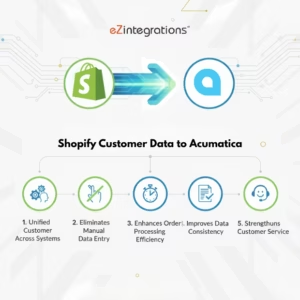
Transform Your Shopify Customer Data to Acumatica Integration – No Coding Needed
 $0.00
Download
$0.00
Download