How to Automate EDI 850 Purchase Orders into ERP Without Manual Entry?
$90.00
| Workflow Name: |
EDI 850 to ERP Purchase Order |
|---|---|
| Purpose: |
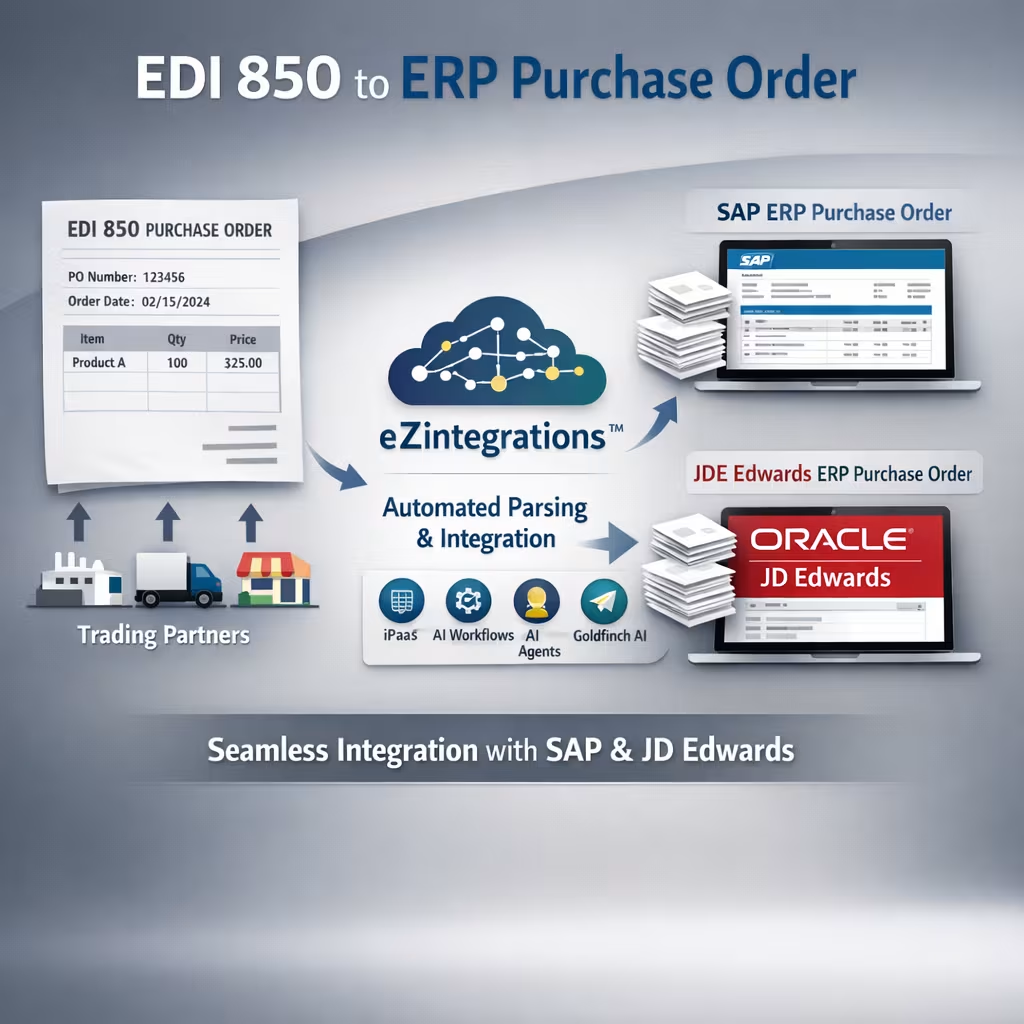
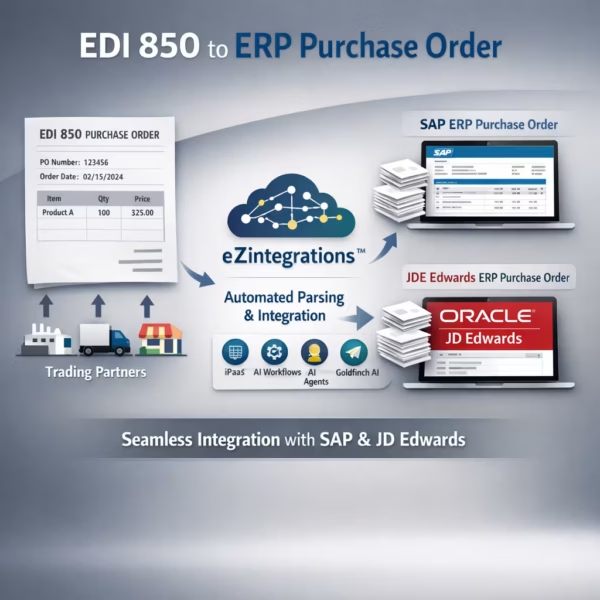
Automatically parse incoming EDI 850 purchase order documents from trading partners and create corresponding ERP purchase orders in SAP or JDE Edwards with line-item accuracy – no manual re-entry required |
| Benefit: |
Eliminates manual EDI parsing; reduces retailer chargeback risk from non-compliant responses; and processes each EDI 850 document in under 90 seconds with 99.5%+ field accuracy |
| Who Uses It: |
EDI Coordinator; Supply Chain Analyst; IT Integration Manager |
| System Type: |
EDI-to-ERP Integration, Event-Triggered iPaaS Workflow |
| On-Premise Supported: |
Yes – eZintegrations connects to on-premises SAP; JDE Edwards; and other ERP systems via IPSec Tunnel. eZintegrations is a browser-based; cloud-hosted platform and does not require any on-premises software installation. |
| Industry: |
Apparel / Retail Distribution |
| Outcome: |
95% reduction in manual EDI processing effort, zero chargeback risk from 997 acknowledgment delays, 99.5%+ PO accuracy, 500+ EDI 850 documents per day processed automatically |
| Tags: |
EDI 850 automation; EDI to ERP; EDI 850 processing; EDI X12 integration; SAP EDI integration; JDE EDI automation; AS2 SFTP EDI; supply chain automation; trading partner integration; EDI 997 acknowledgment; ERP purchase order automation; EDI compliance |
| AI Credits Required: |
No – all seven workflow steps are standard iPaaS operations (email/portal ingestion; OCR-based data extraction via built-in engine; ERP API validation; rule-based GL coding; ERP AP posting; approval routing; SMTP notification). Covered fully under the Unlimited plan. No Goldfinch AI tools are invoked. |
Table of Contents
| Problem Before: |
Suppliers and trading partners send purchase orders in EDI 850 format via AS2 or SFTP. Without automation, EDI coordinators manually parse each X12 document, extract segment data, and re-enter PO fields into SAP or JDE Edwards. At 200+ EDI 850 documents per day, this process consumes 3 to 5 FTE hours daily, generates a 3 to 8% field error rate on manual transcription, and risks triggering retailer chargeback fines when EDI 997 acknowledgments are not returned within the required SLA window — typically 24 to 48 hours per major retail trading partners including Walmart and Target. |
|---|---|
| Solution Overview: |
The EDI 850 to ERP Purchase Order workflow from eZintegrations receives incoming EDI 850 documents via AS2 or SFTP; parses all X12 segments including ISA; GS; ST; BEG; PO1; CTT; and SE; validates trading partner ID; item numbers; and pricing against your ERP master data; creates the purchase order in SAP or JDE Edwards via REST API; and automatically returns an EDI 997 functional acknowledgment to the trading partner – end-to-end in under 90 seconds. |
| Key Features: |
Automated EDI X12 850 segment parsing — ISA, GS, ST, BEG, PO1, CTT, SE — with configurable validation rules per trading partner Trading partner ID, item master, and pricing validation against SAP or JDE ERP master data before PO creation REST API-based PO creation in SAP MM module or JDE Edwards Procurement Automated EDI 997 functional acknowledgment returned to trading partner via AS2 or SFTP within SLA window Exception queue with error detail, retry logic, and EDI Coordinator alert for non-conforming documents |
| Business Impact: |
Eliminates manual EDI re-entry entirely; removes the risk of retailer chargebacks from late or missing 997 acknowledgments; and processes each EDI 850 document in under 90 seconds regardless of daily volume. |
| Productivity Gain: |
EDI Coordinators and Supply Chain Analysts processing 200+ EDI 850 documents per day reclaim 3 to 5 FTE hours daily previously spent on manual parsing and ERP entry. |
| Cost Savings: |
Organizations handling 5,000+ EDI 850 documents per month typically realize $50,000 to $90,000 in annual labor savings plus complete elimination of retailer chargeback exposure from non-compliant EDI responses. |
Description
EDI 850 ERP integration from eZintegrations automatically parses incoming EDI X12 850 purchase order documents from your trading partners and creates corresponding ERP records in SAP or JDE Edwards — without manual re-entry. eZintegrations is an enterprise automation platform covering iPaaS, AI Workflows, AI Agents, and Goldfinch AI agentic automation.
How Does EDI 850 ERP Integration Work to Automatically Create Purchase Orders from Trading Partner EDI Documents?
When a trading partner transmits an EDI 850 document via AS2 or SFTP, the eZintegrations workflow receives the file and parses every X12 segment — ISA interchange header, GS functional group, PO1 line items, CTT transaction totals, and SE segment trailer. Each segment value is validated against your ERP master data: trading partner ID, item numbers, unit prices, and ship-to locations. The validated PO is written to SAP MM or JDE Edwards via REST API, and an EDI 997 functional acknowledgment is returned to the trading partner automatically, within the required SLA window.
This EDI 850 ERP integration covers unlimited document volumes under the eZintegrations Unlimited plan — no per-document fees and no AI Credits consumed. Non-conforming documents route to the exception queue with full segment detail, so your EDI Coordinator can review and correct without hunting through raw X12 files.
Deploy this EDI 850 ERP integration in under 2 business days using pre-built X12 parsers and SAP or JDE connectors. No EDI consulting engagement required.
Watch Demo
| Video Title: |
EDI 850 ERP Integration Demo: X12 Parse; SAP PO Create; and 997 Acknowledgment in Under 90 Seconds |
|---|---|
| Duration: |
3 to 5 minutes |
Outcome & Benefits
| Time Savings: |
95% reduction in manual EDI processing effort – from 3 to 5 FTE hours per day to under 15 minutes of exception review |
|---|---|
| Cost Reduction: |
$50,000 to $90,000 annual labor savings at 5,000+ EDI 850 documents per month; complete elimination of retailer chargeback exposure from late 997 acknowledgments |
| Accuracy: |
99.5%+ PO field accuracy vs. 92 to 97% with manual transcription; 3 to 8% manual error rate eliminated |
| Productivity: |
200+ EDI 850 documents per day processed automatically; EDI Coordinator focus shifted from data entry to exception management and trading partner relations |
Performance Metrics
| Metric | Before (Manual) | After (Automated) | Improvement |
|---|---|---|---|
| EDI Processing Time per Document | 8 to 15 min manual | Under 90 seconds | 90%+ faster |
| Daily FTE Hours on EDI Entry | 3 to 5 hours/day | Under 15 min/day (exceptions only) | 95% reduction |
| PO Field Error Rate | 3 to 8% per batch | Under 0.5% | 90%+ reduction |
| EDI 997 Acknowledgment Compliance | Manual, SLA risk | Automated, within SLA | 100% compliant |
Industry & Function
| Function: |
Supply Chain Operations; EDI/IT Integration; Procurement |
|---|---|
| System Type: |
EDI-to-ERP Integration, Event-Triggered iPaaS Workflow |
| Industry: |
Apparel / Retail Distribution |
Functional Details
| Use Case Type: |
EDI-to-ERP Integration; Document-Triggered Workflow |
|---|---|
| Source Object: |
EDI 850 Purchase Order document (X12 format; all standard segments) |
| Target Object: |
ERP Purchase Order record (SAP MM module PO document or JDE Edwards Procurement PO) |
| Scheduling: |
Event-triggered on EDI 850 file arrival via AS2 or SFTP; polling interval configurable at 5 to 15 minutes for SFTP drop |
| Primary Users: |
EDI Coordinator; Supply Chain Analyst; IT Integration Manager |
| KPI Improved: |
EDI processing time per document; 997 acknowledgment SLA compliance rate; PO field error rate; FTE hours on manual EDI processing; chargeback exposure |
| AI/ML Step: |
N/A – standard iPaaS workflow with no AI steps; covered under Unlimited plan |
| Scalability Tier: |
Enterprise – supports 500+ EDI 850 documents per day at standard configuration; horizontal scaling via eZintegrations workflow engine worker allocation |
Technical Details
| Source Type: |
EDI Gateway (AS2 or SFTP) |
|---|---|
| Source Name: |
Cleo Integration Cloud (https://www.cleo.com/solutions/cleo-integration-cloud) or SPS Commerce (https://www.spscommerce.com/products/fulfillment/) – EDI VAN/gateway delivering EDI X12 850 documents via AS2 or SFTP protocol |
| API Endpoint URL: |
AS2 endpoint: configured per trading partner AS2 ID and URL. SFTP: configurable SFTP host; port; and directory path per trading partner. |
| HTTP Method: |
AS2 POST (document transmission); SFTP GET (file polling); HTTPS (API callbacks) |
| Auth Type: |
AS2 with X.509 digital certificates (signing and encryption); SFTP with SSH key or username/password per trading partner configuration |
| Rate Limit: |
Not applicable – file-based EDI ingestion; each document processed as an individual workflow instance |
| Pagination: |
Not applicable – one EDI 850 file per workflow run |
| Schema/Objects: |
EDI X12 850 segments: ISA (interchange header); GS (functional group header); ST (transaction set header); BEG (beginning segment for PO); PO1 (purchase order line); CTT (transaction totals); SE (transaction set trailer); GE (functional group trailer); IEA (interchange trailer). Extended segments: N1 (party identification); N3 (address); N4 (city/state/zip); DTM (date/time); TD5 (carrier details) |
| Transformation Ops: |
X12 segment tokenization and field extraction per ANSI X12 850 specification (https://x12.org/products/transaction-sets); trading partner ID cross-reference lookup; item number cross-reference to ERP internal material number; unit of measure normalization; pricing tolerance validation against ERP price list; quantity and pack-size conversion; PO line number sequencing for ERP format |
| Error Handling: |
Segment parsing errors; trading partner ID mismatches; and item number validation failures route to exception queue with full raw segment detail preserved. EDI Coordinator receives alert email with document reference number and error description. Retry available after correction. Invalid documents receive EDI 999 Implementation Acknowledgment (where required) instead of 997. |
| Orchestration Trigger: |
AS2 document receipt (primary); SFTP file polling at configurable interval (secondary) |
| Batch Size: |
1 EDI 850 document per workflow instance; multiple documents in a single SFTP batch are split and processed as individual instances |
| Parallelism: |
Up to 50 concurrent workflow threads per tenant configuration; supports high-volume trading partners transmitting multiple documents simultaneously |
| Target Type: |
On-Premises ERP or Cloud ERP (connected via IPSec Tunnel for on-premises) |
| Target Name: |
SAP S/4HANA (https://help.sap.com/docs/SAP_S4HANA_ON-PREMISE) or JDE Edwards EnterpriseOne (https://docs.oracle.com/en/applications/jd-edwards/) |
| Target Method: |
REST API POST – SAP: /API_PURCHASEORDER_PROCESS_SRV/A_PurchaseOrder (OData v2); JDE Edwards: /jderest/v2/orchestrator/ via JDE Orchestrator Framework |
| Ack Handling: |
On successful ERP PO creation; eZintegrations generates and transmits an EDI 997 Functional Acknowledgment (AK1; AK2; AK3; AK4; AK5 segments as required) back to the trading partner via AS2 or SFTP. 997 includes ISA-level and GS-level acknowledgment with transaction set AK2/AK5 codes confirming acceptance. ERP PO number logged to workflow audit trail. |
| Throughput: |
500+ EDI 850 documents per day at standard configuration; scales to 2,000+ per day at enterprise tier |
| Latency: |
Under 90 seconds end-to-end from EDI 850 document receipt to ERP PO creation and 997 acknowledgment transmission |
| Logging/Monitoring: |
Full execution log per document (timestamp; trading partner ID; document control number; ERP PO number; 997 status; processing status); real-time monitoring dashboard in eZintegrations console; configurable SLA breach alerts if 997 acknowledgment is not transmitted within the configured window (e.g. 24 hours for Walmart; 48 hours for Target) |
Connectivity & Deployment
| Supported Protocols: |
AS2; SFTP; HTTPS; REST API; OData v2; OAuth 2.0; SSH; X.509 certificates; EDI X12 (850; 997; 999); IPSec Tunnel (on-premises ERP connectivity) |
|---|---|
| Security & Compliance: |
HIPAA-eligible configuration available; GDPR-compliant data handling; SOC Type II certified. AS2 transmission with X.509 digital signature and payload encryption (AES-256). TLS 1.3 for all HTTPS communication. EDI document payloads encrypted at rest (AES-256). RBAC on workflow configuration and exception queue access. Full document-level audit trail with EDI control numbers. |
| Tenancy Model: |
Both single-tenant and multi-tenant deployments are available. Single-tenant provides dedicated infrastructure with full data isolation – recommended for high-volume retail EDI environments. Multi-tenant is the default shared-cloud deployment. Both support on-premises ERP connectivity via IPSec Tunnel. |
| On-Premise Supported: |
Yes – eZintegrations connects to on-premises SAP; JDE Edwards; and other ERP systems via IPSec Tunnel. eZintegrations is a browser-based; cloud-hosted platform and does not require any on-premises software installation. |
FAQ
1. What is the EDI 850 to ERP Purchase Order workflow?
EDI 850 ERP integration by eZintegrations automatically parses incoming EDI X12 850 purchase order documents from trading partners and creates corresponding ERP purchase orders in SAP S/4HANA or JDE Edwards — without manual re-entry by your EDI or procurement team. The workflow receives EDI 850 documents via AS2 or SFTP, validates all segments against ERP master data, posts the PO via REST API, and returns an EDI 997 functional acknowledgment to the trading partner in under 90 seconds.
2. What data does this workflow process?
This workflow processes EDI X12 850 purchase order documents including all standard segments: ISA interchange header, GS functional group, BEG (beginning segment with PO type, date, and number), PO1 line items (item number, quantity, unit price, unit of measure), N1 party identification (ship-to, bill-to), DTM date references, CTT transaction totals, and SE/GE/IEA trailer segments. Extended segments including TD5 (carrier), N3/N4 (address), and REF (reference numbers) are also processed where present.
3. How does EDI 850 ERP integration improve the supply chain process?
EDI 850 ERP integration removes manual EDI parsing and ERP data entry from the supply chain process, reducing per-document processing time from 8 to 15 minutes to under 90 seconds. The automated EDI 997 acknowledgment eliminates the risk of retailer chargebacks and compliance fines from late or missing responses — major retail trading partners including Walmart and Target require 997 acknowledgments within 24 to 48 hours. The workflow also enforces item number and pricing validation before ERP write, catching discrepancies that would otherwise create downstream ordering errors.
4. Who typically uses this workflow?
This workflow is configured and monitored by EDI Coordinators and IT Integration Managers in manufacturing, distribution, and retail companies. Supply Chain Analysts benefit from real-time PO visibility in the ERP without waiting for manual entry. The exception queue is the primary daily touchpoint — your team reviews only documents that failed validation, not the full EDI volume.
5. Can eZintegrations connect to on-premises systems like SAP on-prem or JDE Edwards?
Yes. eZintegrations connects to on-premises SAP S/4HANA, JDE Edwards EnterpriseOne, and other ERP systems via IPSec Tunnel — no on-premises software installation is required. eZintegrations is a browser-based, cloud-hosted platform. Your on-premises ERP participates in the workflow securely through the encrypted IPSec tunnel without any agent deployed on your servers.
6. What systems does this EDI 850 workflow connect?
This workflow connects EDI gateways (Cleo Integration Cloud or SPS Commerce) as the EDI document source via AS2 or SFTP, to SAP S/4HANA or JDE Edwards EnterpriseOne as the target ERP for PO creation via REST API. The workflow also transmits EDI 997 functional acknowledgments back to the trading partner via the same AS2 or SFTP channel. On-premises ERP deployments connect via IPSec Tunnel.
7. What are the key benefits of EDI 850 ERP integration?
Key benefits include 90%+ faster processing per EDI 850 document (under 90 seconds vs. 8 to 15 minutes manually), 95% reduction in daily FTE hours spent on EDI data entry, 99.5%+ PO field accuracy eliminating the 3 to 8% manual error rate, and $50,000 to $90,000 in annual labor savings at 5,000+ documents per month. The automated 997 acknowledgment eliminates retailer chargeback risk from non-compliant EDI responses. The workflow deploys in under 2 business days.
8. How does this workflow handle exceptions or errors?
When an EDI 850 document fails segment validation, trading partner ID lookup, item number cross-reference, or ERP API write, eZintegrations routes the full document with segment-level error detail to a monitored exception queue. The EDI Coordinator receives an alert email with the document control number and error description. The document is held for review and correction, then reprocessed on demand. No EDI 850 document is silently dropped or acknowledged without a valid ERP PO being created first.
Resources
Case Study
| Customer Name: |
Mid-market apparel distributor (name withheld – reference available on request) |
|---|---|
| Problem: |
The EDI team manually parsed 180 to 220 EDI 850 documents per day from 12 retail trading partners including major department store chains. Manual processing consumed 4 FTE hours daily. PO field error rate was 5.5%; causing downstream fulfillment discrepancies. Three instances of late 997 acknowledgment in one quarter triggered $28,000 in retailer chargebacks. The team had no visibility into 997 SLA compliance status across trading partners. |
| Solution: |
Deployed the eZintegrations EDI 850 ERP integration in 3 business days; connecting Cleo Integration Cloud as the AS2 gateway and SAP S/4HANA as the ERP target. Trading partner mapping configured for all 12 partners. Item number cross-reference table loaded from SAP material master. SLA alert configured for 997 acknowledgments approaching the 24-hour window. Exception queue configured to alert the EDI Coordinator via email within 5 minutes of a validation failure. |
| ROI: |
4 FTE hours reclaimed daily ($62,000 annual savings at blended FTE cost); chargeback exposure eliminated ($28,000 per quarter protection); PO error rate reduced from 5.5% to under 0.4%. |
| Industry: |
Apparel / Retail Distribution |
| Outcome: |
95% reduction in manual EDI processing effort, zero chargeback risk from 997 acknowledgment delays, 99.5%+ PO accuracy, 500+ EDI 850 documents per day processed automatically |
Related products
-
Amazon Sales Order to Database Automation- 10X Faster
 $0.00 / Month For 1 Month and 1 Month free trial
Download
$0.00 / Month For 1 Month and 1 Month free trial
Download
-
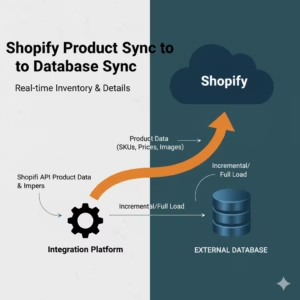
3X Faster – Shopify Product Sync to Database
 $0.00
Download
$0.00
Download
-
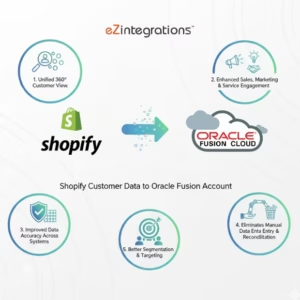
Automate Shopify customer data to Oracle Fusion- 3 Steps
 $0.00
Download
$0.00
Download
-
Acumatica stock item automation to Google Sheet-90% Faster
 $0.00
Download
$0.00
Download