How to Automate Patient Intake Form Processing in Epic
$0.00
| Workflow Name: |
Patient Intake Form Processing – Intake Forms to Epic |
|---|---|
| Purpose: |
Automate extraction of patient demographic and insurance data from intake forms and send to Epic |
| Benefit: |
Removes manual data entry and speeds up registration |
| Who Uses It: |
Front Desk Teams; Registration Staff |
| System Type: |
Document to Epic |
| Industry: |
Healthcare |
| Outcome: |
Automated patient registration in Epic |
| On-Premise Supported: |
Yes |
| Supported Protocols: |
HTTPS/FHIR/HL7 |
Table of Contents
Description
| Problem Before: |
Manual keying of paper forms caused delays and errors |
|---|---|
| Solution Overview: |
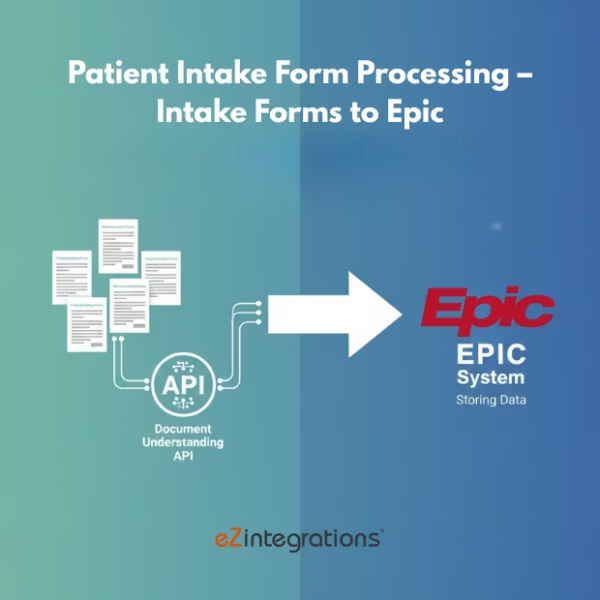
AI extracts demographics/allergies/insurance and posts to Epic via API/HL7 |
| Key Features: |
OCR extraction; patient matching; Epic API push; validation |
| Business Impact: |
Faster check-ins and cleaner patient records |
| Productivity Gain: |
Staff avoid manual transcription of forms |
| Cost Savings: |
Reduces admin work by up to 60% |
| Security & Compliance: |
HIPAA compliant |
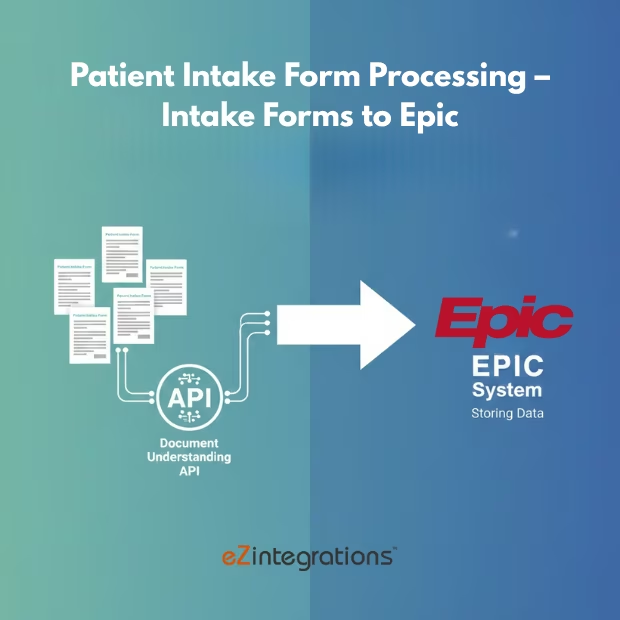
Patient Intake Form Processing – Intake Forms to Epic
This workflow automates the extraction of demographic and insurance details from patient intake forms and synchronizes the information directly into Epic EHR. It captures form data in real time and delivers clean, structured records to Epic, supporting faster and more accurate patient registration.
Real-Time Form Processing for Faster Patient Registration
The solution securely processes data from digital or scanned forms, validates key details, and transforms the information before syncing it to Epic. By reducing manual data entry, it helps front desk and registration teams work more efficiently, minimizes errors, speeds up onboarding, and improves overall registration
Watch Demo
| Video Title: |
Pharma Industry Document Automation: Use Cases & Data Flow |
|---|---|
| Duration: |
13:18 |
Outcome & Benefits
| Time Savings: |
Major reduction in manual entry |
|---|---|
| Cost Reduction: |
Less admin workload |
| Accuracy: |
High with AI validation |
| Productivity: |
Front desk faster processing |
Industry & Function
| Function: |
Patient Intake Automation |
|---|---|
| System Type: |
Document to Epic |
| Industry: |
Healthcare |
Functional Details
| Use Case Type: |
Patient Registration Automation |
|---|---|
| Source Object: |
Intake form data |
| Target Object: |
Epic patient record |
| Scheduling: |
Real-time |
| Primary Users: |
Registration Teams |
| KPI Improved: |
Check-in time; record accuracy |
| AI/ML Step: |
OCR and entity extraction |
| Scalability Tier: |
Enterprise |
Technical Details
| Source Type: |
Scanned Forms/PDF |
|---|---|
| Source Name: |
Patient Intake Forms |
| API Endpoint URL: |
Epic FHIR/Bridges endpoint |
| HTTP Method: |
POST |
| Auth Type: |
OAuth 2.0 |
| Rate Limit: |
Per Epic environment |
| Pagination: |
Not applicable |
| Transformation Ops: |
OCR → Normalize → Map to Epic Schema |
| Error Handling: |
Retry; audit logs; validation queue |
| Orchestration Trigger: |
Form upload event |
| Batch Size: |
1 form |
| Parallelism: |
High |
| Target Type: |
EHR |
| Target Name: |
Epic |
| Target Method: |
Epic API/HL7 |
| Ack Handling: |
Epic response stored |
| Throughput: |
Hundreds/day |
| Latency: |
<10s |
Connectivity & Deployment
| On-Premise Supported: |
Yes |
|---|---|
| Supported Protocols: |
HTTPS/FHIR/HL7 |
| Security & Compliance: |
HIPAA compliant |
FAQ
1. What is the Patient Intake Form Processing workflow?
It is an automated workflow that extracts patient demographic and insurance information from intake forms and sends the structured data directly into Epic, removing the need for manual entry.
2. How does the workflow process intake forms?
The workflow reads scanned or digital intake forms, extracts demographic and insurance data using automated data extraction, validates the information, and updates the appropriate fields in Epic.
3. What types of patient information are extracted?
It extracts patient demographics, contact details, insurance information, ID numbers, and other registration-related data submitted on intake forms.
4. How frequently does the workflow run?
The workflow can run in near real-time or at scheduled intervals based on patient intake volume and operational needs.
5. What happens if an intake form has missing or unclear data?
If data is incomplete or unclear, the workflow flags the form, logs an exception, and alerts the registration staff for manual review while continuing to process other forms.
6. Who uses this workflow?
Front Desk Teams and Registration Staff use this workflow to streamline patient onboarding and reduce manual data entry.
7. What are the benefits of the Patient Intake Form Processing workflow?
It eliminates manual registration work, reduces data entry errors, speeds up patient check-in, and ensures accurate demographic and insurance information in Epic.
Resources
Case Study
| Customer Name: |
Hospital Registration |
|---|---|
| Problem: |
Manual form entry slowed patient intake |
| Solution: |
Automated extraction + Epic posting |
| ROI: |
Lower costs & faster intake |
| Industry: |
Healthcare |
| Outcome: |
Automated patient registration in Epic |