How to Sync Insurance Data from a Database to OpenEHR Automatically
$0.00
| Workflow Name: |
EHR Integration: Database → OpenEHR Insurance Sync |
|---|---|
| Purpose: |
Sync insurance data from database to OpenEHR |
| Benefit: |
Accurate insurance data in EHR |
| Who Uses It: |
Healthcare IT; Billing Teams |
| System Type: |
EHR Integration Workflow |
| On-Premise Supported: |
Yes |
| Industry: |
Healthcare |
| Outcome: |
Accurate insurance in OpenEHR |
Table of Contents
Description
| Problem Before: |
Manual insurance updates caused errors |
|---|---|
| Solution Overview: |
Extract insurance data and sync to OpenEHR |
| Key Features: |
Data mapping; validation; API sync |
| Business Impact: |
Improved billing accuracy |
| Productivity Gain: |
Reduces manual updates |
| Cost Savings: |
Lowers admin effort |
| Security & Compliance: |
HIPAA compliant |
EHR Integration – Database to OpenEHR (Insurance)
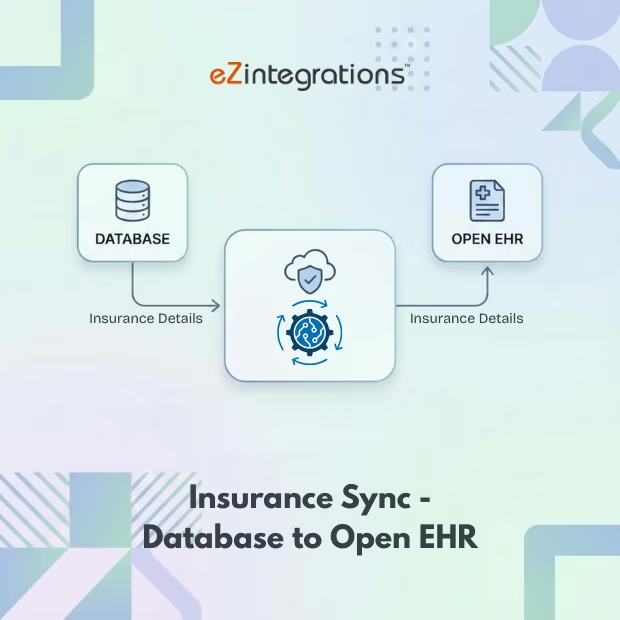
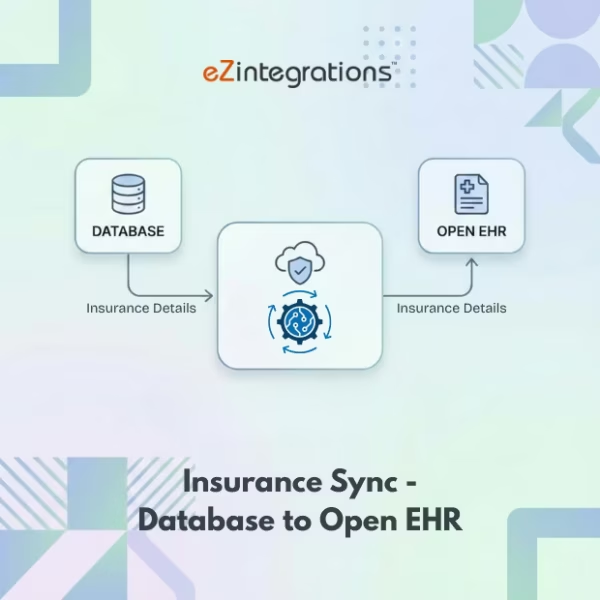
This workflow enables insurance data integration by automatically syncing insurance records from a database into OpenEHR. It ensures that patient insurance information is accurate, complete, and up to date without manual entry.
Automated Insurance Data Sync for Accurate EHR Records
The system retrieves insurance data from the source database, validates it, and updates OpenEHR in real time. This workflow helps healthcare IT and billing teams maintain accurate insurance information, reduce errors, and improve operational efficiency.
Watch Demo
| Video Title: |
Drive data-enabled healthcare excellence through seamless EHR integration with FHIR data models |
|---|---|
| Duration: |
01:28 |
Outcome & Benefits
| Time Savings: |
Eliminates manual entry |
|---|---|
| Cost Reduction: |
Reduced admin cost |
| Accuracy: |
High |
| Productivity: |
Faster updates |
Industry & Function
| Function: |
Data Sync |
|---|---|
| System Type: |
EHR Integration Workflow |
| Industry: |
Healthcare |
Functional Details
| Use Case Type: |
EHR Integration |
|---|---|
| Source Object: |
Insurance Data |
| Target Object: |
OpenEHR Insurance |
| Scheduling: |
Batch |
| Primary Users: |
Healthcare IT |
| KPI Improved: |
Data Accuracy |
| AI/ML Step: |
Not required |
| Scalability Tier: |
Enterprise |
Technical Details
| Source Type: |
Database |
|---|---|
| Source Name: |
Insurance Tables |
| API Endpoint URL: |
OpenEHR REST API |
| HTTP Method: |
POST |
| Auth Type: |
OAuth 2.0 |
| Rate Limit: |
As per OpenEHR setup |
| Pagination: |
Not applicable |
| Schema/Objects: |
Insurance records |
| Transformation Ops: |
Field mapping and validation |
| Error Handling: |
Log and retry |
| Orchestration Trigger: |
Scheduled sync |
| Batch Size: |
Configurable |
| Parallelism: |
Supported |
| Target Type: |
EHR |
| Target Name: |
OpenEHR |
| Target Method: |
REST API |
| Ack Handling: |
API response logged |
| Throughput: |
High volume supported |
| Latency: |
Seconds per batch |
| Logging/Monitoring: |
Audit logs |
Connectivity & Deployment
| On-Premise Supported: |
Yes |
|---|---|
| Supported Protocols: |
HTTPS |
| Security & Compliance: |
HIPAA compliant |
FAQ
1. What is the Database to OpenEHR Insurance integration workflow?
It is an automated EHR integration workflow that syncs insurance data from a source database into OpenEHR to ensure accurate and up-to-date insurance information in the EHR.
2. What type of insurance data is synced to OpenEHR?
The workflow syncs insurance details such as payer information, policy numbers, coverage details, plan types, eligibility status, and effective dates.
3. How does the insurance data sync process work?
The workflow extracts insurance records from the database, maps them to OpenEHR insurance structures, validates the data, and securely updates OpenEHR.
4. How often can insurance data be synchronized?
Insurance data can be synced in real-time, near real-time, or on a scheduled basis depending on operational and billing requirements.
5. What happens if insurance data fails to sync?
The workflow automatically logs errors, retries failed records, and notifies IT teams to resolve issues if manual intervention is needed.
6. Who benefits from this insurance integration workflow?
Healthcare IT teams and billing teams benefit by maintaining accurate insurance data in OpenEHR, reducing claim rejections and billing errors.
7. What are the key benefits of automating insurance data sync?
Automation improves insurance data accuracy, reduces manual entry, accelerates billing workflows, and ensures compliance with healthcare data standards.
8. Does this workflow support on-premise systems?
Yes, this workflow supports on-premise databases as well as hybrid and cloud-based OpenEHR deployments.
Case Study
| Customer Name: |
Healthcare Provider |
|---|---|
| Problem: |
Manual insurance handling |
| Solution: |
Automated insurance sync |
| ROI: |
Operational efficiency |
| Industry: |
Healthcare |
| Outcome: |
Accurate insurance in OpenEHR |