
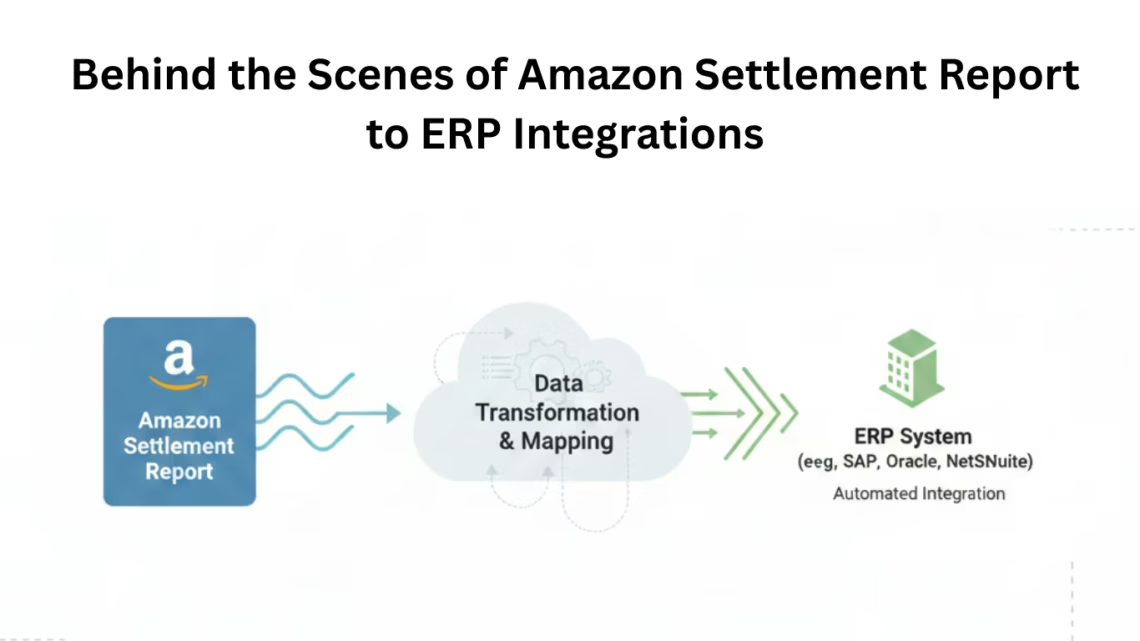
What Goes On Behind the Scenes in Amazon Settlement Report to ERP Integrations
December 7, 2025TL; DR
-
Amazon Settlement Reports track sales, fees, refunds, and other financial adjustments.
-
Manual reconciliation is time-consuming and prone to errors.
-
ERP integration with eZintegrations automates the workflow, ensuring accurate financial reporting.
-
eZintegrations simplifies the connection between Amazon reports and ERP systems.
Introduction
Managing financial data from Amazon can be complex for businesses of all sizes. Amazon Settlement Reports summarize transactions such as sales, fees, refunds, adjustments, and deductions, which directly impact financial records. When these reports are manually reconciled or disconnected from ERP systems, businesses face calculation errors, delayed reporting, and limited insights.
ERP integration solves this problem by connecting Amazon reports directly to accounting systems. This eliminates manual data entry, reduces errors, and maintains accurate financial records in real time.
eZintegrations automates Amazon Settlement Report ERP integration, organizing and uploading data automatically instead of relying on manual entry.
This guide covers:
-
How Amazon Settlement Reports are structured
-
Best practices for mapping data to ERP
-
Step-by-step automation with eZintegrations
-
Verification and reconciliation to ensure accuracy
Step-by-Step Amazon Settlement Report ERP Integration
What is the structure of an Amazon Settlement Report?
Answer: An Amazon Settlement Report summarizes all financial transactions for a specific period, including product sales, shipping fees, Amazon service fees, refunds, reimbursements, and discounts.
How it works:
-
Each row represents a transaction type. Sales are positive, while fees and refunds are negative.
-
Key columns: transaction type, date, SKU, amount, fee breakdown.
-
Settlement period dates determine grouping for accurate reporting.
Example: A $100 sale with $15 referral fees, $2 fulfillment fees, and $1 storage fee results in a net deposit of $82. eZintegrations ensures this amount is recorded accurately in the ERP system.
Why choose eZintegrations for ERP integration?
Answer: eZintegrations automates importing and mapping Amazon Settlement Report data to ERP systems, reducing errors and saving time.
How it works:
-
Extracts, formats, and maps data automatically
-
Supports standard ERP file formats (CSV, XML, API)
-
Allows scheduled imports for regular settlements
Example: “Amazon Marketplace Facilitator Tax” from Amazon is mapped to “Sales Tax Collected” in the ERP for precise reporting.
Supporting Data: Businesses that automate ERP integration reduce reconciliation time by over 80% compared to manual processing.
How do you map Amazon Settlement Report fields to ERP accounts?
Answer: Field mapping ensures each piece of Amazon data is correctly assigned in the ERP system.
Process:
-
Map sales to revenue accounts, fees to expense accounts, and refunds to reduce revenue
-
Start with transaction date, order ID, SKU, gross sales, net deposit
-
Include shipping credits, discounts, and promotions
Before/After Example:
-
Before: 20+ hours of monthly reconciliation, frequent corrections
-
After: Automated mapping completes the process in minutes with near-perfect accuracy
How to automate Amazon Settlement Report import?
Answer: Once fields are mapped, eZintegrations automatically imports Amazon reports according to settlement schedules.
Steps:
-
Test with historical data before going live
-
Enable notifications for errors and successes
-
Review logs for the first month to ensure accuracy
Supporting Data: Automated imports reduce human error by up to 95% and accelerate monthly financial closes.
According to Forrester Reports, Industry trends show that enterprise process automation and workflow solutions are increasingly adopted even amid budget constraints, highlighting the effectiveness of scheduled automation over manual methods.
How to reconcile and verify ERP accuracy?
Answer: Reconciliation confirms that ERP records match Amazon deposits.
Steps:
-
Compare net deposit, bank amount, and ERP totals
-
Track discrepancies flagged by eZintegrations
-
Monitor timing differences between Amazon settlement and bank deposits
Success Indicators:
-
ERP totals match Amazon deposits
-
Bank deposits align with ERP records
-
Monthly closing is faster and more accurate
Conclusion
Automating Amazon Settlement Report ERP integration eliminates manual errors, speeds up financial workflows, and improves visibility into business performance. eZintegrations makes this process accurate, reliable, and simple, helping businesses focus on growth instead of reconciliation.
Book a demo now with eZintegrations today to explore customized solutions for seamless Amazon Settlement Report ERP integration. Automate your financial workflow and turn a time-consuming task into a strategic advantage.

FAQ’s
1. What is an Amazon Settlement Report?
A detailed summary of all transactions during a settlement period, including sales, fees, refunds, reimbursements, shipping, and promotions.
2. Why is ERP integration important?
It automates the transfer of Amazon Settlement Report data to ERP systems, reduces manual errors, and provides real-time visibility.
3. Can small businesses benefit from ERP integration?
Yes. Automation with eZintegrations saves time and prevents costly mistakes regardless of business size.
4. How often should Amazon data be imported?
Import frequency should match Amazon's settlement schedule. eZintegrations can align with daily, weekly, or bi-weekly workflows.