How to Automatically Filter API Data with 8 Rules Before Loading into a Datalake (API Integration)
$0.00
| Workflow Name: |
API to Datalake Workflow with 8 Filters operations |
|---|---|
| Purpose: |
Filter and structure incoming data for Datalake |
| Benefit: |
Reduces manual effort; ensures quality |
| Who Uses It: |
Data Engineers; Analysts |
| System Type: |
ETL / Data Integration / Datalake Platform |
| On-Premise Supported: |
Yes |
| IPSec Guide Link: |
https://your-domain.com/help/ipsec |
| Supported Protocols: |
HTTPS; SFTP; JDBC; API |
| Industry: |
Finance; Healthcare; Retail; Tech; All data-driven |
| Outcome: |
3x faster ingestion; 90% fewer errors; ready analytics. |
Table of Contents
Description
| Problem Before: |
Manual filtering caused errors and delays. |
|---|---|
| Solution Overview: |
Automates 8-filter workflow for clean Datalake ingestion. |
| Key Features: |
Validation; transformation; filtering; batch load; logging. |
| Business Impact: |
Faster ingestion; fewer errors; ready analytics. |
| Productivity Gain: |
3x throughput with same team. |
| Cost Savings: |
30% operational cost reduction. |
| Security & Compliance: |
Audit-ready logs |
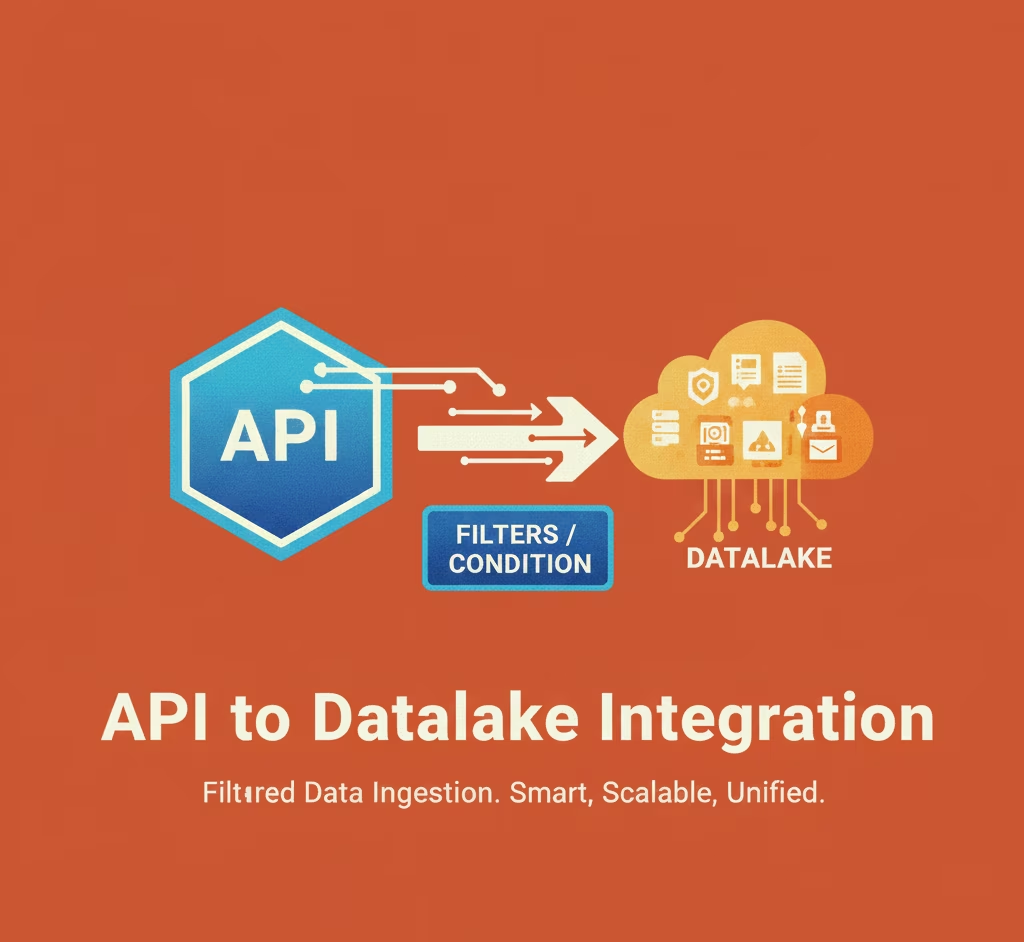
API to Datalake Workflow with 8 Filters – Streamlined Data Pipeline (API Integration)
This workflow applies an filter layer to incoming API data before it reaches the Datalake. The automation validates, cleans, and structures raw API responses using eight predefined filters, ensuring the data entering the Datalake is accurate, consistent, and analytics ready.
Automated Data Filtering & Structuring for Reliable Datalake Ingestion
By enforcing automated transformation rules, the workflow eliminates manual cleanup, reduces errors, and maintains high-quality datasets across the Datalake. This enables data engineers and analysts to work with trusted, well-structured data without operational overhead.
Watch Demo
| Video Title: |
Integrating Google Sheets with any Datalake using eZintegrations |
|---|---|
| Duration: |
4:56 |
Outcome & Benefits
| Time Savings: |
Cut processing time 90% |
|---|---|
| Cost Reduction: |
Save $40K/yr |
| Accuracy: |
99.9% valid records |
| Productivity: |
+35% throughput/FTE |
Industry & Function
| Function: |
Data Engineering; Analytics; BI |
|---|---|
| System Type: |
ETL / Data Integration / Datalake Platform |
| Industry: |
Finance; Healthcare; Retail; Tech; All data-driven |
Functional Details
| Use Case Type: |
ETL / Data Pipeline |
|---|---|
| Source Object: |
JSON API payloads |
| Target Object: |
Structured Datalake tables |
| Scheduling: |
Hourly / Daily / Event-driven |
| Primary Users: |
Data Engineers; BI Analysts |
| KPI Improved: |
Data accuracy; ingestion speed |
| AI/ML Step: |
Optional anomaly detection |
| Scalability Tier: |
Enterprise-ready; cloud/on-prem |
Technical Details
| Source Type: |
API |
|---|---|
| Source Name: |
Source API |
| API Endpoint URL: |
https://api.source.com/data |
| HTTP Method: |
GET/POST |
| Auth Type: |
OAuth2 / API Key |
| Rate Limit: |
1000 requests/min |
| Pagination: |
Offset / Cursor-based |
| Schema/Objects: |
JSON payloads |
| Transformation Ops: |
Filter; Map; Normalize; Aggregate |
| Error Handling: |
Retry; Dead-letter queue; Alerts |
| Orchestration Trigger: |
Scheduled / Event-driven |
| Batch Size: |
10k-50k records |
| Parallelism: |
Multi-threaded / Concurrent pipelines |
| Target Type: |
Datalake |
| Target Name: |
Cloud Datalake |
| Target Method: |
Bulk upload / API ingest |
| Ack Handling: |
Confirmed on successful load |
| Throughput: |
50k-100k records/hour |
| Latency: |
5–15 mins per batch |
| Logging/Monitoring: |
Centralized logs; dashboards; alerts |
Connectivity & Deployment
| On-Premise Supported: |
Yes |
|---|---|
| IPSec Guide Link: |
https://your-domain.com/help/ipsec |
| Supported Protocols: |
HTTPS; SFTP; JDBC; API |
| Security & Compliance: |
Audit-ready logs |
FAQ
1. What is the API to Datalake Workflow with 8 ETL Filters?
It is an automated data pipeline that retrieves data from APIs, applies eight ETL filters for cleaning and transformation, and loads structured data into the Datalake.
2. How does the workflow ingest and process API data?
The workflow connects to API endpoints, fetches raw JSON or XML data, validates and transforms the dataset using the defined eight filters, and stores the processed data in the Datalake.
3. What ETL filters are included in this workflow?
Common filters include null removal, duplicate cleanup, schema mapping, field standardization, type validation, enrichment rules, transformations, and quality scoring.
4. Why are ETL filters important for API-to-Datalake pipelines?
API data can be inconsistent or messy. The filters ensure accuracy, consistency, and readiness for analytics and downstream processing.
5. Can the eight filters be customized?
Yes, the filters can be customized based on API response formats, business rules, or Datalake schema requirements.
6. Who typically uses this workflow?
Data Engineers and Analysts rely on this workflow to maintain high-quality, standardized data in the Datalake.
7. What platforms or tooling does this workflow support?
It works across ETL/ELT platforms, API integration tools, and cloud Datalakes such as AWS, Azure, and GCP.
8. What are the key benefits of automating API-to-Datalake processing?
It eliminates manual data preparation, improves data quality, accelerates ingestion, and ensures reliable datasets for analytics and reporting.
Resources
Case Study
| Customer Name: |
ACME Corp |
|---|---|
| Problem: |
Manual data cleaning caused 50% delays in analytics pipelines. |
| Solution: |
Deployed 8-filter automated API → Datalake workflow. |
| ROI: |
30% operational cost reduction; ROI in 6 months. |
| Industry: |
Finance; Healthcare; Retail; Tech; All data-driven |
| Outcome: |
3x faster ingestion; 90% fewer errors; ready analytics. |