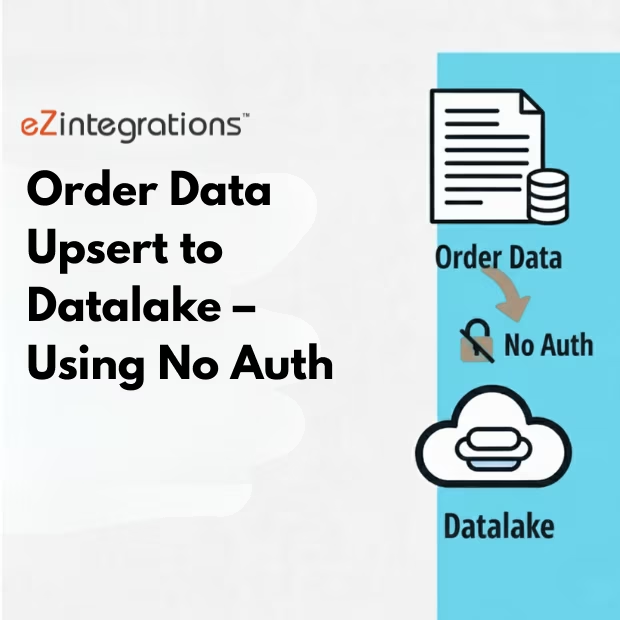
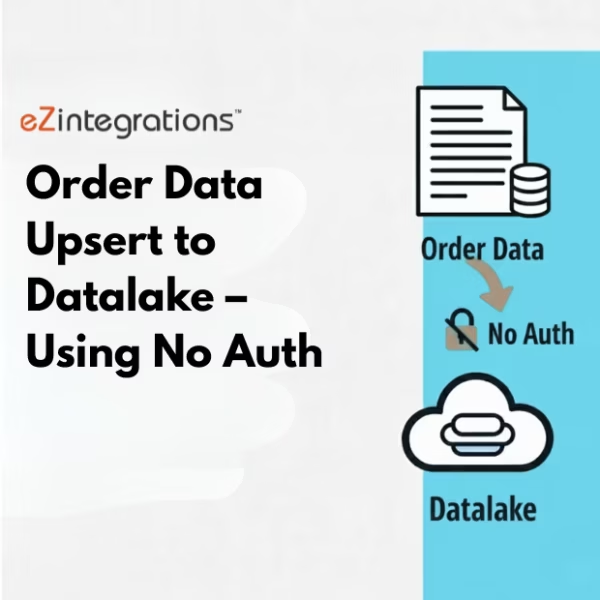
Order Data Upsert: Boost 40% Faster Effortless Datalake Sync
$0.00
| Workflow Name: |
Order Data Upsert to Datalake Using No Auth |
|---|---|
| Purpose: |
Automatically upsert order data from source systems to the Datalake without authentication. |
| Benefit: |
Ensures quick and seamless data insertion and updates without API keys or auth requirements. |
| Who Uses It: |
Data Engineers; Analytics Teams; BI Teams |
| System Type: |
Order Data Integration Workflow |
| On-Premise Supported: |
Yes (via secure gateway) |
| Supported Protocols: |
HTTPS; REST API |
| Industry: |
Generic Industry (Customer-defined) |
| Outcome: |
Quick, seamless, and accurate order data upserts in Datalake |
Table of Contents
Description
| Problem Before: |
Manual order uploads and CSV handling caused delays and inconsistencies. |
|---|---|
| Solution Overview: |
Automated order data extraction; transformation; and upsert directly to Datalake using no-auth endpoints. |
| Key Features: |
Incremental upsert; batch processing; error logging; data validation; CSV/API support. |
| Business Impact: |
Reduces manual effort; ensures up-to-date order information; and improves reporting readiness. |
| Productivity Gain: |
Teams can handle larger datasets faster and with zero manual intervention. |
| Cost Savings: |
Reduces labor and operational overhead by eliminating manual uploads and validations. |
| Security & Compliance: |
Compliant with internal security standards; optional encryption |
Datalake Sync – Order Data Upsert to Datalake Using No Auth
This Integration enables seamless upsert from source systems to the Datalake without requiring authentication. This workflow ensures that new and updated order records are efficiently inserted, providing teams with up-to-date and accurate data.
Quick and Seamless
By bypassing authentication requirements, the workflow simplifies data transfer while maintaining data integrity. Teams benefit from faster updates, minimal manual intervention, and reliable access to order data for analytics, reporting, and business intelligence operations.
Watch Demo
| Video Title: |
Integrate NetSuite data to any Datalake |
|---|---|
| Duration: |
5:31 |
Outcome & Benefits
| Time Savings: |
Manual uploads eliminated; processing reduced from hours to minutes |
|---|---|
| Cost Reduction: |
Removes repetitive manual CSV handling |
| Accuracy: |
High consistency with automated validation |
| Productivity: |
Faster ingestion cycles and zero manual intervention |
Industry & Function
| Function: |
Data Extraction; Upsert; Automation |
|---|---|
| System Type: |
Order Data Integration Workflow |
| Industry: |
Generic Industry (Customer-defined) |
Functional Details
| Use Case Type: |
Order Data Upsert |
|---|---|
| Source Object: |
Order datasets from source system or CSV exports |
| Target Object: |
Datalake tables for analytics & reporting |
| Scheduling: |
Hourly; daily; or on-demand |
| Primary Users: |
Data Engineers; Analytics Teams; BI Teams |
| KPI Improved: |
Data freshness; reduced manual work; reporting readiness |
| AI/ML Step: |
Optional anomaly detection for unusual order patterns |
| Scalability Tier: |
Mid-to-Enterprise; supports large datasets |
Technical Details
| Source Type: |
REST API / File-based Source (No Auth) |
|---|---|
| Source Name: |
Order System / CSV Export |
| API Endpoint URL: |
https://api.example.com/orders/no-auth |
| HTTP Method: |
POST |
| Auth Type: |
No Authentication |
| Rate Limit: |
Unlimited (depends on source system) |
| Pagination: |
Not applicable or batch-based |
| Schema/Objects: |
Orders; Order Lines; Customers; Timestamps |
| Transformation Ops: |
Data mapping; type normalization; deduplication; timestamp standardization |
| Error Handling: |
Retry logic; logging; alert notifications |
| Orchestration Trigger: |
Hourly; daily; or on-demand |
| Batch Size: |
500-5000 records per run |
| Parallelism: |
Multi-threaded insertion for larger datasets |
| Target Type: |
Cloud Datalake |
| Target Name: |
Order_Datalake_Upsert_Zone |
| Target Method: |
Upsert via API or direct upload |
| Ack Handling: |
Success/failure logs recorded in monitoring layer |
| Throughput: |
Up to 20K records/hour |
| Latency: |
<30 seconds per batch |
| Logging/Monitoring: |
Execution logs; batch logs; monitoring dashboard |
Connectivity & Deployment
| On-Premise Supported: |
Yes (via secure gateway) |
|---|---|
| Supported Protocols: |
HTTPS; REST API |
| Security & Compliance: |
Compliant with internal security standards; optional encryption |
FAQ
1. What is the Order Data Upsert to Datalake workflow?
It is an automated workflow that upserts order data from source systems to the Datalake without requiring authentication, ensuring seamless data insertion and updates.
2. How does the workflow upsert order data without authentication?
The workflow connects directly to the source system endpoints that do not require API keys or authentication, retrieves order data, and performs insert or update operations in the Datalake automatically.
3. What types of order data are handled?
It handles order IDs, customer details, product information, quantities, prices, timestamps, and other relevant metadata from the source system.
4. How often can the workflow run?
The workflow can be scheduled to run hourly, daily, or in near real-time, depending on business needs and data volume.
5. What happens if there is no new or updated order data?
If no new or updated data is found, the workflow completes successfully, logs the run, and ensures no errors are generated.
6. Who uses this workflow?
Data Engineers, Analytics Teams, and BI Teams use this workflow to ensure accurate and up-to-date order data in the Datalake without authentication complexities.
7. What are the benefits of automating order data upsert without auth?
Automation allows quick, seamless insertion and updating of order data, reduces manual effort, avoids authentication overhead, and ensures consistent, real-time data availability.
Case Study
| Customer Name: |
Internal Analytics / Data Engineering Team |
|---|---|
| Problem: |
Slow manual updates of order data without seamless automation |
| Solution: |
Automated no-auth pipeline to upsert order data to Datalake |
| ROI: |
Order data updates available 3× faster with minimal manual effort |
| Industry: |
Generic Industry (Customer-defined) |
| Outcome: |
Quick, seamless, and accurate order data upserts in Datalake |