Transfer Customer Data from Database
$0.00
| Workflow Name: |
Template to transfer Customer Data to Datalake Using Database as Source |
|---|---|
| Purpose: |
Automatically extract customer records from a database source and load them into the Datalake. |
| Benefit: |
Provides clean; up-to-date customer data for analytics; reporting; and operations. |
| Who Uses It: |
Data Engineers; BI Teams; Analytics Teams |
| System Type: |
Master Data Integration Workflow |
| On-Premise Supported: |
Yes (via secure gateway/connector) |
| Supported Protocols: |
HTTPS; JDBC; ODBC |
| Industry: |
E-commerce / Enterprise Data Operations |
| Outcome: |
Clean, accurate, and up-to-date customer data in the Datalake |
Table of Contents
Description
| Problem Before: |
Customer data exports were manual; inconsistent; error-prone; and not real-time. |
|---|---|
| Solution Overview: |
Automated SQL query execution; data extraction; transformation; and secure Datalake ingestion. |
| Key Features: |
DB connector; schema mapping; incremental extraction; data validation; batch logging. |
| Business Impact: |
Improves data quality; accelerates reporting; and removes dependency on manual exports. |
| Productivity Gain: |
Teams save hours per week by eliminating manual data pulls. |
| Cost Savings: |
Reduces operational data handling costs by up to 50%. |
| Security & Compliance: |
DB credentials encrypted; secure proxy supported |
Transfer Customer Data from Database to Datalake
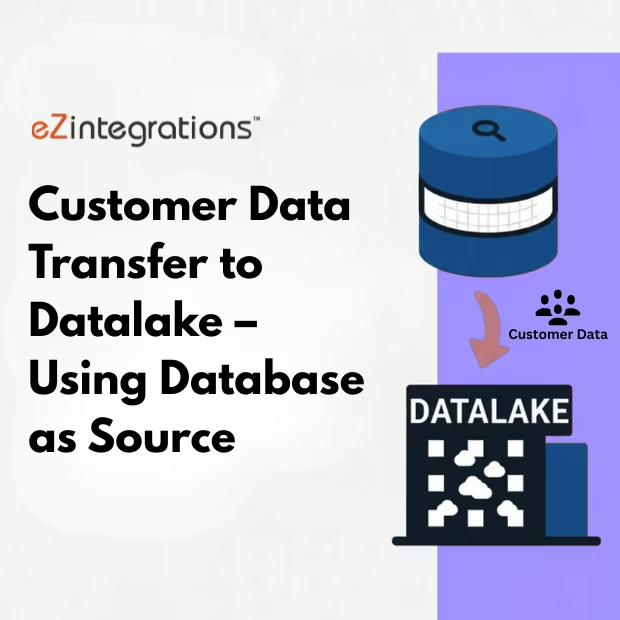
Customer Data Transfer automates the extraction of customer records from a database source and loads them into the Datalake. This workflow ensures that customer data is clean, up-to-date, and ready for analytics, reporting, and operational use.
Reliable & Up-to-Date Customer Data for Analytics and Operations
The workflow connects to the source database, retrieves customer records, validates and structures the data, and syncs it to the Datalake. Teams gain accurate insights, streamlined reporting, and enhanced support for business intelligence and operational workflows.
Watch Demo
| Video Title: |
Integrate NetSuite data to any Datalake |
|---|---|
| Duration: |
5:31 |
Outcome & Benefits
| Time Savings: |
Manual extraction time reduced from hours/day to minutes |
|---|---|
| Cost Reduction: |
Removes recurring manual export overhead |
| Accuracy: |
High accuracy due to direct SQL extraction |
| Productivity: |
Enables faster reporting cycles across teams |
Industry & Function
| Function: |
Data Extraction; Sync; ETL Automation |
|---|---|
| System Type: |
Master Data Integration Workflow |
| Industry: |
E-commerce / Enterprise Data Operations |
Functional Details
| Use Case Type: |
Customer Master Data Sync |
|---|---|
| Source Object: |
Customer master records |
| Target Object: |
Datalake customer tables for analytics & modeling |
| Scheduling: |
Hourly or daily |
| Primary Users: |
Data Engineering; BI; Analytics |
| KPI Improved: |
Data freshness; reporting accuracy; sync reliability |
| AI/ML Step: |
Optional anomaly detection on customer updates |
| Scalability Tier: |
Enterprise-grade |
Technical Details
| Source Type: |
Database (SQL / NoSQL) |
|---|---|
| Source Name: |
Primary Customer Database |
| API Endpoint URL: |
Database Host / Connection String |
| HTTP Method: |
GET (Select Query) |
| Auth Type: |
DB Credentials / Token-Based Auth |
| Rate Limit: |
DB query throughput limits |
| Pagination: |
Offset or timestamp-based pagination |
| Schema/Objects: |
Customer; Address; Metadata tables |
| Transformation Ops: |
Data type normalization; deduplication; field mapping; timestamp tagging |
| Error Handling: |
Retry logic; DB error parsing; exception logs |
| Orchestration Trigger: |
Scheduled hourly or daily |
| Batch Size: |
1000-50000 records per run |
| Parallelism: |
Parallel SQL queries based on table segmentation |
| Target Type: |
Cloud Datalake |
| Target Name: |
Customer_Datalake_Zone |
| Target Method: |
API Upload / Cloud Storage Write |
| Ack Handling: |
Success/failure logs written to monitoring table |
| Throughput: |
Up to 500K records/day |
| Latency: |
<20 seconds per batch |
| Logging/Monitoring: |
Query logs; ingestion logs; retry logs |
Connectivity & Deployment
| On-Premise Supported: |
Yes (via secure gateway/connector) |
|---|---|
| Supported Protocols: |
HTTPS; JDBC; ODBC |
| Security & Compliance: |
DB credentials encrypted; secure proxy supported |
FAQ
1. What is the Customer Data Transfer to Datalake workflow?
It is an automated workflow that extracts customer records from a database source and loads them into the Datalake for analytics, reporting, and operational purposes.
2. How does the workflow extract and transfer customer data?
The workflow connects to the source database, retrieves customer records, validates and structures the data, and inserts it into the Datalake automatically.
3. What types of customer data are captured?
It captures customer details such as names, contact information, account IDs, preferences, and any additional metadata stored in the source database.
4. How frequently can the workflow run?
The workflow can be scheduled to run hourly, daily, or near real-time, depending on business requirements and database performance.
5. What happens if no new customer records are available?
If no new or updated records are found, the workflow completes successfully, logs the run, and ensures no errors occur.
6. Who uses this workflow?
Data Engineers, BI Teams, and Analytics Teams use this workflow to maintain accurate and up-to-date customer data in the Datalake.
7. What are the benefits of automating customer data transfer?
Automation ensures clean, up-to-date customer data, reduces manual effort, prevents inconsistencies, and improves efficiency for analytics, reporting, and operations.
Resources
Case Study
| Customer Name: |
Internal Data Engineering Team |
|---|---|
| Problem: |
Manual extraction of customer records was slow and error-prone |
| Solution: |
Automated database-to-Datalake workflow to transfer customer data |
| ROI: |
Customer data available 2-3× faster for analytics and reporting |
| Industry: |
E-commerce / Enterprise Data Operations |
| Outcome: |
Clean, accurate, and up-to-date customer data in the Datalake |