Order Data Sync using NextURL Pagination
$0.00
| Workflow Name: |
Order Data Sync to Datalake Using NextURL Pagination (OAuth 2.0) |
|---|---|
| Purpose: |
Automatically fetch and sync order data to Datalake using NextURL pagination. |
| Benefit: |
Provides accurate, real-time order data with minimal manual effort. |
| Who Uses It: |
Data Engineers; Operations Teams; Analytics Teams |
| System Type: |
Order Data Integration Workflow |
| On-Premise Supported: |
Yes (via secure gateway/connector) |
| Supported Protocols: |
HTTPS; REST API |
| Industry: |
Retail; E-commerce |
| Outcome: |
Accurate, complete, and timely order data available in Datalake |
Table of Contents
Description
| Problem Before: |
Manual order data exports were incomplete; inconsistent; and time-consuming. |
|---|---|
| Solution Overview: |
Automated API calls using OAuth 2.0; NextURL pagination handling; transformation; and secure insertion into Datalake. |
| Key Features: |
OAuth API; NextURL pagination; data mapping; validation; error logging; incremental updates. |
| Business Impact: |
Reduces manual effort; improves data accuracy; and ensures reliable analytics and reporting. |
| Productivity Gain: |
Teams save hours per day by automating order data ingestion. |
| Cost Savings: |
Eliminates manual extraction tasks; reducing operational overhead. |
| Security & Compliance: |
OAuth 2.0 tokens encrypted; API security compliant |
Order Data Sync to Datalake: Automated Data Integration
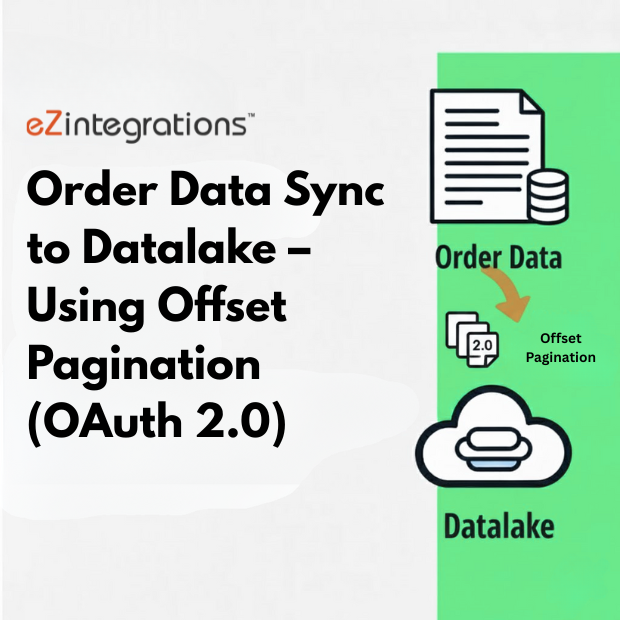
This workflow automates the fetching and synchronization of order data from multiple source systems to a Datalake using NextURL pagination (OAuth 2.0). It efficiently handles large datasets, ensuring accurate and real-time order data availability for analytics, reporting, and operational processes.
Smart Order Data Sync & Structuring
The system uses API-based extraction with NextURL pagination to manage large volumes of order data. Optional validation layers ensure only clean, complete, and relevant order information is transferred. Incoming data is standardized, enriched, and formatted before insertion into the Datalake.
This automation ensures consistent data quality, improved operational efficiency, and reliable insights for data engineers, operations teams, and analytics teams—without manual intervention.
Watch Demo
| Video Title: |
Automate Salesforce‑NetSuite Data Sync |
|---|---|
| Duration: |
5:31 |
Outcome & Benefits
| Time Savings: |
Manual exports eliminated; near real-time updates |
|---|---|
| Cost Reduction: |
Removes manual order monitoring overhead |
| Accuracy: |
High accuracy via automated validation and incremental sync |
| Productivity: |
Faster ingestion and reporting cycles |
Industry & Function
| Function: |
Data Extraction; Sync; Analytics |
|---|---|
| System Type: |
Order Data Integration Workflow |
| Industry: |
Retail; E-commerce |
Functional Details
| Use Case Type: |
Order Data Synchronization |
|---|---|
| Source Object: |
Orders; order line items; customer info |
| Target Object: |
Datalake tables for analytics; reporting; and BI |
| Scheduling: |
Hourly or near real-time |
| Primary Users: |
Data Engineers; Operations; Analytics Teams |
| KPI Improved: |
Data completeness; sync reliability; reporting accuracy |
| AI/ML Step: |
Optional anomaly detection for order inconsistencies |
| Scalability Tier: |
Enterprise-grade; supports millions of orders per day |
Technical Details
| Source Type: |
REST API |
|---|---|
| Source Name: |
Order Management API |
| API Endpoint URL: |
https://api.example.com/orders |
| HTTP Method: |
GET |
| Auth Type: |
OAuth 2.0 |
| Rate Limit: |
Depends on API plan |
| Pagination: |
NextURL-based pagination for large datasets |
| Schema/Objects: |
Orders; Customers; Line Items; Status |
| Transformation Ops: |
Data normalization; type casting; deduplication; timestamp tagging |
| Error Handling: |
Retry logic; API error parsing; logging |
| Orchestration Trigger: |
Hourly or daily |
| Batch Size: |
100 – 1,000 orders per run |
| Parallelism: |
Multi-threaded fetch for large volumes |
| Target Type: |
Cloud Datalake |
| Target Name: |
Order_Datalake_Zone |
| Target Method: |
API push / cloud storage write |
| Ack Handling: |
Success/failure logs recorded in monitoring layer |
| Throughput: |
Up to 50K records/hour |
| Latency: |
<30 seconds per batch |
| Logging/Monitoring: |
Execution logs; API response logs; retry logs |
Connectivity & Deployment
| On-Premise Supported: |
Yes (via secure gateway/connector) |
|---|---|
| Supported Protocols: |
HTTPS; REST API |
| Cloud Support: |
AWS; Azure; GCP Datalakes |
| Security & Compliance: |
OAuth 2.0 tokens encrypted; API security compliant |
FAQ
1. What is the Order Data Sync to Datalake workflow?
It is an automated workflow that fetches order data from source systems using NextURL pagination and syncs it to a Datalake for analytics and operational use.
2. How does the workflow fetch and sync order data?
The workflow connects to the source system via OAuth 2.0, retrieves order data using NextURL pagination to handle large datasets, and inserts it into the Datalake automatically.
3. What is NextURL pagination?
NextURL pagination is a method where the API provides a link to the next set of results, allowing the workflow to retrieve large volumes of data in sequential batches without missing any records.
4. How often does the workflow run?
The workflow can be scheduled to run on any interval—hourly, daily, or real-time—depending on business needs and API limits.
5. What happens if there are no new orders to sync?
If no new order data is found, the workflow completes successfully, logs the run, and ensures no errors are generated.
6. Who uses this workflow?
Data Engineers, Operations Teams, and Analytics Teams use this workflow to maintain accurate and up-to-date order data in the Datalake.
7. What are the benefits of automating order data sync?
Automation ensures accurate, real-time order data, reduces manual work, prevents data inconsistencies, and supports analytics and operational decision-making.
Case Study
| Customer Name: |
Global Retail Operations Team |
|---|---|
| Problem: |
Manual order data sync caused delays and errors |
| Solution: |
Automated order data integration to Datalake via NextURL pagination |
| ROI: |
Faster reporting and analytics for real-time insights |
| Industry: |
Retail; E-commerce |
| Outcome: |
Accurate, complete, and timely order data available in Datalake |