How to Extract Business Card Data and Send It to Any Target
$0.00
| Workflow Name: |
Extract Business Card and Send It to Any Target |
|---|---|
| AI Model Type: |
Vision / LLM |
| Model Provider: |
Goldfinch AI / OpenAI |
| Task Type: |
Extraction / Normalization |
| Input Type: |
Image / PDF |
| Output Format: |
JSON / CSV |
| Who Uses It: |
Sales; Marketing Teams |
Table of Contents
Description
| Problem Before: |
Manual contact entry |
|---|---|
| AI Solution: |
OCR + entity extraction |
| Validation (HITL): |
Optional human review |
| Accuracy Metric: |
Entity accuracy % |
| Time Savings: |
90% faster capture |
| Cost Impact: |
Lower admin overhead |
Extract Business Card and Send It to Any Target
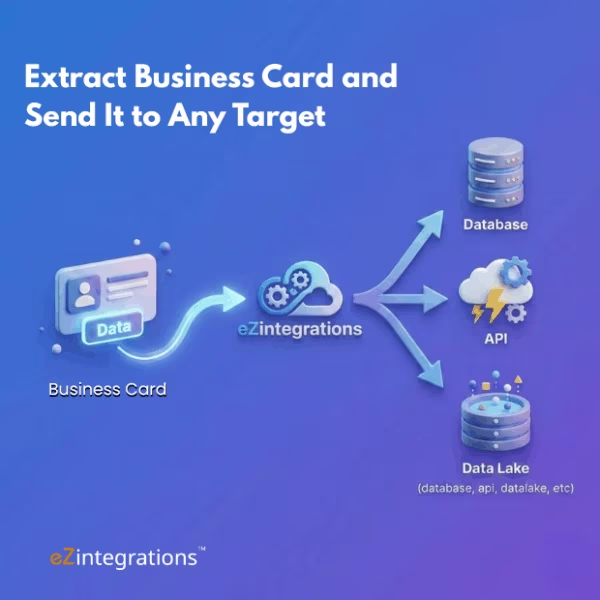
This workflow enables Business Card Extraction by using vision and LLM models to capture and normalize contact details from business card images or PDFs.
Automated Contact Data Processing
The system identifies key fields such as name, company, email, phone number, and address, converts them into structured JSON or CSV, and sends the data to any target system. It helps sales and marketing teams eliminate manual entry, improve data accuracy, and accelerate lead management.
Watch Demo
| Video Title: |
Automate Data Extraction from Documents with No Code | AI Document Understanding | eZintegrations™ |
|---|---|
| Duration: |
0:27 |
Outcome & Benefits
| Accuracy: |
99% |
|---|---|
| Touchless Rate: |
92% |
| Time Saved: |
From 3m to 10s/card |
| Cost Saved: |
$0.20 per card |
Functional Details
| Business Tasks: |
Contact creation; CRM sync |
|---|---|
| KPI Improved: |
Lead capture speed |
| Scheduling: |
Real-time |
| Downstream Use: |
Datalake / CRM |
Technical Details
| Model Name/Version: |
GPT-4o-mini Vision |
|---|---|
| Hosting Type: |
API / Cloud |
| Prompt Strategy: |
Entity-focused prompts |
| Guardrails: |
Duplicate detection |
| Throughput: |
200 cards/min |
| Latency: |
~1s/card |
| Data Governance: |
GDPR compliant |
FAQ
1. What is the Extract Business Card and Send It to Any Target workflow?
It is an AI-powered workflow that uses vision and LLM models to extract and normalize contact information from business cards and send it to any target system.
2. How does the workflow work?
The workflow ingests business card images or PDFs, applies vision and LLM models to extract text and entities, normalizes the data, and exports it in JSON or CSV format to the configured target.
3. What information can be extracted from business cards?
It extracts details such as name, job title, company, email, phone number, address, and other contact information available on the card.
4. What AI models are used in this workflow?
The workflow uses vision and LLM models provided by Goldfinch AI and OpenAI to accurately read and structure business card information.
5. What is the output of the workflow?
The normalized contact data is output in JSON or CSV format and can be sent to systems such as CRM, marketing platforms, Datalake, or contact management tools.
6. Who uses this workflow?
Sales Teams and Marketing Teams use this workflow to quickly capture leads, reduce manual data entry, and maintain clean, structured contact data.
7. What are the benefits of automating business card extraction?
Automation improves lead capture speed, ensures data consistency, reduces errors, and enables seamless integration with downstream sales and marketing systems.
Case Study
| Industry: |
Sales / Events |
|---|---|
| Problem: |
Lost or delayed contacts |
| Solution: |
Instant AI extraction |
| Outcome: |
Faster lead follow-up |
| ROI: |
1-month payback |