How to Automatically Categorize Emails Using AI
$0.00
| Workflow Name: |
Email Categorization |
|---|---|
| AI Model Type: |
NLP / Classification |
| Model Provider: |
Goldfinch AI |
| Task Type: |
Classification / Tagging |
| Input Type: |
Any Email Inbox |
| Output Format: |
Datalake |
| Who Uses It: |
Customer Support; Operations |
Table of Contents
Description
| Problem Before: |
Emails not routed correctly |
|---|---|
| AI Solution: |
AI auto-categorizes emails |
| Validation (HITL): |
Random QA on sample emails |
| Accuracy Metric: |
F1 Score / Precision |
| Time Savings: |
Faster ticket triage |
| Cost Impact: |
Lower operational costs |
Email Categorization
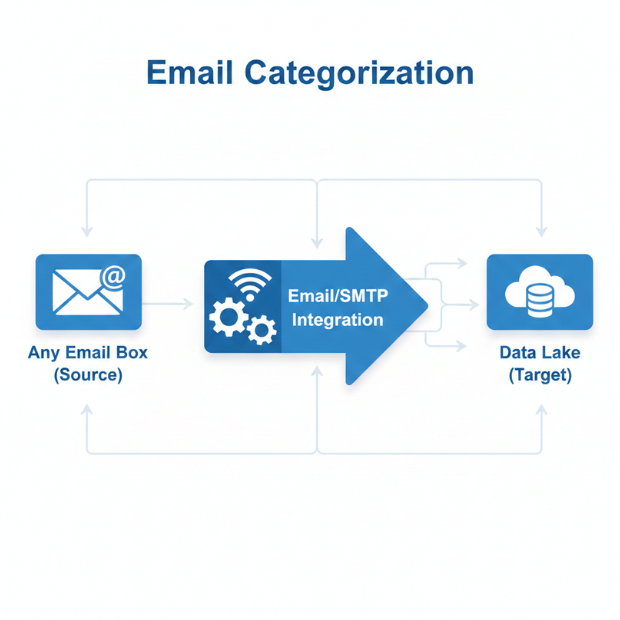
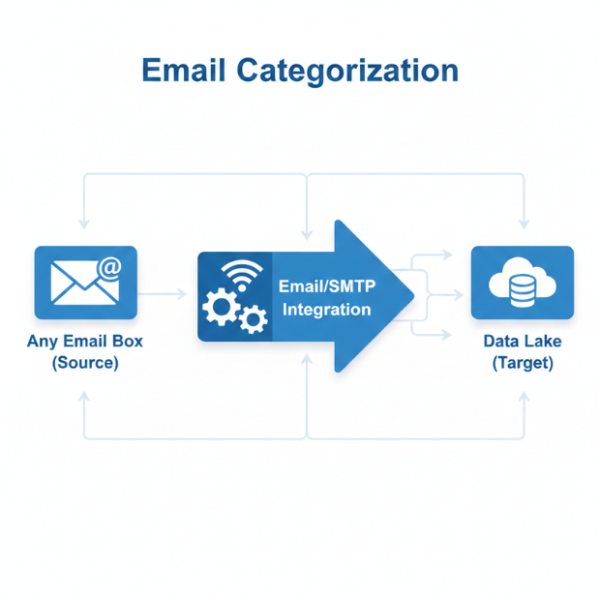
This workflow automatically classifies incoming emails using NLP-based classification models powered by Goldfinch AI. It processes emails from any inbox and assigns relevant tags based on content and intent.
Automated Email Classification for Better Operational Efficiency
The system outputs structured, tagged email data into a Datalake, enabling faster triage and analysis. It helps customer support and operations teams prioritize messages, streamline workflows, and reduce manual sorting efforts.
Watch Demo
| Video Title: |
Amazon ERP Integration Guide for Ecommerce Sellers |
|---|---|
| Duration: |
3:16 |
Outcome & Benefits
| Accuracy: |
94% category accuracy |
|---|---|
| Touchless Rate: |
85% |
| Time Saved: |
20 hrs/week |
| Cost Saved: |
$300s/week |
Functional Details
| Business Tasks: |
Auto-routing; tagging |
|---|---|
| KPI Improved: |
Triage time; SLA compliance |
| Scheduling: |
Continuous / Batch |
| Downstream Use: |
Ticketing system integration |
Technical Details
| Model Name/Version: |
EmailClassifier v1 |
|---|---|
| Hosting Type: |
Cloud API |
| Prompt Strategy: |
N/A |
| Guardrails: |
Confidentiality & privacy rules |
| Throughput: |
500 emails/min |
| Latency: |
<3 sec/email |
| Data Governance: |
Encrypted emails |
FAQ
1. What is the Email Categorization workflow?
It is an AI-powered workflow that automatically classifies and tags incoming emails based on their content, intent, and context to streamline inbox management and downstream processing.
2. How does the Email Categorization workflow work?
The workflow ingests emails from any connected inbox, applies NLP-based classification models from Goldfinch AI, and assigns categories and tags before storing the structured results in a Datalake.
3. What types of email categories can be created?
Categories can include support requests, sales inquiries, billing issues, complaints, feedback, internal communications, or any custom business-defined labels.
4. What is the output of the workflow?
The classified and tagged email data is stored in the Datalake, enabling reporting, automation, routing, and integration with downstream systems.
5. How frequently does the workflow process emails?
The workflow can run in near real-time or on scheduled intervals depending on inbox volume and operational requirements.
6. Who uses the Email Categorization workflow?
Customer Support Teams and Operations Teams use this workflow to prioritize emails, reduce manual triage, and improve response times.
7. What are the benefits of automating email categorization?
Automation improves inbox efficiency, ensures consistent tagging, reduces manual effort, enables faster response handling, and supports analytics and operational insights.
Resources
Case Study
| Industry: |
SaaS / IT Services |
|---|---|
| Problem: |
Misclassified emails |
| Solution: |
AI-driven email categorization |
| Outcome: |
Faster resolution; improved SLA |
| ROI: |
1-quarter payback |