How to Automate Meeting Scheduling Using AI for Calendly
$0.00
| Agent Name: |
Meeting Scheduling Agent |
|---|---|
| Agent Type: |
Conversational Scheduling Agent |
| Embedding Model: |
N/A |
| Context Window: |
N/A |
| Memory: |
Conversation Context + Calendar Availability State |
| Action Tools: |
Calendly API |
| Autonomy Level: |
Semi- Autonomous |
Table of Contents
Description
| Observation Inputs: |
User meeting request; participant availability; calendar state |
|---|---|
| Planning Strategy: |
Intent Detection → Availability Check → Slot Selection → Booking Confirmation |
| Knowledge Base: |
Scheduling rules; meeting preferences; calendar constraints |
| Guardrails: |
Double-booking prevention; calendar conflict detection; confirmation validation |
| KPIs Improved: |
Scheduling efficiency, Meeting confirmation rate, Administrative workload reduction |
Meeting Scheduling Agent
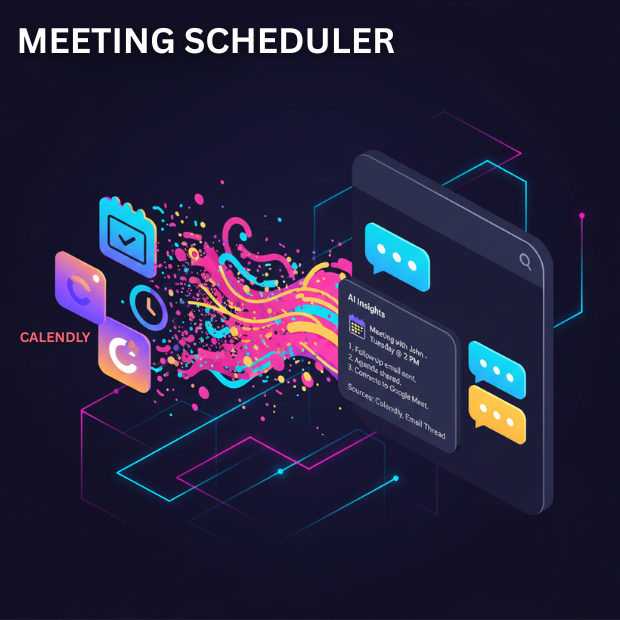
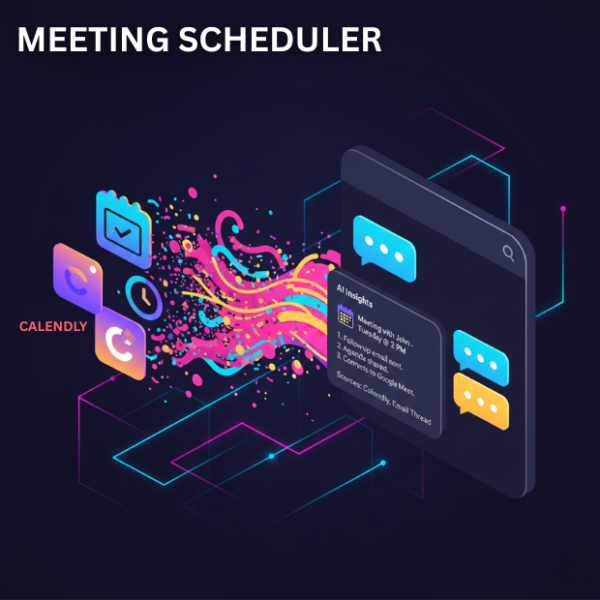
The AI Meeting Scheduling Agent automates the process of coordinating meetings by interpreting user requests and checking real-time calendar availability. Instead of manually exchanging emails to find a suitable time, the agent understands natural language scheduling requests and identifies available meeting slots through integrated calendar and Calendly APIs.
The solution analyzes meeting requests, checks participant availability, and recommends suitable time slots based on calendar data and scheduling rules. Once a slot is selected, the agent confirms and books the meeting through Calendly while ensuring that conflicts or double-bookings are prevented.
Teams interested in reducing scheduling overhead can start by integrating their calendar systems and testing the agent in a pilot workflow. Sign Up here
Automated Scheduling for Efficient Calendar Management
Using conversational AI and real-time calendar synchronization, the agent manages meeting coordination across connected calendars such as Google Calendar or Outlook. It maintains conversation context and calendar state to interpret requests accurately and suggest relevant availability.
Operating in a semi-autonomous mode, the agent proposes meeting slots and completes bookings after confirmation. By automating scheduling tasks, organizations can reduce manual coordination, prevent calendar conflicts, and significantly improve scheduling efficiency.
Watch Demo
| Video Title: |
eZintegrations Product Overview ( Integration Platform as a Service- iPaaS ) |
|---|---|
| Duration: |
10:48 |
Outcome & Benefits
| Time Saved: |
Significant reduction in scheduling coordination effort through automated availability detection and booking. |
|---|---|
| Cost Reduction: |
Lower administrative cost per meeting due to reduced manual coordination. |
| Quality: |
Error-free bookings |
| Throughput: |
Efficient meeting scheduling and faster confirmations |
Technical Details
| Embedding Dim: |
N/A |
|---|---|
| Retriever Type: |
Rule-based scheduling logic |
| Planner: |
Scheduling Orchestration Logic |
| Tool Router: |
Calendar action router |
| Rate Limits: |
API Rate Limit Handling |
| Audit Logging: |
Meeting scheduling activity logs |
FAQ
1. What is the AI Meeting Scheduler Agent?
The AI Meeting Scheduler Agent is an automated workflow that helps coordinate and schedule meetings by interpreting natural language requests, checking calendar availability, and booking meetings through Calendly. It reduces manual coordination and simplifies scheduling across teams.
2. What are the prerequisites to use this automation?
To use this workflow, you need an active eZintegrations account, a Calendly account with API access, and a connected Google Calendar or Microsoft Outlook calendar with permission to create or manage meetings.
3. How does the agent schedule meetings automatically?
The agent analyzes a meeting request, checks availability through integrated calendars, identifies suitable time slots, and proposes options to participants. Once a slot is confirmed, it automatically books the meeting through the Calendly API.
4. How do I import and deploy this workflow?
After downloading the template, you can import it directly into your eZintegrations workspace. Once imported, connect your Calendly and calendar accounts, configure scheduling preferences, and activate the workflow.
5. Can the workflow be customized for different scheduling rules?
Yes. The workflow can be customized to support different meeting durations, working hours, buffer times between meetings, participant limits, and preferred time zones based on your organization’s scheduling policies.
6. What happens if there is a scheduling conflict or API failure?
The workflow includes safeguards such as calendar conflict detection and API error handling. If a scheduling conflict or system error occurs, the agent can suggest alternative time slots or notify the user to take manual action.
7. How long does it take to set up this scheduling automation?
Most users can configure and activate the workflow in 15 to 30 minutes, depending on the number of calendar connections and scheduling rules required.
8. Who should use this meeting scheduling automation?
This workflow is ideal for sales teams, consultants, recruiters, customer success teams, and administrative staff who regularly coordinate meetings and want to reduce manual scheduling effort.
Resources
Case Study
| Industry: |
Professional Services |
|---|---|
| Problem: |
Manual coordination of meeting times through email leads to delays and scheduling conflicts. |
| Solution: |
AI scheduling agent that interprets meeting requests, checks availability through Calendly, and books confirmed slots automatically. |
| Outcome: |
Reduced scheduling back-and-forth and faster meeting confirmations. |
| ROI: |
Improved productivity and reduced administrative overhead. |