
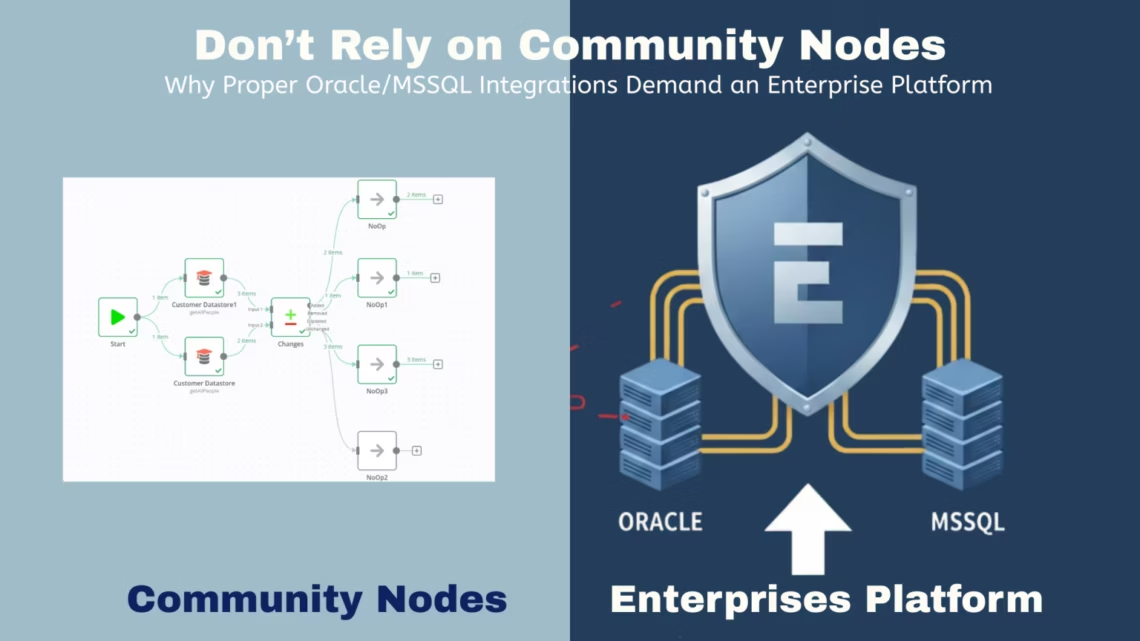
Why Proper Oracle/MSSQL Integrations Demand an Enterprise Platform
December 5, 2025Last updated: December 2025
What changed: Updated Gartner, Forrester, and IDC statistics; added enterprise security requirements; expanded monitoring and scaling best practices; clarified risks of community nodes.
What’s New in Oracle MSSQL Integration (2025–2026)
-
Increased regulatory scrutiny (GDPR, SOX, ISO 27001) for data pipelines.
-
Downtime costs for mid-size enterprises exceed $100,000 per hour (IDC, 2025).
-
Enterprise adoption of managed integration platforms is accelerating for near-real-time reporting.
-
Community node failures remain the leading cause of unplanned data pipeline outages (CNCF, 2025).
Introduction
Organizations that rely on Oracle and Microsoft SQL Server (MSSQL) for operational reporting often underestimate the risks of community-built integration nodes. While open-source platforms such as n8n or Node-RED appear flexible, they introduce hidden threats, including downtime, data inconsistency, and security exposure.
Community nodes are not designed for production-grade Oracle MSSQL integration.
Why it matters: Enterprises running mission-critical workflows require predictable uptime, audited security, and controlled change management—capabilities only available in enterprise integration platforms.
According to Gartner, over 60% of data integration failures in production environments are linked to unmanaged connectors and insufficient error handling in open-source tooling.
What Is Oracle MSSQL Integration?
Q: What does Oracle MSSQL integration involve?
A: It is the secure extraction, transformation, validation, and loading of data between Oracle databases and Microsoft SQL Server.
-
How it works: Extract via JDBC/native connectors → Transform schemas, timestamps, and data types → Load into MSSQL with retries and rollback logic.
-
Differences in data types, indexing, and transaction handling make naïve synchronization error prone.
Who Needs Oracle MSSQL Integration Solutions?
Enterprise Oracle MSSQL integration platforms are essential for organizations that require high-performance, reliable, and compliant data synchronization across multiple tables, databases, and reporting systems.
Typical users include:
-
Enterprises operating Oracle ERP, financial, or settlement systems with MSSQL reporting layers, where multiple source tables must be queried simultaneously to generate accurate consolidated reports.
-
IT teams managing high-volume or near-real-time synchronization, including parallel extraction of multiple schemas, batching of large datasets, and distributed query execution across different nodes.
-
Businesses subject to SOX, ISO 27001, GDPR, or internal audit controls, where full traceability of multi-table operations and transactional consistency across Oracle and MSSQL is critical.
When to use enterprise tools:
-
If database downtime or delayed reporting costs exceed a few minutes.
-
When workflows require fan-out queries, for example, synchronizing hundreds of interdependent tables or executing multiple joins in parallel across Oracle and MSSQL.
-
When enterprise-scale concurrent transformations are needed without risking data loss, deadlocks, or transaction inconsistencies.
Enterprise-grade integration platforms handle query fan-out automatically, including:
-
Parallel extraction from multiple Oracle tables to MSSQL.
-
Coordinated execution of interdependent queries with dependency mapping.
-
Error handling, retries, and rollback for distributed query failures.
-
Optimized batching and throttling to maintain performance at scale.
Using enterprise tools ensures that complex, multi-node query operations are reliable, auditable, and compliant, which community nodes cannot guarantee.
IDC estimates average downtime costs exceed $100,000 per hour for mid-size enterprises.
What Are Community Nodes and Enterprise Nodes?
What is a community node?
A community node is a publicly accessible network participant with minimal dedicated support.
-
Typically free to use
-
Limited reliability and scalability
-
No guaranteed security compliance
What is an enterprise node?
An enterprise node is a dedicated network instance designed for businesses.
-
High reliability with guaranteed uptime
-
Dedicated support and maintenance
-
Built-in compliance with standards (GDPR, SOX, ISO)
How do enterprise and community nodes differ?
| Feature | Community Node | Enterprise Node |
|---|---|---|
| Reliability | Low | High |
| Support | Minimal | Dedicated |
| Compliance | Basic | Full |
| Scalability | Limited | High |
Why Are Community Nodes Risky for Oracle MSSQL Integration?
Are community nodes safe for production database integration?
No. Community nodes are suitable only for testing or non-critical workflows.
Key risks include:
-
Breaking changes without version guarantees.
-
Full machine access permissions without security audits.
-
Incomplete error handling, leading to silent data loss, especially when workflows involve parallel queries or multi-table synchronization.
-
No SLA or vendor accountability, which makes distributed query failures difficult to diagnose and recover from.
-
Limited support for coordinating fan-out queries, resulting in inconsistent results when multiple tables or dependent queries must be processed simultaneously.
Community nodes may handle simple, single-table workflows, but they do not reliably support the complex query fan-out and error recovery needed for production Oracle to MSSQL integration.
A 2023 CNCF survey found that over 70% of open-source workflow failures in production were caused by unmaintained or incompatible connectors.
What Are the Achievements of Enterprise Database Integration?
What benefits do enterprise Oracle MSSQL solutions deliver?
Enterprise platforms provide reliable, auditable, and scalable database integration.
Key outcomes include:
-
Automated, error-free data pipelines between Oracle and MSSQL
-
Real-time or scheduled reporting with enterprise-grade connectors
-
Compliance with internal and external security standards
Measured impact:
Organizations using managed integration platforms report up to 45–60% reduction in data pipeline failures compared to community tooling (Forrester TEI Study, 2024).
How Do You Design Reliable Oracle MSSQL Workflows?
What is required before building Oracle MSSQL integration?
Proper workflow mapping and documentation.
Best-practice steps:
-
Document table relationships and dependencies
-
Validate data formats and primary keys
-
Identify transformation risks (e.g., timestamps, numeric precision)
-
Define rollback and retry scenarios
Example: Comparing Amazon settlement data stored in Oracle against MSSQL reporting tables helps surface schema mismatches early, reducing production defects.
Why Choose Enterprise Platforms Over Community Nodes?
What makes enterprise integration platforms different?
Enterprise platforms are built for reliability, security, and scale—not experimentation.
Enterprise features include:
-
No-code workflow automation with governed connectors
-
Reliable scheduling (bi-weekly, daily, or custom triggers)
-
Built-in retries, monitoring, and alerting
Definition:
Integration scheduling is the controlled execution of data sync jobs with failure handling and performance guarantees—something community nodes lack.
Platforms like eZIntegrations™ reduce synchronization setup time by ~50% through pre-validated Oracle and MSSQL connectors.
How Do You Configure Secure Oracle MSSQL Data Flows?
Secure integration requires encrypted connections, controlled access, and tested transformations. When workflows involve parallel queries or multi-table synchronization, additional considerations are needed to maintain both security and data integrity.
Minimum requirements:
-
Encrypted JDBC or TLS connections.
-
Defined transformation and validation rules for all tables involved in fan-out operations.
-
Sandbox testing before production deployment, including simulated parallel query execution to verify consistency and performance.
-
Role-based access control to ensure that multiple concurrent queries do not exceed authorized permissions or expose sensitive data.
-
Logging and auditing for all distributed query operations, so any errors in fan-out execution can be traced and corrected.
Example:
Automatically converting Oracle TIMESTAMP fields to MSSQL DATETIME prevents runtime failures and data truncation, even when multiple tables are queried in parallel. Testing transformations under simulated fan-out conditions ensures that concurrent queries do not introduce data conflicts or partial loads.
Why Is Monitoring Critical for Database Integration?
How should Oracle MSSQL pipelines be monitored?
With real-time dashboards, alerts, and audit logs.
Monitoring best practices:
-
Set thresholds for data volume anomalies
-
Alert on failed inserts or partial loads
-
Schedule periodic pipeline audits
Enterprises with proactive monitoring resolve integration issues 70% faster than those relying on manual checks.(IDC, 2025).
How Do You Scale Oracle MSSQL Integration?
How do enterprise solutions handle large data volumes?
By optimizing queries, batching records, and auto-scaling workloads.
Scaling techniques include:
-
Batch processing for large datasets
-
Auto-retry logic for transient failures
-
Support for hybrid cloud and on-prem deployments
Enterprise platforms prevent system strain while supporting multi-market and multi-region reporting operations.
Community Nodes vs Enterprise Solutions: Real-World Pain Points
What problems do teams face with community nodes?
Manual fixes, broken pagination, and incomplete data loads.
Example:
E-commerce teams using community nodes frequently encounter pagination failures in Oracle settlement data, leading to missing MSSQL records. Enterprise platforms automate pagination and reconciliation, delivering audit-ready outputs in minutes instead of hours.
Conclusion
Community nodes introduce unacceptable risk for production Oracle MSSQL integration. Unverified code, breaking updates, and missing compliance controls make them unsuitable for enterprise use.
eZIntegrations™ delivers:
-
Secure, automated Oracle MSSQL integration
-
Continuous monitoring and error recovery
-
Enterprise-grade support and scalability
Available on Oracle Marketplace

eZintegrations for ERP Data Archival (Bizintel360™) is available on the Oracle Cloud Marketplace, enabling Oracle Cloud customers to easily discover, access, and deploy the solution within their existing Oracle Cloud environment.
The marketplace provides a trusted platform backed by Oracle, ensuring compatibility with Oracle Cloud services. Customers can streamline procurement and deployment while benefiting from security and compliance standards.
Learn more on the Oracle Marketplace
or visit https://cloudmarketplace.oracle.com/marketplace/en_US/homePage.jspx
FAQs
1. Can community nodes be used safely for database integration?
Only in isolated test servers. Never use production Oracle or MSSQL data, especially for workflows that require parallel or multi-table queries, as community nodes cannot reliably manage query fan-out or distributed execution.
2. Does eZIntegrations cover full Oracle MSSQL Integration?
Yes, including JDBC support, real-time synchronization, automated transformations, and support for parallel extraction and multi-table query fan-out to ensure reliable, production-ready workflows.
3. What is the cost of downtime from faulty community nodes?
Hours per incident. Community nodes cannot safely execute fan-out queries, which increases risk of partial loads or data inconsistencies. Enterprise platforms reduce downtime to near zero by handling distributed queries reliably.
4. Can workflows from n8n be migrated to enterprise solutions?
Yes, via no-code import into sandbox environments before production, including workflows with multi-table or parallel queries to validate correct fan-out execution.
5. Why choose enterprise solutions over community nodes?
Enterprise platforms provide security, compliance, automated monitoring, support for query fan-out, and professional assistance for complex database integration scenarios.
Switch to enterprise-grade Oracle MSSQL Integration with eZIntegrations™. Move beyond risky community nodes and implement professional solutions designed for production environments.
Upgrade Your Database Integration Today. Book a demo now
References / Sources
-
Gartner, Market Guide for Data Integration Tools, June 2025.
-
Forrester TEI Study, Enterprise Integration Platforms, 2024.
-
CNCF, Cloud Native Workflow Survey, 2023.
-
IDC, Cost of Downtime Analysis for Mid-size Enterprises, 2025.

